·
13 min read
Write to Fresh Jots from a cron job — `curl`, a small wrapper, or systemd
Write to Fresh Jots from a cron job — `curl`, a small wrapper, or systemd
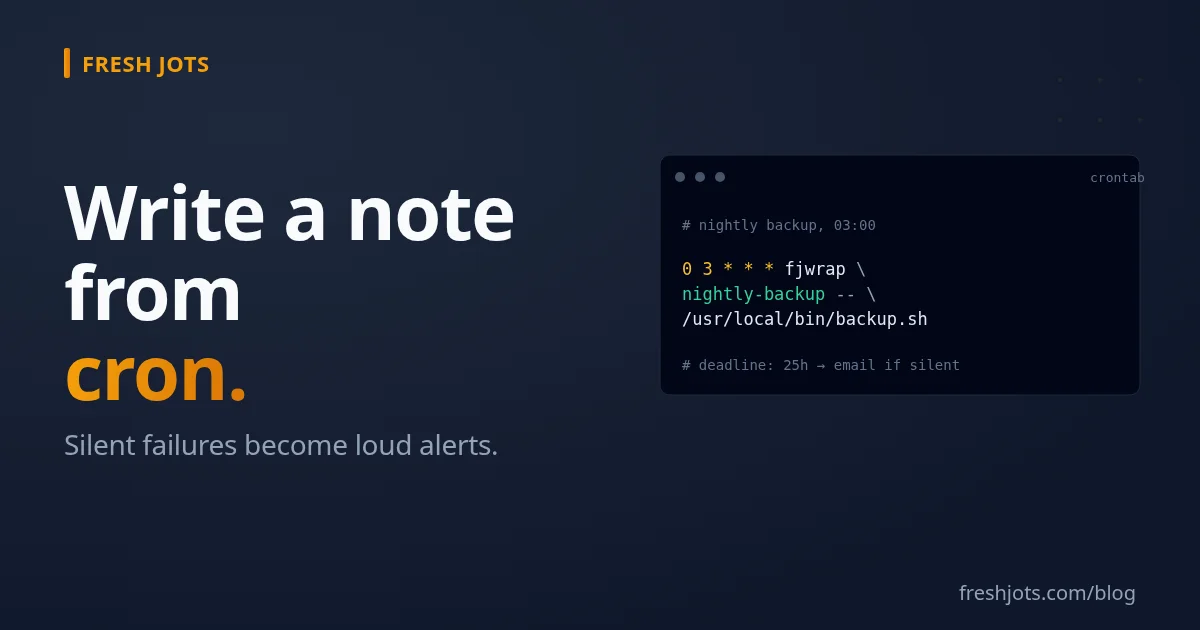
A spin-off from Write a note from any project, focused on cron jobs and systemd timers. The killer feature here is the dead-man alert: pair any of the patterns below with `append_deadline_hours` and Fresh Jots emails you when the job *stops running*. Classic cron's worst failure mode — silent — becomes a noisy alert.
Three flavors:
- Bare `curl` in crontab — one line, no script file. The fast path.
- A `bash` wrapper — captures exit code, stderr tail, and elapsed time; works around `set -e` and cron's minimal `PATH`.
- systemd timers — modern Linux replacement for cron. Native `EnvironmentFile=`, journal integration, `Persistent=true` for missed runs.
All three hit the same `/api/v1/notes/by-filename/<name>/append` endpoint. You'll need a Fresh Jots API token (`FRESHJOTS_TOKEN`). If you don't have one, see Get & set your Fresh Jots API token. The API — and dead-man alerts (`append_deadline_hours`, `alert_email`) — require a Dev or Team plan.
1. `curl` in crontab — the fast path
1. `curl` in crontab — the fast path
Crontab does not support backslash line continuation — Vixie cron and cronie (the implementations on Debian/Ubuntu/RHEL/Fedora) treat each line as a separate cron entry. The command portion of a line ends at the newline, period. So the call below is one long line; copy-paste it as-is and don't wrap it in your editor:
```cron
# /etc/cron.d/backup
SHELL=/bin/bash
PATH=/usr/local/sbin:/usr/local/bin:/usr/sbin:/usr/bin:/sbin:/bin
MAILTO=""
FRESHJOTS_TOKEN=mn_xxxxxxxxxxxxxxxxxxxxxxxxxxxxxxxxxxxxxxxx
0 3 * * * root /usr/local/bin/backup.sh && curl -fs -X POST -H "Authorization: Bearer $FRESHJOTS_TOKEN" -H "Content-Type: application/json" -d '{"text":"backup ok"}' https://freshjots.com/api/v1/notes/by-filename/nightly-backup/append
```
If the line offends you (it should), skip ahead to the `fjwrap` section — the command in the crontab becomes a 60-character invocation and the long stuff lives in a script file.
Five things to know about the cron environment:
- `PATH` is minimal by default — usually `/usr/bin:/bin`. Set `PATH=` explicitly at the top of the crontab or use absolute paths everywhere. `curl` is in `/usr/bin/curl` on most distros and is in the default cron PATH; custom binaries usually aren't.
- `SHELL=/bin/bash` sets the shell cron uses for *inline* crontab commands. Plain `&&`, `;`, and pipes are POSIX and already work under dash (Debian/Ubuntu's `/bin/sh`), so the one-liner above doesn't strictly need it — set it only when an inline command uses bash-only syntax (`[[ ]]`, arrays, `set -o pipefail`, process substitution). It has no effect on scripts like `fjwrap` that carry their own `#!/usr/bin/env bash` shebang.
- `MAILTO=""` silences cron's own email. By default, cron mails stdout/stderr to the local user (or whoever's named in `MAILTO=`). If Fresh Jots is your only alert channel, set it empty. If you want belt-and-suspenders, leave it.
- `FRESHJOTS_TOKEN=` at the top sets the env var for all jobs in the file. Visible in `crontab -l`, readable by anyone who can read `/etc/cron.d/backup` (typically root-only — `chmod 600`).
- No `~/.bashrc`, no `/etc/profile` — cron doesn't source login or interactive shell startup files. Anything your job needs from those must live in the crontab itself or in a script the job invokes.
The `&&` means we only append on success. If `backup.sh` exits non-zero, no append happens — and `append_deadline_hours` on the `nightly-backup` note will email you when the next expected run window passes without an append. The silent-failure mode becomes a loud-failure mode.
For a job that's expected daily at 03:00, set `append_deadline_hours: 25` on the note (one hour past the next scheduled run, giving the backup a grace window for slow nights).
2. `bash` wrapper — exit code, stderr, timing
2. `bash` wrapper — exit code, stderr, timing
The one-liner above tells you "it succeeded" but nothing else. For most ops contexts, you want the exit code, a tail of stderr if it failed, and how long it took. That's a ~30-line wrapper:
```bash
#!/usr/bin/env bash
# /usr/local/bin/fjwrap — run a command, log outcome to Fresh Jots.
#
# Usage: fjwrap <note-name> -- <command> [args...]
# Env: FRESHJOTS_TOKEN must be set.
set -euo pipefail
if [[ $# -lt 3 || "${2:-}" != "--" ]]; then
echo "usage: $0 <note> -- <command> [args...]" >&2
exit 64
fi
note=$1
shift 2
: "${FRESHJOTS_TOKEN:?must be set in environment}"
stderr=$(mktemp)
trap 'rm -f "$stderr"' EXIT
start=$SECONDS
set +e
"$@" 2>"$stderr"
status=$?
set -e
elapsed=$((SECONDS - start))
host=$(hostname -s)
if (( status == 0 )); then
msg="${host} ok — ${elapsed}s"
else
tail_err=$(tail -c 1024 "$stderr")
msg=$(printf '%s FAIL exit=%d (%ds)\n%s' "$host" "$status" "$elapsed" "$tail_err")
fi
# JSON-escape the message via jq (handles newlines, quotes, control chars).
body=$(jq -nc --arg t "$msg" '{text: $t}') || body='{"text":"(fjwrap: message encoding failed)"}'
curl -fs -X POST \
-H "Authorization: Bearer ${FRESHJOTS_TOKEN}" \
-H "Content-Type: application/json" \
--data "$body" \
"https://freshjots.com/api/v1/notes/by-filename/${note}/append" \
>/dev/null || true # don't fail the cron if Fresh Jots is unreachable
exit "$status"
```
Crontab line becomes:
```cron
0 3 * * * root /usr/local/bin/fjwrap nightly-backup -- /usr/local/bin/backup.sh
```
Five wrapper-design choices worth knowing:
- `set -euo pipefail` then `set +e` around the wrapped command. Without the toggle, `set -e` would abort the wrapper as soon as the wrapped command fails — *before* we get to record the failure to Fresh Jots. The pattern is: disable `-e` for the line that's allowed to fail, capture `$?` immediately, re-enable.
- `set +e` over `||` or `if`-form. All three avoid the `-e` trap; `set +e`/`set -e` keeps the wrapped command line readable (`"$@" 2>"$stderr"`) instead of folding it into an `if ... fi` block.
- stderr captured to a tempfile, tail truncated. Multi-megabyte stderr (e.g., `rsync -v` on a fat backup) would either time out the API call or be rejected outright — the API blocklists request bodies over ~4 MB *before they're even parsed*, and even a smaller-but-bloated append can blow past the note's plain-text body cap (1 MB on Free/Personal, 3 MB on Dev/Team). `tail -c 1024` keeps just enough to tell you what broke.
- JSON via `jq -nc --arg t "$msg"`. Hand-rolled bash JSON escaping is fragile — newlines, quotes, backslashes, control chars all need handling. `jq -n` (null input) + `--arg` (treat as string, don't parse as JSON) does it correctly in one call. `jq` ships in most distros' default install; if it doesn't, `apt install jq` / `dnf install jq`.
- `curl -fs ... || true`. `-f` makes curl exit non-zero on HTTP 4xx/5xx; `-s` silences progress output. The trailing `|| true` ensures Fresh Jots being down (or your token being wrong) doesn't make the cron itself fail — the wrapped command's exit code is what propagates via `exit "$status"`.
- `jq` guarded with `|| body=…`. `tail -c 1024` cuts at a byte boundary and can split a multi-byte UTF-8 character, leaving `jq` with invalid input. Without the fallback, `jq` failing under `set -e` would abort the wrapper *before* `exit "$status"` — losing the wrapped command's real exit code and sending no append at all. The fallback keeps the dead-man signal alive even when the message can't be encoded.
3. systemd timers — modern Linux
3. systemd timers — modern Linux
systemd timers are the Linux-distro-blessed cron replacement. The advantages over `cron`/`crontab` worth using here:
- Native `EnvironmentFile=` — token lives in a `chmod 600` file, not in `crontab -l` output.
- `Persistent=true` runs missed jobs on boot. If the machine was off at 03:00, the timer runs immediately at boot. No silent skip.
- Logs go to journald automatically — `journalctl -u backup.service` shows every run, success or failure.
- `OnCalendar=` syntax is richer than cron's five-field syntax (e.g., `Mon,Wed,Fri 03:00` or `*-*-1` for "1st of every month").
```ini
# /etc/systemd/system/backup.service
[Unit]
Description=Nightly backup
After=network-online.target
Wants=network-online.target
[Service]
Type=oneshot
EnvironmentFile=/etc/freshjots.env
ExecStart=/usr/local/bin/fjwrap nightly-backup -- /usr/local/bin/backup.sh
```
```ini
# /etc/systemd/system/backup.timer
[Unit]
Description=Run backup.service daily at 03:00
[Timer]
OnCalendar=*-*-* 03:00:00
Persistent=true
RandomizedDelaySec=300
[Install]
WantedBy=timers.target
```
```sh
# /etc/freshjots.env
FRESHJOTS_TOKEN=mn_xxxxxxxxxxxxxxxxxxxxxxxxxxxxxxxxxxxxxxxx
```
```sh
sudo chmod 600 /etc/freshjots.env
sudo systemctl daemon-reload
sudo systemctl enable --now backup.timer
```
`RandomizedDelaySec=300` spreads N machines' 03:00 firings across a 5-minute window — handy when a fleet of servers all hit the same upstream (S3, a backup target, your own API) at the top of the hour.
One subtlety about `Persistent=true` worth knowing: when a missed run fires on boot, it appends to the note like any other run, which resets `last_appended_at` and clears the pending dead-man alert. That's almost always what you want ("the machine was off, caught up, all good") — but it means "machine was off for 3 days, then booted and caught up" looks identical to "ran on schedule for 3 days." If you need to distinguish the two cases, have the wrapper detect catch-up runs (e.g., check whether `systemd-analyze calendar 'OnCalendar=...'` is well in the past) and tag the message accordingly.
Inspect:
```sh
systemctl list-timers backup.timer # next run + last run
journalctl -u backup.service -n 100 # last 100 log lines from the service
journalctl -u backup.service --since today
```
4. Branching on errors
4. Branching on errors
For cron / shell context, the response body is usually thrown away — you only care whether the append succeeded. `curl -f` returns non-zero on HTTP 4xx/5xx; check that and decide whether to retry.
If you do want to parse the error `code`:
```bash
hdr=$(mktemp)
trap 'rm -f "$hdr"' EXIT
response=$(curl -s -D "$hdr" -w '\n%{http_code}' -X POST \
-H "Authorization: Bearer ${FRESHJOTS_TOKEN}" \
-H "Content-Type: application/json" \
-d '{"text":"hello"}' \
"https://freshjots.com/api/v1/notes/by-filename/cron-log/append")
# head -n -1 is GNU-specific; on macOS / BSD use `sed '$d'` instead.
body=$(echo "$response" | head -n -1)
status=$(echo "$response" | tail -n 1)
if (( status == 429 )); then
code=$(echo "$body" | jq -r '.error.code // "unknown"')
# Fresh Jots sends Retry-After (seconds) on a 429 — back off by exactly that.
retry_after=$(awk 'tolower($1) == "retry-after:" { print $2 }' "$hdr" | tr -d '\r')
echo "rate-limited (code=$code); honoring Retry-After=${retry_after:-60}s"
sleep "${retry_after:-60}"
# retry...
fi
```
For most cron scripts, this is overkill — the append is fire-and-forget. The dead-man alert catches you anyway when *any* failure mode prevents the append, no matter the cause.
5. Patterns that work
5. Patterns that work
A. Nightly backup with dead-man alert
```cron
FRESHJOTS_TOKEN=mn_…
0 3 * * * root /usr/local/bin/fjwrap nightly-backup -- /usr/local/bin/backup.sh
```
On the `nightly-backup` note in the Fresh Jots UI, set `append_deadline_hours: 25`. Anything that prevents the backup from running — `cron` daemon stopped, disk full, malformed crontab, machine off, network partitioned, backup script's interpreter missing — results in no append within the 25-hour window, and Fresh Jots emails you. See [Everything you can do here](/blog/everything-you-can-do-here).
B. Hourly sync — append regardless of outcome
B. Hourly sync — append regardless of outcome
When you want a record of *every* run (success or failure), drop the `&&` and let the wrapper post both shapes:
```cron
0 * * * * root /usr/local/bin/fjwrap hourly-sync -- /usr/local/bin/sync.sh
```
Now the `hourly-sync` note has one entry per hour. Set `append_deadline_hours: 2` and Fresh Jots emails you if two hours pass without an entry — your absolute proof the cron is alive.
C. Per-host fan-in
C. Per-host fan-in
A fleet of servers can append to the same note with a hostname prefix:
```bash
msg="$(hostname -s) $(date -Iseconds) $event"
```
You get one consolidated stream across the fleet. For each-host visibility, use per-host notes (`heartbeat-host42`) with the team-tier alert routing. See pricing.
D. Capture only failures
D. Capture only failures
If you only care about failures (success is silent), early-exit the wrapper before the API call:
```bash
if (( status == 0 )); then
exit 0 # silent success
fi
# ... build msg, post to Fresh Jots ...
exit "$status"
```
You lose the dead-man-alert capability (no successful appends means no last-append timestamp to compare against the deadline) — so use this *only* for "spam me only when broken" notes, not for "is the cron alive" notes.
E. Locked / overlap-safe cron with `flock`
For jobs that can't safely overlap (long backup, single-instance migration), pair `flock` with the wrapper. Order matters here — `fjwrap` must wrap `flock`, not the other way around. If `flock` wraps `fjwrap` and the lock is held, `flock` exits 1 *before invoking the wrapped command* and Fresh Jots gets nothing. With `fjwrap` on the outside, the overlap event surfaces as a FAIL append:
```cron
# Right: fjwrap outside, flock inside — overlap shows up in Fresh Jots
0 * * * * root /usr/local/bin/fjwrap hourly-sync -- flock -n /var/lock/sync.lock /usr/local/bin/sync.sh
# Wrong: flock outside, fjwrap inside — overlap is invisible
# 0 * * * * root flock -n /var/lock/sync.lock /usr/local/bin/fjwrap hourly-sync -- /usr/local/bin/sync.sh
```
`flock -n` returns exit code 1 when the lock is held; the wrapper records it as a FAIL with no stderr ("`hostname FAIL exit=1 (0s)`"), which reads cleanly as "this hour's run was skipped because the previous run hasn't finished yet."
F. Anacron — laptop / desktop cron
For machines that aren't on 24/7 (laptops, workstations), `anacron` runs jobs that were missed during downtime. The wrapper pattern is identical:
```sh
# /etc/anacrontab
1 10 daily-sync /usr/local/bin/fjwrap daily-sync -- /usr/local/bin/sync.sh
```
Field 1: how many days between runs (1 = daily). Field 2: delay in minutes *after anacron starts* (anacron usually runs at boot or via a cron timer, so in practice it's "minutes after the machine wakes up"). Field 3: job identifier. With `Persistent=true` on a systemd timer, you get the same behavior natively — pick anacron only if you're stuck on a no-systemd system.
6. Loading the token
6. Loading the token
- `/etc/freshjots.env` + `EnvironmentFile=` (systemd timers) — `chmod 600`, root-owned. The cleanest path.
- Crontab top line (`FRESHJOTS_TOKEN=...`) — works with cron / `crontab -e`, visible in `crontab -l`. This does *not* keep the token off the process table: every `curl -H "Authorization: Bearer …"` puts the expanded token in curl's argv, briefly readable via `ps` / `/proc/<pid>/cmdline` by any local user, no matter how the token is loaded. To keep it out of argv, put the header line in a `chmod 600` file and use `curl -H @/etc/freshjots.hdr` (curl ≥ 7.55). Acceptable as-is for single-tenant servers where you trust every local account.
- Per-user crontab — `crontab -e -u backup` keeps the token in `/var/spool/cron/crontabs/backup` (Debian/Ubuntu) or `/var/spool/cron/backup` (RHEL/Fedora — no `crontabs/` subdir), readable only by root and the `backup` user.
- `/etc/profile.d/freshjots.sh` — sets `FRESHJOTS_TOKEN` for all login shells. Don't rely on this for cron — cron jobs don't source profile scripts.
Don't hardcode the token into `fjwrap` or any cron-line. Don't write it into `/etc/cron.allow` or other world-readable files. `ls -l /etc/freshjots.env` should show `-rw------- 1 root root` and nothing else.
See API getting and settings page, too.
7. Going further
7. Going further
- `cron`'s minimal environment is a frequent source of "works in my shell, fails in cron" surprises. When something works manually but not from cron, check: `PATH`, working directory (cron starts in `$HOME` or `/`), and whether the script sources `.bashrc` / `.zshrc` (it doesn't).
- `systemd-cron` — a package that lets systemd timers read existing crontab files. Useful if you're migrating gradually.
- The CLI — for one-off shell scripts that don't quite live in cron yet. See [Notes from your terminal](/blog/notes-from-your-terminal).
- Other languages — same pattern, different transport. If your job is a Python script, the Python post lets you skip the bash wrapper entirely. Hub: Write a note from any project.
- Dead-man alerts in depth — Everything you can do here covers `append_deadline_hours`, `alert_email`, `webhook_url`, and the Teams-tier alert routing.
One curl call per cron run, one note in your account, one less silent failure on the morning the backup didn't actually run.