·
14 min read
Write to Fresh Jots from C# / .NET — `HttpClient`, Refit, or a small SDK
Write to Fresh Jots from C# / .NET — `HttpClient`, Refit, or a small SDK
A spin-off from Write a note from any project, focused on C# and .NET. Three flavors:
- `HttpClient` (built into .NET) — zero new dependencies, async-first. The recommended path.
- Refit — when you want a typed interface across multiple endpoints.
- ASP.NET Core typed client (`AddHttpClient<T>`) — DI-friendly, idiomatic for `[ApiController]` and `BackgroundService` apps.
All three hit the same `/api/v1/notes/by-filename/<name>/append` endpoint. You'll need a Fresh Jots API token (`FRESHJOTS_TOKEN`). If you don't have one, see Get & set your Fresh Jots API token.
No `FreshJots` package on NuGet yet — the snippets below are MIT-licensed; paste them, adapt them, ship them. An official client may follow once usage signals it's worth maintaining.
1. `HttpClient` — the recommended path (.NET 6+)
1. `HttpClient` — the recommended path (.NET 6+)
```csharp
// FreshJots.cs — single file, .NET 6+, zero deps
using System.Net.Http.Headers;
using System.Net.Http.Json;
public sealed class FreshJots : IDisposable
{
// Trailing slash matters: without it, BaseAddress + a relative URL
// strips the last segment and you'll silently hit /api/notes/... instead of /api/v1/notes/...
const string BaseUrl = "https://freshjots.com/api/v1/";
readonly HttpClient _http;
public FreshJots(string? token = null, HttpMessageHandler? handler = null)
{
token ??= Environment.GetEnvironmentVariable("FRESHJOTS_TOKEN")
?? throw new InvalidOperationException("FRESHJOTS_TOKEN not set");
_http = handler is null ? new HttpClient() : new HttpClient(handler);
_http.BaseAddress = new Uri(BaseUrl);
_http.DefaultRequestHeaders.Authorization = new AuthenticationHeaderValue("Bearer", token);
}
public async Task AppendAsync(string filename, string text, CancellationToken ct = default)
{
var escaped = Uri.EscapeDataString(filename);
var res = await _http.PostAsJsonAsync($"notes/by-filename/{escaped}/append", new { text }, ct);
if (!res.IsSuccessStatusCode)
throw await ApiError.FromResponseAsync(res, ct);
}
public void Dispose() => _http.Dispose();
}
public sealed class ApiError : Exception
{
public int Status { get; }
public string Code { get; }
ApiError(int status, string code, string message) : base(message)
{
Status = status;
Code = code;
}
internal static async Task<ApiError> FromResponseAsync(HttpResponseMessage res, CancellationToken ct)
{
var status = (int)res.StatusCode;
try
{
var doc = await res.Content.ReadFromJsonAsync<Envelope>(cancellationToken: ct);
return new ApiError(
status,
doc?.error?.code ?? "unknown",
doc?.error?.message ?? "request failed");
}
catch
{
return new ApiError(status, "unknown", await res.Content.ReadAsStringAsync(ct));
}
}
record Envelope(ErrorPayload? error);
record ErrorPayload(string code, string message);
}
```
Two-line use:
```csharp
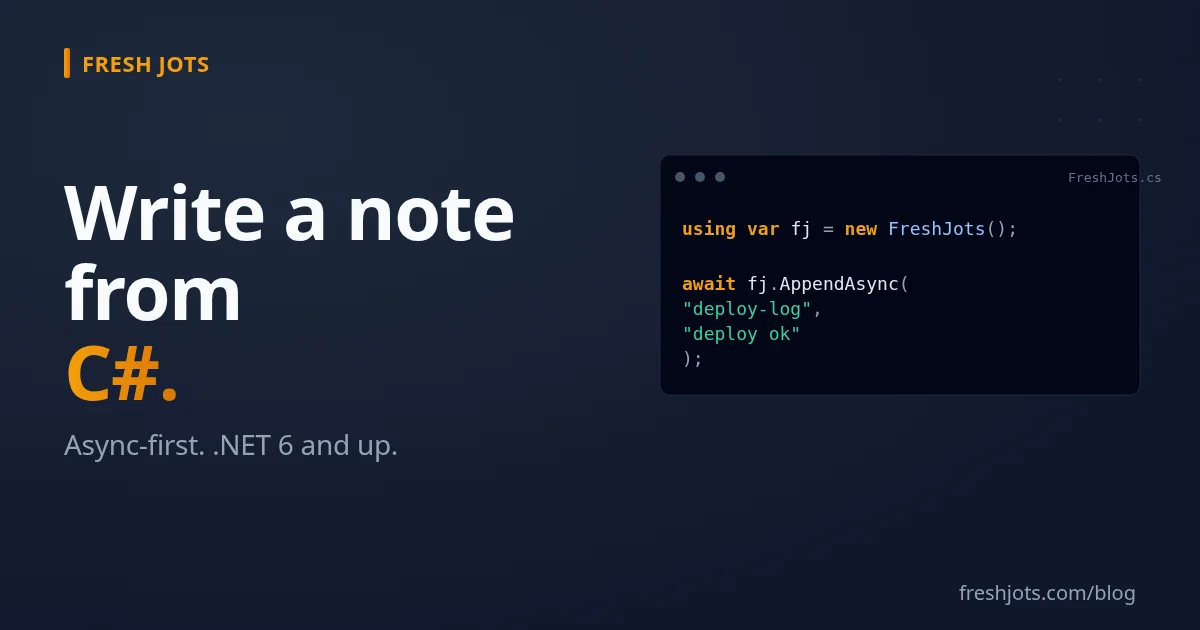
using var fj = new FreshJots();
await fj.AppendAsync("deploy-log", "deploy ok — sha=abc123");
```
That's the whole dependency surface. `HttpClient`, `System.Text.Json`, and `System.Net.Http.Json` all ship with .NET — no `RestSharp`, no `Newtonsoft.Json`, no `Refit`. Just .NET 6+ and your code.
Two notes on the design:
- `HttpMessageHandler`, not `HttpClient`, for injection. Tests pass a fake handler (e.g. a custom `HttpMessageHandler`/`DelegatingHandler` subclass that overrides `SendAsync`, or [Moq.Contrib.HttpClient](https://github.com/maxkagamine/Moq.Contrib.HttpClient)) without giving the caller a way to accidentally mutate the production `HttpClient`'s headers and base address.
- `HttpClient` is designed to be reused. In a long-running app (web service, worker), inject a single instance via `AddHttpClient<T>` (next-but-one section) rather than newing one per call.
2. Refit — typed interface for multiple endpoints
2. Refit — typed interface for multiple endpoints
For larger surface areas where you want a typed contract, Refit generates the implementation at compile time (a Roslyn source generator, Refit 6+):
```csharp
using Refit;
public interface IFreshJotsApi
{
[Post("notes/by-filename/{filename}/append")]
Task AppendAsync(string filename, [Body] AppendBody body);
[Get("notes/by-filename/{filename}")]
Task<Note> GetNoteAsync(string filename);
}
public record AppendBody(string text);
public record Note(int id, string filename, string title, string plain_body, int byte_size);
```
Wire it up (auth lives on the `HttpClient`, not on the interface — keeps the interface a clean contract):
```csharp
var token = Environment.GetEnvironmentVariable("FRESHJOTS_TOKEN")!;
var http = new HttpClient { BaseAddress = new Uri("https://freshjots.com/api/v1/") };
http.DefaultRequestHeaders.Authorization = new AuthenticationHeaderValue("Bearer", token);
var api = RestService.For<IFreshJotsApi>(http);
await api.AppendAsync("deploy-log", new("deploy ok"));
```
Note the route templates have no leading slash — consistent with the raw-`HttpClient` calls above, and unambiguous against a `BaseAddress` that already carries the `/api/v1/` path. A leading `/` is a long-standing Refit base-path footgun; dropping it sidesteps the version-dependent behavior entirely.
NuGet:
```sh
dotnet add package Refit
```
Reach for Refit when you have multiple endpoints to call and want them typed end-to-end. For a single `Append` call, the raw `HttpClient` version above is shorter and ships zero new dependencies.
3. ASP.NET Core — typed client with `AddHttpClient<T>`
3. ASP.NET Core — typed client with `AddHttpClient<T>`
Idiomatic in DI-heavy apps. `Program.cs`:
```csharp
builder.Services.AddHttpClient<FreshJotsService>(c =>
{
c.BaseAddress = new Uri("https://freshjots.com/api/v1/");
c.DefaultRequestHeaders.Authorization = new AuthenticationHeaderValue(
"Bearer", builder.Configuration["FreshJots:Token"]!);
});
```
`AddHttpClient<T>` registers `FreshJotsService` as a transient with an injected, factory-managed `HttpClient`. No separate `AddSingleton<FreshJotsService>` line needed.
Service:
```csharp
public sealed class FreshJotsService(HttpClient http)
{
public async Task AppendAsync(string filename, string text, CancellationToken ct = default)
{
var escaped = Uri.EscapeDataString(filename);
var res = await http.PostAsJsonAsync($"notes/by-filename/{escaped}/append", new { text }, ct);
if (!res.IsSuccessStatusCode)
throw await ApiError.FromResponseAsync(res, ct);
}
}
```
`appsettings.json` (don't commit a real token — use user-secrets or env-var substitution):
```json
{
"FreshJots": { "Token": "" }
}
```
ASP.NET Core's configuration chain resolves env vars last, so `FreshJots__Token=mn_…` (double-underscore is .NET's convention for nested keys) overrides the placeholder. In production the value ships from your container/orchestrator (Azure App Service config, ECS task `secrets:`, Kubernetes `Secret`).
For retries and circuit-breakers on .NET 8+, chain `Microsoft.Extensions.Http.Resilience`:
```csharp
builder.Services.AddHttpClient<FreshJotsService>(c => { /* ... */ })
.AddStandardResilienceHandler();
```
One line, three transient-error retries with exponential backoff, plus a circuit breaker — replaces the older `AddPolicyHandler` + Polly v7 setup.
4. Branching on errors
4. Branching on errors
Both the `HttpClient` and ASP.NET Core paths throw the same `ApiError`, which carries a parsed `Code` from the API's JSON body. Switch on it:
```csharp
try
{
await freshJots.AppendAsync("deploy-log", entry);
}
catch (ApiError e) when (e.Code == "rate_limited")
{
await Task.Delay(e.RetryAfter ?? TimeSpan.FromMinutes(1));
await freshJots.AppendAsync("deploy-log", entry);
}
{
await Task.Delay(e.RetryAfter ?? TimeSpan.FromMinutes(1));
await freshJots.AppendAsync("deploy-log", entry);
}
catch (ApiError e) when (e.Code is "cap_exceeded" or "storage_cap_exceeded")
{
OpsAlert($"Fresh Jots {e.Code}; dropping log entry.");
}
catch (ApiError e) when (e.Code is "unauthenticated" or "forbidden")
{
throw new InvalidOperationException("token bad — rotate at /settings/api_tokens");
}
```
`catch ... when (...)` (the C# exception filter) is the right tool here — it doesn't unwind the stack for unmatched filters, so adding a `catch (ApiError) { throw; }` at the bottom keeps the trace intact for codes you haven't special-cased.
If you want the compiler to police the call site, wrap `AppendAsync` to return a sealed-record result type with one record per error code — a free `string Code` can't be matched exhaustively, since the compiler reasons about types, not string values:
```csharp
public abstract record AppendResult
{
public sealed record Ok : AppendResult;
public sealed record RateLimited : AppendResult;
public sealed record CapExceeded(string Code) : AppendResult;
public sealed record AuthFailed(string Code) : AppendResult;
}
```
A `switch` expression over `AppendResult` with no default arm then raises CS8509 ("the switch expression does not handle all possible values") for any missing case. CS8509 is a *warning* by default — promote it to a build error with `<WarningsAsErrors>CS8509</WarningsAsErrors>` (or project-wide `<TreatWarningsAsErrors>`). For most apps the `try/catch` form above is enough; reach for the sealed-record result type plus CS8509-as-error when you want a missing arm to fail the build.
5. Patterns that work
5. Patterns that work
A. ASP.NET Core — `BackgroundService` heartbeat with a dead-man alert
```csharp
public sealed class HeartbeatService(FreshJotsService freshJots, ILogger<HeartbeatService> log)
public sealed class HeartbeatService(FreshJotsService freshJots, ILogger<HeartbeatService> log)
: BackgroundService
{
protected override async Task ExecuteAsync(CancellationToken stoppingToken)
{
var timer = new PeriodicTimer(TimeSpan.FromMinutes(15));
while (await timer.WaitForNextTickAsync(stoppingToken))
{
try
{
await freshJots.AppendAsync("worker-heartbeat", $"alive — {DateTime.UtcNow:O}", stoppingToken);
}
catch (Exception ex)
{
log.LogWarning(ex, "heartbeat skipped");
}
}
}
}
```
Register: `builder.Services.AddHostedService<HeartbeatService>();`. Set `append_deadline_hours: 1` on the `worker-heartbeat` note in the Fresh Jots UI — when the worker dies or wedges, you get an email within the hour. See [Everything you can do here](/blog/everything-you-can-do-here).
`PeriodicTimer` is the .NET 6+ idiom; the older `Task.Delay` loop drifts and re-spawns timers. Catching exceptions *inside* the loop is load-bearing: if `ExecuteAsync` throws, the host shuts down.
B. Worker Service — dedicated host, same pattern
B. Worker Service — dedicated host, same pattern
`dotnet new worker -n Heartbeat` scaffolds a `Program.cs` already wired for a single `BackgroundService`. Drop the snippet above into `Worker.cs`, set `FRESHJOTS_TOKEN` in the env, run on a tiny VM or container. No web server needed.
C. Minimal API — fire-and-forget request log
```csharp
app.Use(async (ctx, next) =>
{
await next();
var fj = ctx.RequestServices.GetRequiredService<FreshJotsService>();
var log = ctx.RequestServices.GetRequiredService<ILogger<Program>>();
_ = LogAsync(fj, ctx, log);
});
static async Task LogAsync(FreshJotsService fj, HttpContext ctx, ILogger logger)
{
try
{
await fj.AppendAsync("requests", $"{ctx.Request.Method} {ctx.Request.Path} → {ctx.Response.StatusCode}");
}
catch (Exception ex)
{
logger.LogWarning(ex, "FJ append failed");
}
}
```
Resolve `FreshJotsService` from `ctx.RequestServices` per request rather than capturing a startup instance — capturing pins one factory-managed `HttpClient` for the app's life and defeats `IHttpClientFactory`'s handler rotation. The discard `_` makes the call fire-and-forget so it doesn't add latency to the response. Always wrap the call in a try/catch — a bare `_ = freshJots.AppendAsync(...)` swallows exceptions silently (they end up in `TaskScheduler.UnobservedTaskException` and nowhere visible). On true hot paths, swap to a channel + background drain — never await Fresh Jots inline on a per-request loop, the append endpoint is capped at 300 req/min on Dev and 1,000/min on Team; size your drain against that.
D. Azure Functions — TimerTrigger with DI
```csharp
public class LogFunction(FreshJotsService freshJots)
{
[Function("LogDeploy")]
public Task Run([TimerTrigger("0 */15 * * * *")] TimerInfo timer)
=> freshJots.AppendAsync("function-runs", $"ok @ {DateTime.UtcNow:O}");
}
```
public class LogFunction(FreshJotsService freshJots)
{
[Function("LogDeploy")]
public Task Run([TimerTrigger("0 */15 * * * *")] TimerInfo timer)
=> freshJots.AppendAsync("function-runs", $"ok @ {DateTime.UtcNow:O}");
}
```
`Program.cs` registers `FreshJotsService` via `builder.Services.AddHttpClient<FreshJotsService>(...)` exactly like ASP.NET Core. The token lives in the Function App's Configuration as the app setting `FreshJots__Token` (double-underscore → the `FreshJots:Token` config key); `builder.Configuration["FreshJots:Token"]` reads it via the standard `IConfiguration` chain.
E. AWS Lambda (.NET 8 isolated)
```csharp
public class Function
{
static readonly HttpClient http = new()
{
BaseAddress = new Uri("https://freshjots.com/api/v1/"),
DefaultRequestHeaders =
{
Authorization = new AuthenticationHeaderValue(
"Bearer", Environment.GetEnvironmentVariable("FRESHJOTS_TOKEN")!)
}
};
public async Task FunctionHandler(string input, ILambdaContext _)
{
await http.PostAsJsonAsync("notes/by-filename/lambda-runs/append", new { text = $"ok {input}" });
}
}
```
`static readonly HttpClient` is the standard Lambda singleton — survives across warm invocations. Set `FRESHJOTS_TOKEN` in the Lambda environment variables (encrypted at rest via KMS), never in source.
F. Blazor — proxy through your own backend
F. Blazor — proxy through your own backend
Same caveat as the [TypeScript post](/blog/freshjots-notes-for-typescript)'s browser section and the [Java post](/blog/freshjots-notes-for-java)'s Android section: don't ship your personal API token to a Blazor WebAssembly app. The token gives full read-write on your notes; anyone with browser DevTools can grab it.
Safe patterns:
- Blazor Server — the C# code runs on the server. Token stays server-side.
- Server proxy for Blazor WASM — WASM client → your ASP.NET Core API → Fresh Jots. Token on the server.
- Per-user tokens (Team tier) — each end-user mints their own; the app holds *their* token.
G. MAUI / Xamarin — same as Blazor WASM
G. MAUI / Xamarin — same as Blazor WASM
Mobile binaries are extractable. Don't bake your personal token in. Proxy through your backend, or use per-user tokens.
H. F# — same .NET, fewer keywords
H. F# — same .NET, fewer keywords
```fsharp
open System
open System.Net.Http
open System.Net.Http.Json
open System.Net.Http.Headers
let http = new HttpClient(BaseAddress = Uri "https://freshjots.com/api/v1/")
http.DefaultRequestHeaders.Authorization <-
AuthenticationHeaderValue("Bearer", Environment.GetEnvironmentVariable "FRESHJOTS_TOKEN")
let append filename text =
task {
let! res = http.PostAsJsonAsync($"notes/by-filename/{filename}/append", {| text = text |})
res.EnsureSuccessStatusCode() |> ignore
}
append "fsharp-runs" "ok" |> Async.AwaitTask |> Async.RunSynchronously
```
Same BCL, same `HttpClient`, half the syntactic noise. F#'s anonymous records (`{| text = text |}`) serialize cleanly through `System.Text.Json` with zero ceremony. The `task { }` computation expression is F# 6+ and reads closer to C#'s `async/await` than the older `async { }` (which is F#-flavored Async, not .NET `Task`).
I. xUnit — append on test-suite finish
I. xUnit — append on test-suite finish
```csharp
public sealed class FreshJotsReporter : IDisposable
{
public void Dispose()
{
using var fj = new FreshJots();
fj.AppendAsync("ci-test-runs", $"build {Environment.GetEnvironmentVariable("BUILD_NUMBER")} — green")
.GetAwaiter().GetResult();
}
}
[CollectionDefinition("FreshJots")]
public class FreshJotsCollection : ICollectionFixture<FreshJotsReporter> { }
```
Then mark test classes with `[Collection("FreshJots")]`. xUnit constructs the fixture once before the first test in the collection and `Dispose()`s it after the last — so the append fires exactly once at suite end. CI drops a one-line entry per successful run; pair with `append_deadline_hours` on `ci-test-runs` to alert when builds stop happening (usually because CI itself fell over).
6. Loading the token
6. Loading the token
Four good options, ordered local → production:
- User secrets — `dotnet user-secrets init` once in the project (adds a `UserSecretsId` GUID to the csproj), then `dotnet user-secrets set FreshJots:Token "mn_…"`. Stored under `~/.microsoft/usersecrets/<id>/`, project-local, never enters the repo. Best for local development.
- Shell profile (`~/.bashrc`, `~/.zshrc`, PowerShell `$PROFILE`) — see Get & set your Fresh Jots API token. Best when the token is shared across multiple .NET projects on the same machine.
- `appsettings.{Environment}.json` + `IConfiguration` — ASP.NET Core's layered configuration chain reads env vars last, so `FreshJots__Token=mn_…` overrides `appsettings.json`. The double-underscore is .NET's convention for nested keys.
- Azure Key Vault / AWS Secrets Manager — for orgs already running them, mount via `Azure.Extensions.AspNetCore.Configuration.Secrets` or AWS SDK at startup. Always for production.
Don't commit the token. Don't inline it into `appsettings.json`. `git check-ignore -v appsettings.Development.json` should print a match if your dev file carries secrets. And plan for expiry: tokens minted in the dashboard always carry one — 90 days by default, one year maximum, with no "never expires" option — so a long-running Worker Service, a Lambda you deploy and forget, or a flashed device will eventually get a `401` (`unauthenticated`). Give it a rotation path — re-mint at `/settings/api_tokens`, push the new value through your secret store (user-secrets, Key Vault, the Lambda environment) — rather than assuming the token lives forever.
7. Going further
7. Going further
- `HttpClient` reference (.NET 8): [learn.microsoft.com/en-us/dotnet/api/system.net.http.httpclient](https://learn.microsoft.com/en-us/dotnet/api/system.net.http.httpclient). The `IHttpClientFactory` doc is the must-read for web apps.
- Other languages — same pattern, different HTTP client. Hub: Write a note from any project.
- The CLI — for shell-from-.NET via `Process.Start`. See Notes from your terminal.
- Dead-man alerts — pair a `BackgroundService` heartbeat with `append_deadline_hours` and Fresh Jots emails when the service goes silent. See Everything you can do here.
One method, one Authorization header, one note in your account — wired into an ASP.NET Core service today, alerting you about dead workers tomorrow.