·
10 min read
Write to Fresh Jots from Python — `requests`, `httpx`, or a small SDK
Write to Fresh Jots from Python — `requests`, `httpx`, or a small SDK
A spin-off from Write a note from any project, focused on Python. Three flavors:
- `pip install freshjots` — the official zero-dependency Python client (stdlib-only). The recommended path.
- `requests` — the bare-HTTP version when you don't want any new dependency.
- `httpx` — async + fan-out for FastAPI, aiohttp, and similar.
All three hit the same `/api/v1/notes/by-filename/<name>/append` endpoint. You'll need a Fresh Jots API token. If you don't have one, see Get & set your Fresh Jots API token. Free accounts that pick "Code" mode at onboarding get a 14-day trial token...
1. `pip install freshjots` — the recommended path
1. `pip install freshjots` — the recommended path
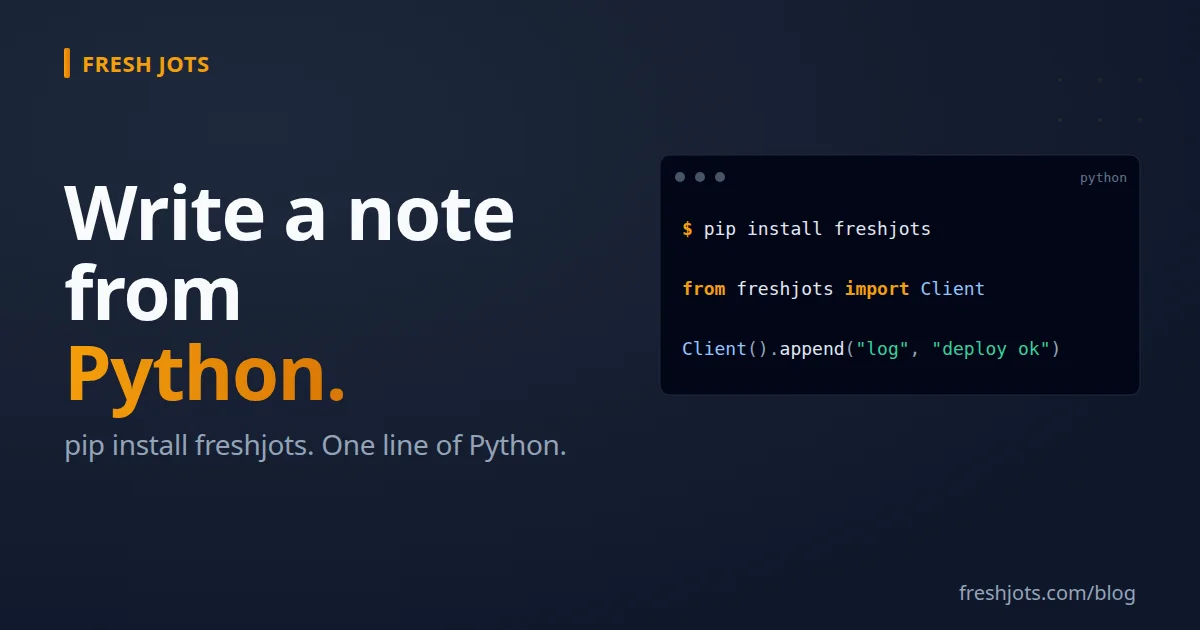
pip install freshjots
That's the only install line. The package is zero runtime dependencies — it uses `urllib` from the stdlib for HTTP, so it adds no transitive bloat to your environment.
2. Two-line use
2. Two-line use
from freshjots import Client
Client().append("deploy-log", "deploy ok — sha=abc123")
`Client()` reads `FRESHJOTS_TOKEN` from the environment by default. If the variable isn't set, the constructor raises `ValueError` immediately so you find out at startup, not three hours into a long-running script.
3. The four core methods
3. The four core methods
  from freshjots import Client
  client = Client()

  # 1. Append text to a note — creates it the first time.
  client.append("cron-jobs-prod", "backup ok")

  # 2. Read a note's full plain-text body.
  print(client.note("cron-jobs-prod")["plain_body"])

  # 3. List all your notes (summary projection).
  for n in client.notes():
      print(f"{n['filename']}\t{n['title']}")

  # 4. Create a new note — the server derives the filename from the title.
  created = client.create(title="Q2 Research", body="Initial outline.")
  print(created["filename"])  # server-derived from the title
Those four are the everyday surface, but they aren't quite everything. `notes()` also takes `sort`, `limit`, `offset`, and `all_pages` for filtering and pagination, and the package adds `note_by_id()`, `update()`, `set()`, `bulk()` (create up to 50 at once), `delete()`, `move()`, and the folder methods `folders()`, `folder()`, `create_folder()`, `rename_folder()`, and `delete_folder()`. What it deliberately leaves out is async, factory classes, and a plugin system. The goal of the package is to _get out of your way_.
4. Error handling — `ApiError`
4. Error handling — `ApiError`
Any non-2xx response raises `freshjots.ApiError` with a structured payload:
from freshjots import Client, ApiError
client = Client()
try:
  client.append("huge-note", "x" * 5_000_000)
except ApiError as e:
  print(f"{e.status} {e.code}: {e}")
  # 413 content_too_large: body exceeds the per-note size cap (1 MB Free/Personal, 3 MB Dev/Team)
The exception carries four useful fields:
- `e.status` — the HTTP status code (`401`, `403`, `404`, `409`, `413`, `415`, `422`, `429`, ...)
- `e.code` — a stable string code that's safe to branch on
- `str(e)` — the human-readable message
- `e.details` — optional structured payload for validation errors
Stable error codes: `unauthenticated`, `forbidden`, `note_locked`, `not_found`, `validation_failed`, `cap_exceeded`, `storage_cap_exceeded`, `content_too_large`, `content_type_mismatch`, `rate_limited`, `filename_conflict`, `idempotency_key_conflict`, `encrypted_team_unsupported`. (The API can also return `service_unavailable` at 503 and `internal_error` at 500 — retry those rather than branching on them.) Branch on `e.code`, not the message — the code is part of the API contract; the message can be tweaked for clarity without breaking your code.
import time

try:
  client.append("daily-log", entry)
except ApiError as e:
  if e.code == "rate_limited":
    time.sleep(60)
    client.append("daily-log", entry)
  elif e.code == "cap_exceeded":
    # We're at the note count cap — alert ops and drop the line.
    ops_alert("Fresh Jots cap exceeded; dropping log entry.")
  else:
    raise
5. Passing the token explicitly
5. Passing the token explicitly
If `FRESHJOTS_TOKEN` isn't right (multiple accounts, a worker that gets its token via a different secrets manager, a test that wants a known-bad token):
client = Client(token="mn_yourrealtokenhere")
Tokens are always the mn_ + prefix followed by 43 URL-safe Base64 characters (A–Z a–z 0–9 - _). Mint a real one at api tokens page.
6. Pointing at a different base URL (testing / staging)
6. Pointing at a different base URL (testing / staging)
client = Client(token="mn_test…", base_url="https://staging.freshjots.com/api/v1")
Useful for local development against a Rails server you're running yourself.
7. Bare HTTP with `requests` — when you don't want the package
7. Bare HTTP with `requests` — when you don't want the package
For a single-file script or a project that's hostile to new dependencies, `requests` gives you the same thing in five lines:
import os, requests

requests.post(
  "https://freshjots.com/api/v1/notes/by-filename/deploy-log/append",
  headers={"Authorization": f"Bearer {os.environ['FRESHJOTS_TOKEN']}"},
  json={"text": "deploy ok — sha=abc123"},
  timeout=10,
)
Fine for a one-off. For anything that runs unattended, add `raise_for_status()` and a `urllib3.util.Retry` so you don't silently lose lines on transient 5xx. The package gives you the `raise_for_status()` half — every non-2xx becomes an `ApiError`, so failures are never _silent_ — but it does **not** retry for you; if you need transient-5xx retries, wrap your `append()` call in your own loop (see the `rate_limited` example in §4). It's still the recommended path past the experimentation stage for everything else: token loading, the parsed error envelope, and a clean core surface.
import os
import requests
from requests.adapters import HTTPAdapter
from urllib3.util.retry import Retry

session = requests.Session()
session.mount("https://", HTTPAdapter(max_retries=Retry(
  total=3,
  backoff_factor=0.5,
  status_forcelist=[429, 500, 502, 503, 504],
  allowed_methods=["POST"],)))

r = session.post(
  "https://freshjots.com/api/v1/notes/by-filename/deploy-log/append",
  headers={"Authorization": f"Bearer {os.environ['FRESHJOTS_TOKEN']}"},
  json={"text": "deploy ok"},
  timeout=10,
)
r.raise_for_status()
A word of warning on retrying writes: an `append` that times out or 5xxs _may_ already have landed on the server, so a blind retry can write the same line twice. If duplicate lines would matter, send a stable `Idempotency-Key` header (8–255 characters, one per logical append). The API replays the original result for a repeated key instead of appending again, and returns `idempotency_key_conflict` (409) if you reuse a key with a different body:
  import uuid
  session.post(
      "https://freshjots.com/api/v1/notes/by-filename/deploy-log/append",
      headers={
          "Authorization": f"Bearer {os.environ['FRESHJOTS_TOKEN']}",
          "Idempotency-Key": uuid.uuid4().hex,
      },
      json={"text": "deploy ok"},
      timeout=10,
  )
Compare that to:
Client().append("deploy-log", "deploy ok")If you're going to write the second block more than once, just install the package.
8. Async with `httpx` — when you're inside an async framework
8. Async with `httpx` — when you're inside an async framework
The `freshjots` package is intentionally sync. For async (FastAPI, aiohttp, Starlette) or for parallel fan-out, drop to `httpx` directly:
import os
import httpx

async def append_async(filename: str, text: str, *, timeout: float = 10.0) -> dict:
    token = os.environ["FRESHJOTS_TOKEN"]
    async with httpx.AsyncClient(timeout=timeout) as client:
        r = await client.post(
            f"https://freshjots.com/api/v1/notes/by-filename/{filename}/append",
            headers={"Authorization": f"Bearer {token}"},
            json={"text": text},
        )
        r.raise_for_status()
        return r.json()
9. Fan-out — many appends, one round-trip's worth of wall time
9. Fan-out — many appends, one round-trip's worth of wall time
import asyncio
import httpx
import os

async def fanout(items: list[tuple[str, str]]) -> list[dict]:
    """items is a list of (filename, text). Returns one response per item."""
    headers = {"Authorization": f"Bearer {os.environ['FRESHJOTS_TOKEN']}"}
    async with httpx.AsyncClient(timeout=10) as client:
        tasks = [
            client.post(
                f"https://freshjots.com/api/v1/notes/by-filename/{name}/append",
                headers=headers,
                json={"text": text},
            )
            for name, text in items
        ]
        responses = await asyncio.gather(*tasks, return_exceptions=True)
        return [
              r.json()
              for r in responses
             if not isinstance(r, Exception) and r.is_success
        ]
Don't use fan-out to spam appends at the same note. Each append lands as a single atomic write on the server, so the bytes of two appends never interleave — but the _order_ in which concurrent appends land is not guaranteed. For ordered writes to one note, await them sequentially.
10. Reusing the client in long-running services
10. Reusing the client in long-running services
In FastAPI, instantiate one `AsyncClient` for the lifetime of the app:
from contextlib import asynccontextmanager
from fastapi import FastAPI
import httpx

@asynccontextmanager
async def lifespan(app: FastAPI):
    app.state.http = httpx.AsyncClient(timeout=10)
    yield
    await app.state.http.aclose()

app = FastAPI(lifespan=lifespan)
Now every handler can `await app.state.http.post(...)` without paying connection-pool churn per request.
11. Loading the token
11. Loading the token
Three good options, depending on how you ship:
- **Shell profile** (`~/.bashrc`, `~/.zshrc`, `~/.config/fish/config.fish`) — see [Get & set your Fresh Jots API token](/blog/getting-and-setting-the-api-token). Best for local-machine work.
- **`.env` + `python-dotenv`** — `pip install python-dotenv`, `load_dotenv()` at the top of your entry point, put `FRESHJOTS_TOKEN=mn_…` in a git-ignored `.env`. Best for project-scoped tokens and CI.
- **Container / orchestrator secret** — set it via Kubernetes, ECS, Fly.io, Docker Compose `environment:`, etc. Best for production.
The package reads `FRESHJOTS_TOKEN` once from the environment when `Client()` is instantiated. Each of the methods above gets the variable into the environment; the package doesn't care which.
12. Patterns that work
12. Patterns that work
Django request middleware
Log every request to a note. Async-frameworks-friendly variant just swaps to the `httpx` fan-out above.
# myapp/middleware.py
from freshjots import Client

_freshjots = Client()  # one client per process

class FreshJotsLogger:
    def __init__(self, get_response):
        self.get_response = get_response

    def __call__(self, request):
        response = self.get_response(request)
        try:
            _freshjots.append(
                "django-requests",
                f"{request.method} {request.path} → {response.status_code}",
            )
        except Exception:
            # Never fail a real request because the log call failed.
            pass
        return response
Add it to `MIDDLEWARE`. On a hot path, replace the inline `append` with a Celery task or a `concurrent.futures` background submit — the sync `append` adds ~50–150 ms per request, which you don't want blocking the response.
FastAPI background task
from fastapi import BackgroundTasks, FastAPI
from freshjots import Client

app = FastAPI()
freshjots = Client()

@app.post("/deploy")
async def deploy(payload: dict, background: BackgroundTasks):
    # ... do the deploy ...
    background.add_task(freshjots.append, "deploy-log", f"deploy ok — {payload['sha']}")    return {"ok": True}
`BackgroundTasks` runs after the response is sent, so the user doesn't wait on the network round-trip.
Celery — automatic success/failure logs for every task
# celery_base.py
from celery import Task
from freshjots import Client

_freshjots = Client()

class FreshJotsLoggedTask(Task):
    """Base class — every task that inherits writes its summary to a note."""

    def on_success(self, retval, task_id, args, kwargs):
        _freshjots.append("celery-jobs", f"{self.name} ok ({task_id})")
    def on_failure(self, exc, task_id, args, kwargs, einfo):
        _freshjots.append("celery-failures", f"{self.name} FAILED ({task_id}): {exc}")
# tasks.py
from .celery_base import FreshJotsLoggedTask
from celery import shared_task
@shared_task(base=FreshJotsLoggedTask)
def nightly_export():
...Two notes get a running log of your job successes and failures. Pair `celery-failures` with a [dead-man's-switch alert](/blog/everything-you-can-do-here) on a longer deadline as a backstop — if `celery-failures` goes silent for 24 hours, that's either great (no failures, hooray) or bad (the worker died and isn't writing anything). Combine with `celery-heartbeat` writes from the worker startup to disambiguate.
Jupyter — "save this cell's output"
import io, sys
from contextlib import redirect_stdout
from freshjots import Client

_freshjots = Client()

def jot(note_name: str):
    """Cell decorator. Captures stdout and appends it to a Fresh Jots note."""
    def wrap(fn):
        def inner(*a, **kw):
            buf = io.StringIO()
            with redirect_stdout(buf):
                out = fn(*a, **kw)
            _freshjots.append(note_name, buf.getvalue())
            return out
        return inner
    return wrap

@jot("notebook-runs")
def explore():
    print("model accuracy:", 0.91)
    # ... your analysis ...
Now every run of `explore()` appends its captured output to a `notebook-runs` note. Searchable from `https://freshjots.com/notes`.
pytest — log a test summary to a note
Put a session-scoped fixture in `conftest.py`:
# conftest.py
import os
import pytest
from freshjots import Client

@pytest.fixture(scope="session", autouse=True)
def freshjots_test_summary():
    yield  # run all tests
    summary = os.environ.get("PYTEST_SUMMARY", "")
    if summary:
        Client().append("test-runs", f"[{os.environ.get('GITHUB_SHA', 'local')}] {summary}")
Combined with `pytest-html` or `pytest-json-report`, you have a searchable history of which commits passed and which didn't — without paying for a CI dashboard.
13. Going further
13. Going further
- Source for the package: https://github.com/Goran-Arsov/freshjots-python — MIT licensed, ~430 lines including docstrings. Easy to fork and tweak.
- Client-side encryption (optional extra): pip install freshjots[encryption] adds encrypt() and decrypt(). Encrypt the body locally with your own passphrase and mark the note client_encrypted=True — the server stores only the ciphertext and can never read it: client.create(title="Recovery codes", body=encrypt("1234-5678", pw), client_encrypted=True). It is per-note and Personal-accounts-only (not team notes), and the fj1 format (AES-256-CBC + HMAC-SHA256, PBKDF2) is identical across the Python, JS, Ruby, and shell clients, so a note encrypted by one decrypts with the others. See Encrypted notes at /encrypted-notes.
- Client-side encryption (optional extra): pip install freshjots[encryption] adds encrypt() and decrypt(). Encrypt the body locally with your own passphrase and mark the note client_encrypted=True — the server stores only the ciphertext and can never read it: client.create(title="Recovery codes", body=encrypt("1234-5678", pw), client_encrypted=True). It is per-note and Personal-accounts-only (not team notes), and the fj1 format (AES-256-CBC + HMAC-SHA256, PBKDF2) is identical across the Python, JS, Ruby, and shell clients, so a note encrypted by one decrypts with the others. See Encrypted notes at /encrypted-notes.
- The CLI — if you find yourself shelling out from Python to write notes, the Notes from your terminal does the same in one line of shell.
- Dead-man alerts — pair a per-script note with `append_deadline_hours` and Fresh Jots emails you when the script goes silent. See Everything you can do here.
Three lines today, four package methods tomorrow, an entire ops telemetry pipeline by next month. All over plain HTTP — no SaaS lock-in, no sidecar, no requirements.txt churn (the package itself adds zero transitive dependencies).