·
6 min read
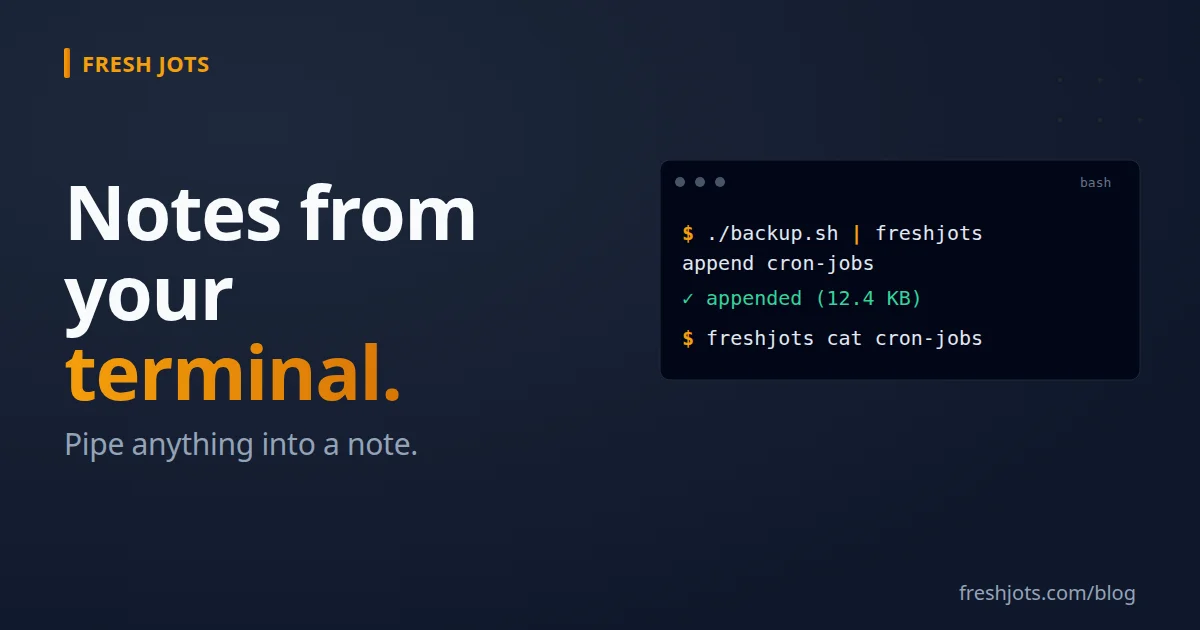
Notes from your terminal
Notes from your terminal
If you've already got a terminal open — running a backup, watching a deploy, scrolling a Claude Code session — pushing the result into a searchable Fresh Jots note should be one line, not three clicks. This post walks the two ways to do that:
1. `curl` — works on every box that has internet, no install, no wrapper.
2. The `freshjots` CLI — a single Bash script (~33 KB, one file, requires bash 3.2+, curl, and jq), short enough for cron."
Both authenticate the same way (a bearer token), hit the same API (`/api/v1`), and return the same shapes.
For a detailed explanation of how to use the CLI: The Fresh Jots CLI, command by command.
Now, set up your machine real quick.
For a detailed explanation of how to use the CLI: The Fresh Jots CLI, command by command.
Now, set up your machine real quick.
1. With `curl` — write a note to root of Fresh Jots profile
1. With `curl` — write a note to root of Fresh Jots profile
The headline endpoint is `POST /api/v1/notes/by-filename/:filename/append`. It creates the note on first call and appends on every call after (notes created this way are append-only — in the browser they open locked and read-only, with an Unlock button if you ever need to edit one by hand — it stays editable until you lock it again) — so a single recipe covers both "make a new note" and "add to an existing one."
curl -X POST "https://freshjots.com/api/v1/notes/by-filename/cron-log/append" \
-H "Authorization: Bearer $FRESHJOTS_TOKEN" \
-H "Content-Type: application/json" \
-d '{"text":"backup ok"}'
That lands a note named `cron-log` at the root of your account. Run it again tomorrow and tomorrow's line gets appended below today's, in the same note, full-text searchable in the web UI.
If you want strict create-only semantics (error if the filename is taken, but don't simultaneously manually edit it on the freshjots.com site!), use `POST /api/v1/notes` instead:
curl -X POST "https://freshjots.com/api/v1/notes" \
-H "Authorization: Bearer $FRESHJOTS_TOKEN" \
-H "Content-Type: application/json" \
-d '{"note":{"title":"deploy-2026-05-08","plain_body":"v1.4.2 green","format":"plain"}}'
2. With `curl` — write a note **into a folder**
2. With `curl` — write a note **into a folder**
Folders live in their own resource. You can't pass a folder *name* on note creation; you pass `folder_id`. So the recipe is:
Step A — get a `folder_id` (once; cache it for later runs):
# Either create a new folder and capture its id...
FID=$(curl -s -X POST "https://freshjots.com/api/v1/folders" \
-H "Authorization: Bearer $FRESHJOTS_TOKEN" \
-H "Content-Type: application/json" \
-d '{"folder":{"name":"deploys"}}' | jq -r '.id')
# ...or list the ones you already have to find the id.
curl "https://freshjots.com/api/v1/folders" \
-H "Authorization: Bearer $FRESHJOTS_TOKEN"
The create response is top-level — {"id":42,"name":"deploys",...}, not wrapped in a `folder` key — so `jq -r '.id'` (above) puts the id straight into `$FID`.
Step B — create the note with `folder_id`:
curl -X POST "https://freshjots.com/api/v1/notes" \
-H "Authorization: Bearer $FRESHJOTS_TOKEN" \
-H "Content-Type: application/json" \
-d '{"note":{"title":"2026-05-08","plain_body":"v1.4.2 green","folder_id":'"$FID"'}}'
The note lands inside the `deploys` folder in one round-trip. From this point on, the by-filename endpoint finds it whether it's in a folder or not — so subsequent appends don't need to know about the folder at all:
curl -X POST "https://freshjots.com/api/v1/notes/by-filename/2026-05-08/append" \
-H "Authorization: Bearer $FRESHJOTS_TOKEN" \
-H "Content-Type: application/json" \
-d '{"text":"smoke tests passed"}'
> Windows note. PowerShell aliases `curl` to `Invoke-WebRequest`,
> which has different flags. Use `curl.exe` (ships with Windows 10+),
> or run the recipes inside WSL / Git Bash where they work unchanged.
3. Install the CLI
3. Install the CLI
If you haven't done it by now:
curl -fsSL https://freshjots.com/install.sh | sh
or via Homebrew:
brew install goran-arsov/freshjots/freshjots
Both put the same freshjots command on your PATH (it needs bash, curl, and jq). Prefer the audit-first form if piping to a shell makes you nervous: `curl -fsSL https://freshjots.com/install.sh > install.sh`, read it, then `sh install.sh`.
> **Calling the API from code instead of a shell?** There are official,
> zero-dependency SDK libraries that wrap the same endpoints:
> `npm install freshjots` for Node (`import { Client } from "freshjots"`),
> `gem install freshjots` for Ruby (`require "freshjots"`),
> and `pip install freshjots` for Python (`from freshjots import Client`).
> These are libraries you call in-process — not the terminal CLI above.
4. With the `freshjots` CLI — write a note to root
4. With the `freshjots` CLI — write a note to root
Same outcome as the curl recipe above, with the auth header and JSON envelope folded into the command.
freshjots append cron-log "backup ok"
That's the whole call. Or pipe stdin in:
./backup.sh 2>&1 | freshjots append cron-log
Or, if you want to fail when the filename's taken instead of appending:
freshjots create scratch "first line of a brand new note"
The CLI works the same on macOS, Linux, BSD, and WSL. There's no native Windows binary — the API is plain JSON over HTTP, so on raw PowerShell you stay on the curl recipes.
5. With the `freshjots` CLI — write a note **into a folder**
5. With the `freshjots` CLI — write a note **into a folder**
New notes always land at the root, but the CLI can move one into a folder in the same session — no curl needed.
Step A — create the folder once (you don't need to remember its id):
freshjots folder create deploys # → created folder #42 deploys
Step B — create the note, then move it into the folder by name:
freshjots create 2026-05-08 "v1.4.2 green"
freshjots mv 2026-05-08 deploys
`freshjots mv` reparents the note without touching its body, and takes the folder's name or its numeric id (`freshjots set 2026-05-08 --folder 42` does the same thing if you'd rather pass the id). From here the by-filename form keeps working regardless of folder:
freshjots append 2026-05-08 "smoke tests passed"
For a few long-lived buckets (`deploys/`, `cron-jobs/`, `claude-sessions/`), create the folder once and let the CLI run. If you mint many folder-bound notes on the fly, script the `create` + `mv` pair, or use `curl` with `folder_id` to do it in a single round-trip.
6. Going further
6. Going further
Related:
- Set up your machine real quick.
- Everything you can do here — set `append_deadline_hours` on a `claude-code-heartbeat` note and Fresh Jots emails you if you stop using Claude Code. Proof-of-life for the integration itself.
- Notarize your logs — every note can produce a tamper-evident proof (`GET /api/v1/notes/:id/proof`) that shows the exact bytes existed at a given time, so an appended cron or deploy log can be verified later by anyone.
- Notarize your logs — every note can produce a tamper-evident proof (`GET /api/v1/notes/:id/proof`) that shows the exact bytes existed at a given time, so an appended cron or deploy log can be verified later by anyone.