·
8 min read
Everything You Can Do Here
Everything You Can Do Here
Fresh Jots has two note formats. You can use both, switch between them whenever you like.
- Rich text notes — bold, italic, links, exported as PDF. Best for diaries, long-form writing, anything you want to *read* later. Browser-only — there's no API for rich notes.
- Plain text notes — simple, searchable, smaller. Browser *and* API. This is the format that everything in §2 and §3 below is built on.
1. Write rich text notes (Everyday mode)
1. Write rich text notes (Everyday mode)
The daily diary, the half-finished essay, the recipe you'll come back to in six months. Bold, italic, links, hyperlinks, PDF export. Organize with folders and tags. Search across the whole account by full word or partial word — useful when you remember a phrase but not the title.
Every note is private by default. Flip the Make public toggle and the note gets a stable URL anyone can read; flip it back and the URL stops working. You stay in control.
Pin notes you reach for often. Auto-save runs every five seconds after you stop writing, so nothing gets lost if your laptop dies or the tab crashes.
2. Goodies for developers (API key required)
2. Goodies for developers (API key required)
If you are an IT developer, get up and running really, really fast. Then, you can consume such work niceties as writing a note:
- Tamper-evident by design. Every note can carry a trusted timestamp (RFC 3161 TSA), so you can later prove what was written and when — useful for AI-session logs and audit trails. (See the notarized-notes post.)
- That will be a report table, and at the same time a dead man's alert when reporting stops;
- From your terminal — we have simple, but good CLI;
- From a cron job;
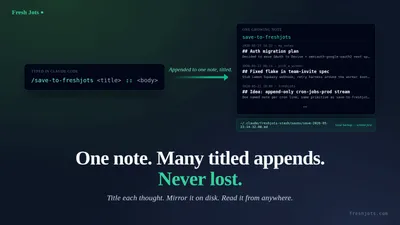
- From inside your Claude Code session, to write or append a Fresh Jots note to:
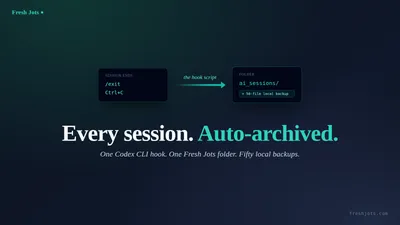
- Automatically store everything you did before session end with Claude Code (you executed /clear, /compact, /exit), or with Codex;
- Automatically craft and store session summary, with local backup;
- Automatically craft and store a description of your PR, with local backup;
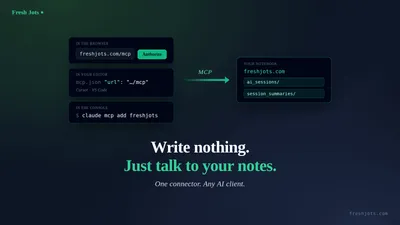
- Ask AI to craft and store anything you want in a freshjots.com folder;
- From any project you have, in any IT language, from any method. These links lead to more detailed integration in several languages:
- Python — `requests` for one-offs, `httpx` for async, exporting a clean `freshjots.append(text)` for the rest of your codebase.
- SQL — Postgres (`http` extension, `pg_net`), MySQL, SQL Server. Triggers and async caveats.
- JavaScript — Node 20+'s built-in `fetch`, browser `fetch` with CORS notes, batching via the bulk endpoint.
- TypeScript — typed responses, a small SDK shape, using the API from a Vite / Next.js app.
- Java — `HttpClient` patterns, Spring Boot integration, error-handling middleware.
- C# — `HttpClient` lifetime (don't `new` per call), `IHttpClientFactory`, ASP.NET integration.
- C++ — libcurl wrappers, RAII for headers, cpr as the modern alternative.
- C — libcurl with proper error checking, a single-file reusable function.
For other languages, please integrate Fresh Jots with the help of AI, or old school, by hand; get up and running first.
Using an other AI coding agent, not Claude Code? You can connect any AI coding agent to Fresh Jots.
Using an other AI coding agent, not Claude Code? You can connect any AI coding agent to Fresh Jots.
What you do with that is what makes Fresh Jots stick. Concrete uses developers can build:
- Webhook source We offer "fire a message to a new receiver whenever my own log receives one" source. A webhook URL set on one append-only note makes Fresh Jots that source.
- The webhook inbox — a place for other apps to drop things you'll want to find later Plenty of services emit webhooks but offer no "save this somewhere I can search later" destination. A token scoped to one note makes Fresh Jots that destination. You can streamline incoming data of multiple Fresh Jots notes into a new Fresh Jots note, too.
- Webhook source We offer "fire a message to a new receiver whenever my own log receives one" source. A webhook URL set on one append-only note makes Fresh Jots that source.
- The webhook inbox — a place for other apps to drop things you'll want to find later Plenty of services emit webhooks but offer no "save this somewhere I can search later" destination. A token scoped to one note makes Fresh Jots that destination. You can streamline incoming data of multiple Fresh Jots notes into a new Fresh Jots note, too.
- CI failure log. GitHub Actions / GitLab CI on-failure step curls the build summary into a per-repo note. Tag by repo. You have a searchable failure history with no log-aggregator subscription and no retention limit.
- Replace a third-party heartbeat service. A scraper, a home server, a VPS, a backup script — append every few minutes from cron, set a dead-man deadline (§3), and you have Healthchecks.io / Cronitor for free.
- Replace a third-party heartbeat service. A scraper, a home server, a VPS, a backup script — append every few minutes from cron, set a dead-man deadline (§3), and you have Healthchecks.io / Cronitor for free.
- Deploy receipts. After every green deploy, append the commit SHA, build duration, and actor. When you're bisecting a regression three weeks later, the timeline is right there.
- Append-only audit log for unrelated scripts. Backup, image-converter, batch job, scraper, scheduled cleanup — five different scripts, one note, one timeline. `grep ERROR my-log` replaces five dashboards.
- Personal incident journal. While debugging a prod issue, append timestamped lines from the terminal. Becomes the skeleton of the post-mortem; you don't reconstruct the timeline after the fact.
- AI-agent persistent memory. Claude Code, Cursor, Aider, your own scripts — read and write a note as cross-session context that survives `/clear`, lives outside any single workstation, and is reachable from any machine.
- Read-only public status page. Make a note public, append "OK / 200 / 134 ms" every minute from a check script. Free minimal status page at a known URL.
- Code-snippet drawer. A plain note titled `snippets`. Append from anywhere; pipe to fzf on the terminal to find that one-liner you wrote two months ago.
- Daily-standup pre-writer. Three bullets typed from your terminal into a dated note before the meeting. Searchable history of what you did, week over week.
The pattern across all of these: plain-text note + append endpoint + your existing scripts. No new infrastructure.
If you have a Fresh Jots API token, every plain-text note becomes a write endpoint you can hit from anywhere. One curl call:
If you have a Fresh Jots API token, every plain-text note becomes a write endpoint you can hit from anywhere. One curl call:
curl -X POST https://freshjots.com/api/v1/notes/by-filename/my-log/append \
-H "Authorization: Bearer $FRESHJOTS_TOKEN" \
-H "Content-Type: application/json" \
-d '{"text":"deploy ok — sha=abc123"}'
For Linux, and for Mac OS: homebrew-freshjots.
For Windows and JS: freshjots-js.
Ruby gem: gem "freshjots".
3. Dead-man's alerts (Dev + Team)
3. Dead-man's alerts (Dev + Team)
You have a backup job that dumps your database at 3:55 AM. You don't check on it every day. You have a scraper. You have a side project with its own scheduled tasks. Each appends a line to its own Fresh Jots note when it runs.
Instead of checking those notes every day for failures, set a dead-man deadline. Pick an interval — 1 hour, 6 hours, whatever fits the job's cadence. If the note doesn't receive an append within that window, you get an email. Once. The next successful append re-arms it automatically.
You only look when something needs attention. Everything else is silent.
The setup: open an append-only ("locked") note's Settings page, set "Hours without an append," save. That's it. You can set a forwarding web hook to your favorite destination, too, which is very nice.
Non-technical explanation here: The dead-man's switch — Fresh Jots watches for the silence so you don't have to.
For a detailed explanation of the set up, and work, see Setting up a dead-man's switch — by hand, or by API.
Check out the dedicated error reports page (personalized for an authenticated user) to inspect why an error occurred, in case of an API call that didn't go through.
Non-technical explanation here: The dead-man's switch — Fresh Jots watches for the silence so you don't have to.
For a detailed explanation of the set up, and work, see Setting up a dead-man's switch — by hand, or by API.
Check out the dedicated error reports page (personalized for an authenticated user) to inspect why an error occurred, in case of an API call that didn't go through.
4. Quick-capture from the browser (extension — trial and paid plans; Free uses in-app capture)
4. Quick-capture from the browser (extension — trial and paid plans; Free uses in-app capture)
When an idea hits while you're scrolling, on a call, or watching a video, you don't want to open the app, navigate, click "New note." The Fresh Jots browser extension gives you one-click append from anywhere — Chrome, Edge, Brave, and Firefox. The keyboard shortcut drops your text straight into a note.
Works during the 14-day trial and on any paid plan — Personal, Dev, and Team; Free reverts to in-app capture after the trial.
5. Get started
5. Get started