·
10 min read
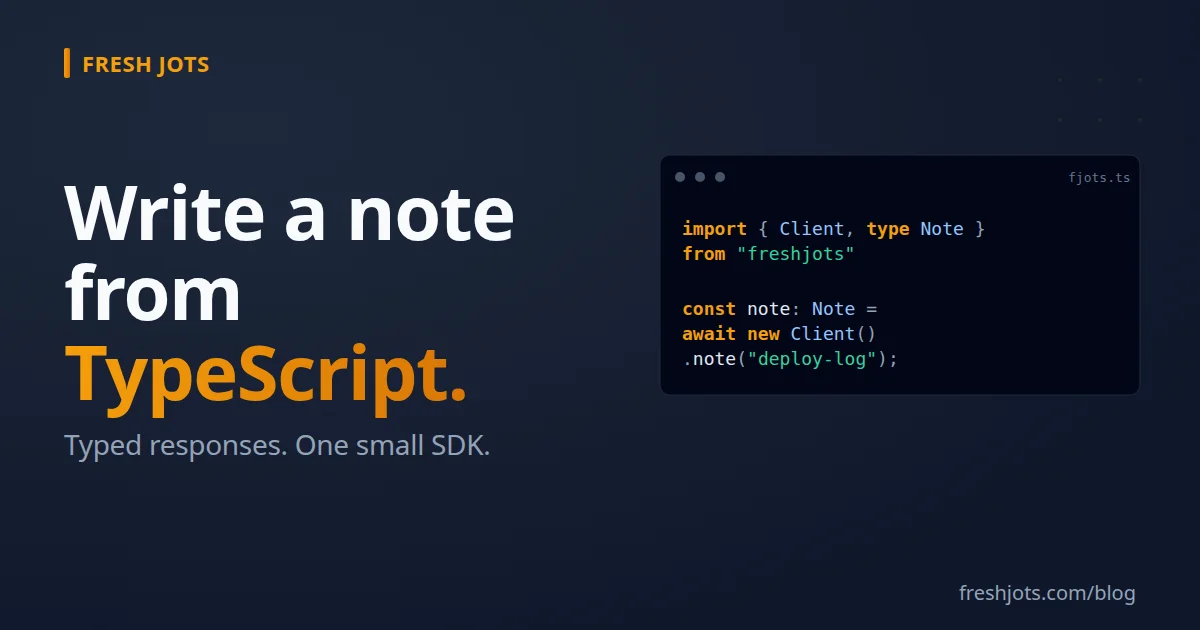
Write to Fresh Jots from TypeScript — typed responses, a small SDK
Write to Fresh Jots from TypeScript — typed responses, a small SDK
A spin-off from Write a note from any project, focused on TypeScript. Two approaches:
- `npm install freshjots` — the fast path. At the time of last edit of this blog, types ship in the package as of v0.2.0 — no @types/freshjots, no .d.ts
- Hand-roll a typed `Client` — when you want strict typing end-to-end, full control over the HTTP layer, branded error codes, and tree-shakable single-method imports.
Both end up at the same place: `await client.append("log", "deploy ok")` with full editor autocomplete on `ApiError.code` — and on `note.plain_body` / `note.byte_size` when you read a note back with `client.note(...)`. You'll need a Fresh Jots API token (`FRESHJOTS_TOKEN`). If you don't have one, see [Get & set your Fresh Jots API token](/blog/getting-and-setting-the-api-token).
Approach A — `npm install freshjots` (recommended)
Approach A — `npm install freshjots` (recommended)
```sh
npm install freshjots
```
Types ship in the package as of v0.2.0 — no `@types/freshjots`, no `.d.ts` to write. Just import the typed surface:
```ts
import { Client, ApiError, type Note, type NoteSummary, type ApiErrorCode } from "freshjots";
const client = new Client();
const note: Note = await client.note("cron-jobs-prod");
// ^? Note — full autocomplete on plain_body, byte_size, last_appended_at, …
console.log(note.plain_body); // typed as string
console.log(note.byte_size); // typed as number
```
This is the recommended path for most projects: zero setup, full strict-mode typing, no parallel codepath to maintain. Works with essentially any modern TypeScript: the package declares its types both at the top level (\"types\": \"./index.d.ts\") and inside the \"exports\" map, so type resolution does not depend on your module-resolution mode.
Approach B — hand-roll a typed `Client`
Approach B — hand-roll a typed `Client`
If you want a smaller bundle (the `freshjots` package brings in `process.env` references that some bundlers carry through), or full control over the HTTP layer, hand-roll the client in ~60 lines of TypeScript:
```ts
// src/fjots.ts
const BASE = "https://freshjots.com/api/v1";
export type ApiErrorCode =
| "unauthenticated" | "forbidden" | "not_found" | "validation_failed"
| "cap_exceeded" | "storage_cap_exceeded" | "content_too_large"
| "content_type_mismatch" | "rate_limited" | "note_locked"
| "filename_conflict" | "service_unavailable" | "idempotency_key_conflict"
| "internal_error" | "unknown";
export class ApiError extends Error {
status: number;
code: ApiErrorCode;
details?: unknown;
constructor(opts: { status: number; code: ApiErrorCode; message: string; details?: unknown }) {
super(opts.message);
this.name = "ApiError";
this.status = opts.status;
this.code = opts.code;
this.details = opts.details;
}
}
export interface Note {
id: number;
filename: string;
title: string;
format: "plain" | "rich";
plain_body: string;
byte_size: number;
last_appended_at: string | null;
// ... add more fields as you need them
}
export interface AppendResult {
id: number;
filename: string;
append_only: boolean;
byte_size: number;
bytes_remaining: number;
storage_used: number;
storage_cap: number;
created: boolean;
updated_at: string;
}
export interface ClientOptions {
token: string;
baseUrl?: string;
fetch?: typeof fetch; // injectable for testing
}
export class Client {
private token: string;
private baseUrl: string;
private fetcher: typeof fetch;
constructor(opts: ClientOptions) {
if (!opts.token) throw new Error("token required");
this.token = opts.token;
this.baseUrl = opts.baseUrl ?? BASE;
this.fetcher = opts.fetch ?? fetch;
}
async append(filename: string, text: string): Promise<AppendResult> {
const path = `/notes/by-filename/${encodeURIComponent(filename)}/append`;
return this.request<AppendResult>("POST", path, { text });
}
async note(filename: string): Promise<Note> {
const path = `/notes/by-filename/${encodeURIComponent(filename)}`;
return this.request<Note>("GET", path);
}
private async request<T>(method: string, path: string, body?: unknown): Promise<T> {
const headers: Record<string, string> = {
Authorization: `Bearer ${this.token}`,
};
if (body !== undefined) headers["Content-Type"] = "application/json";
const res = await this.fetcher(`${this.baseUrl}${path}`, {
method,
headers,
body: body !== undefined ? JSON.stringify(body) : undefined,
});
const text = await res.text();
const data = text ? JSON.parse(text) : {};
if (!res.ok) {
const err = data.error ?? {};
throw new ApiError({
status: res.status,
code: err.code ?? "unknown",
message: err.message ?? "request failed",
details: err.details,
});
}
return data as T;
}
}
```
Inject `fetch` for tests:
```ts
import { Client } from "./fjots";
const fakeFetch: typeof fetch = async () =>
new Response(JSON.stringify({ plain_body: "ok", filename: "log" }), { status: 200 });
const client = new Client({ token: "mn_test", fetch: fakeFetch });
const note = await client.note("log"); // no network in this test
```
Hand-roll if you need it; reach for the package if you don't.
---
## Branching on errors — discriminated by `code`
Both approaches give you a typed `ApiError.code`, which makes error branches exhaustive:
```ts
import { ApiError } from "freshjots";
try {
await client.append("daily-log", entry);
} catch (e) {
if (!(e instanceof ApiError)) throw e;
switch (e.code) {
case "rate_limited":
await new Promise(r => setTimeout(r, 60_000));
await client.append("daily-log", entry);
break;
case "cap_exceeded":
case "storage_cap_exceeded":
opsAlert(`Fresh Jots ${e.code}; dropping log entry.`);
break;
case "unauthenticated":
case "forbidden":
throw new Error("token bad — rotate at /settings/api_tokens");
default:
// Also possible at runtime, but outside the exported ApiErrorCode union:
// note_locked, filename_conflict, idempotency_key_conflict,
// service_unavailable, internal_error. They land here — compare
// e.code as a string to branch on one explicitly.
throw e;
}
}
```
The `default: throw e` re-throws any code you didn't branch on, so unhandled cases fail loudly instead of being silently swallowed. If you'd rather the *compiler* flag them, handle every code, drop the `default`, and assign `e.code` to a `never`-typed const after the `switch` — TypeScript then errors the moment a new `ApiErrorCode` member is added and left unhandled. Pin error handling at the type level, not at runtime.
One caveat on the `rate_limited` retry above: a blind re-`append` can double-write if the first request landed before the 429 came back. Fresh Jots accepts an opt-in `Idempotency-Key: <uuid>` header on writes — send the same key on the retry and the API replays the original result instead of appending twice (a stale key with a different body is a `409 idempotency_key_conflict`). Generate the UUID once per logical append, before the first attempt, and reuse it across retries.
1. Patterns that work
1. Patterns that work
A. Vite — browser app with a typed `fetch`
In a Vite app, `import.meta.env.VITE_FRESHJOTS_TOKEN` is the standard way to expose env vars to client code. But — never put a personal API token in browser code that real users run. The token gives full read-write to your notes; anyone with browser DevTools can grab it.
Safe patterns:
- Vite calls your own server, the server calls Fresh Jots. The token lives on the server.
- Per-user tokens (Team tier). Each end-user mints their own token; the browser holds *their* token.
- Internal tools running on `localhost` or behind SSO where the user is trusted.
If you've satisfied one of the above, browser fetch is straight-forward:
```ts
// src/fjots-browser.ts
import { Client } from "./fjots"; // hand-roll from Approach B
const token = import.meta.env.VITE_FRESHJOTS_TOKEN as string;
export const fjots = new Client({ token });
```
The Fresh Jots API allows cross-origin requests from any origin (`origins "*"` on `/api/v1/*`), so no CORS proxy is needed on the server side.
B. Next.js Server Action — server-side, fully typed
B. Next.js Server Action — server-side, fully typed
```tsx
// app/deploy/actions.ts
"use server";
import { Client, ApiError } from "freshjots";
const fjots = new Client(); // reads process.env.FRESHJOTS_TOKEN
export async function logDeploy(sha: string, status: "ok" | "fail") {
try {
await fjots.append("deploy-log", `${status} — sha=${sha}`);
} catch (e) {
if (e instanceof ApiError && e.code === "rate_limited") return;
throw e;
}
}
```
Server Actions run on the Node side of Next.js, so `process.env.FRESHJOTS_TOKEN` reads from your `.env.local` (or your hosting provider's secrets). The browser never sees the token.
C. Cloudflare Workers — strict-typed worker
```ts
// worker.ts
import { Client } from "freshjots";
export interface Env {
FRESHJOTS_TOKEN: string; // set with: wrangler secret put FRESHJOTS_TOKEN
}
export default {
async fetch(request: Request, env: Env): Promise<Response> {
const fjots = new Client({ token: env.FRESHJOTS_TOKEN });
const country = request.headers.get("cf-ipcountry") ?? "??";
const path = new URL(request.url).pathname;
await fjots.append("edge-events", `${request.method} ${path} from ${country}`);
return new Response("ok");
},
};
```
Cloudflare's `Env` typing means an unset `FRESHJOTS_TOKEN` is caught at build time, not at the first request.
D. tRPC procedure — log every mutation
D. tRPC procedure — log every mutation
```ts
// server/trpc.ts
import { initTRPC } from "@trpc/server";
import { Client } from "freshjots";
const fjots = new Client();
const t = initTRPC.create();
export const fjotsLoggedProcedure = t.procedure.use(async ({ path, type, next }) => {
const result = await next();
if (type === "mutation") {
fjots
.append("trpc-mutations", `${path} (${result.ok ? "ok" : "err"})`)
.catch(() => {});
}
return result;
});
```
Every mutation built with `fjotsLoggedProcedure` writes to the `trpc-mutations` note. No-await + `.catch(() => {})` so the log call can't poison the response.
E. Bun + TypeScript — same code, faster runtime
E. Bun + TypeScript — same code, faster runtime
```ts
import { Client } from "freshjots";
const fjots = new Client();
await fjots.append("bun-runs", `started at ${new Date().toISOString()}`);
```
Bun runs TS natively, no transpile step. `Bun.env.FRESHJOTS_TOKEN` is mirrored as `process.env.FRESHJOTS_TOKEN`, so the package reads it from either.
### Deno — explicit imports, explicit permissions
```ts
import { Client } from "npm:freshjots";
const fjots = new Client({ token: Deno.env.get("FRESHJOTS_TOKEN")! });
await fjots.append("deno-runs", "ok");
```
Run with `deno run --allow-net --allow-env script.ts`. Deno's permission system means an audit-conscious environment can explicitly grant only `--allow-net=freshjots.com`.
2. Loading the token
2. Loading the token
Three good options:
- Shell profile (`~/.bashrc`, `~/.zshrc`, `~/.config/fish/config.fish`) — see [Get & set your Fresh Jots API token](/blog/getting-and-setting-the-api-token). Best for local-machine work.
- `.env` + Node's `--env-file` flag (20.6+) — `node --env-file=.env dist/script.js`, no library (Node runs JS, not TS — point it at compiled output, or `tsx --env-file=.env script.ts` to skip the build step). For older Node use `dotenv`; for Vite use `VITE_` prefix.
- Container / orchestrator secret — Kubernetes, ECS, Fly.io, Cloudflare Workers secrets, etc. Always for production.
Server-side TS reads `process.env.FRESHJOTS_TOKEN`. Browser TS reads whatever your bundler exposes (`import.meta.env.VITE_…` for Vite, `process.env.NEXT_PUBLIC_…` for Next.js — but don't expose your personal token to the browser, see Vite section above).
3. Going further
3. Going further
- Source for the JS package the types ship from: freshjots-js. MIT licensed, ~150 lines of JS + ~120 lines of index.d.ts.
- Other languages — same pattern, different HTTP client. See the hub: Write a note from any project.
- The CLI — for one-off shell-from-TS scenarios. See Notes from your terminal.
- Dead-man alerts — pair a per-script note with append_deadline_hours and Fresh Jots emails you when the script goes silent. See Everything you can do here.
The rest of the typed surface — beyond append() and note(), the same Client also ships notes() (list), create(), noteById(), move(), remove(), and folders(), plus client-side encryption helpers (encrypt / decrypt / isEncrypted) for opening a note as client-encrypted. All typed, all in the same import.
The rest of the typed surface — beyond append() and note(), the same Client also ships notes() (list), create(), noteById(), move(), remove(), and folders(), plus client-side encryption helpers (encrypt / decrypt / isEncrypted) for opening a note as client-encrypted. All typed, all in the same import.
One `npm install` today, robust error switches tomorrow, an entire ops telemetry pipeline by next month — all type-safe end to end, all over plain HTTP.