·
12 min read
Write to Fresh Jots from JavaScript — `npm install freshjots`, plain `fetch`, or batched
Write to Fresh Jots from JavaScript — `npm install freshjots`, plain `fetch`, or batched
A spin-off from Write a note from any project, focused on JavaScript. Three flavors:
- `npm install freshjots` — the official zero-dependency Node client. The recommended path.
- Plain `fetch` — Node 18+ has it globally; the same code runs in the browser. For when you don't want a dependency.
- Bulk + batching — create up to 50 notes in one atomic POST via `/api/v1/notes/bulk`.
All three hit the same `/api/v1/notes/by-filename/<name>/append` endpoint (or `/notes/bulk` for batching). You'll need a Fresh Jots API token. If you don't have one, see Get & set your Fresh Jots API token.
1. `npm install freshjots` — the recommended path
1. `npm install freshjots` — the recommended path
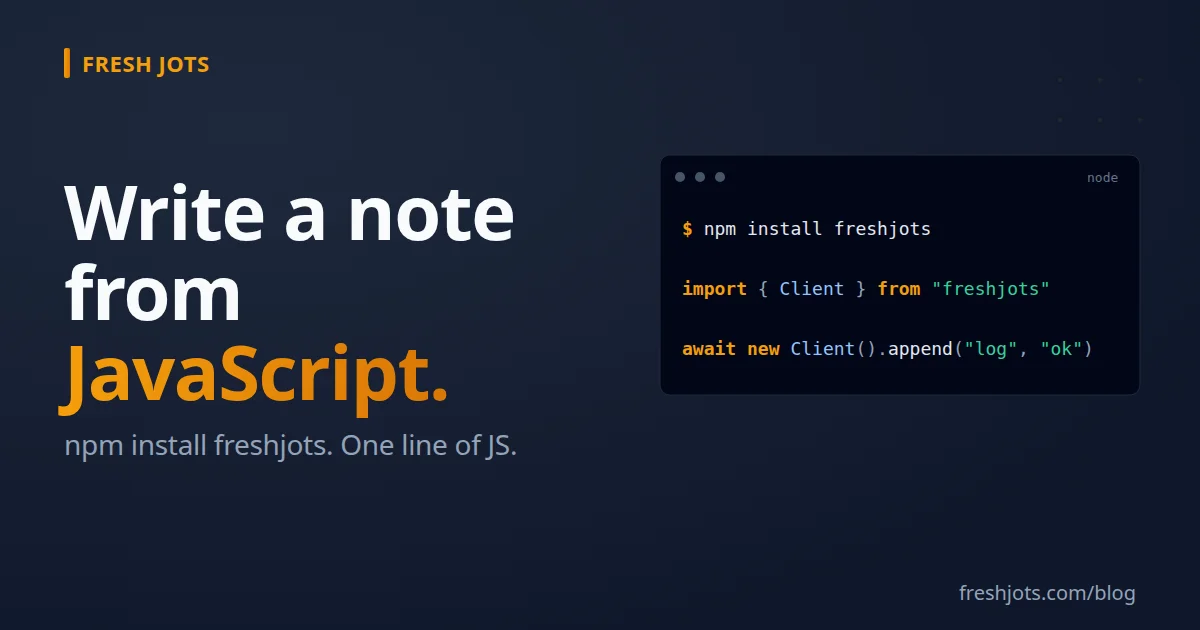
npm install freshjots
Zero runtime dependencies — it uses Node 18's global `fetch` for HTTP. Adds no transitive bloat. Works with npm, pnpm, yarn, or bun. Find it here: https://www.npmjs.com/package/freshjots.
2. Three lines of use
2. Three lines of use
import { Client } from "freshjots";
await new Client().append("deploy-log", "deploy ok — sha=abc123");
`new Client()` reads `FRESHJOTS_TOKEN` from `process.env` by default. If the variable isn't set, the constructor throws immediately so you find out at startup, not three hours into a long-running script.
3. The four core methods
3. The four core methods
import { Client } from "freshjots";
const client = new Client();
// 1. Append text to a note — creates it the first time.
await client.append("cron-jobs-prod", "backup ok");
// 2. Read a note's full plain-text body.
const note = await client.note("cron-jobs-prod");
console.log(note.plain_body);
console.log(`${note.byte_size} bytes used`); // check headroom against the per-note cap
// 3. List all your notes (summary projection).
const notes = await client.notes();
for (const n of notes) console.log(`${n.filename}\t${n.title}`);
// 4. Create a new note — the server derives the filename from the title.
const created = await client.create({
title: "Q2 Research",
body: "Initial outline.",
});
console.log(created.filename); // server-derived from the title
Those four are the everyday surface, but they aren't the whole package: `notes()` also takes `{ sort, folderId, limit, offset }` for pagination, and there are `noteById()`, `remove()`, `move()`, and `folders()` as well. What's deliberately absent is a plugin system and event-emitter abstractions. The package's job is to *not get in your way*.
4. Error handling — `ApiError`
4. Error handling — `ApiError`
Any non-2xx response throws `ApiError`:
import { Client, ApiError } from "freshjots";
const client = new Client();
try {
await client.append("huge-note", "x".repeat(3_500_000));
} catch (e) {
if (e instanceof ApiError) {
console.log(`${e.status} ${e.code}: ${e.message}`);
// 413 content_too_large: body exceeds the per-note cap (3 MB on Dev/Team and the 14-day trial, 1 MB on Free/Personal)
} else {
throw e;
}
}
The error carries four useful fields:
- `e.status` — the HTTP status code (`401`, `403`, `404`, `413`, `422`, `429`, ...)
- `e.code` — a stable string code that's safe to branch on
- `e.message` — the human-readable message
- `e.details` — optional structured payload for validation errors
Stable error codes: `unauthenticated, forbidden, not_found, validation_failed, cap_exceeded, storage_cap_exceeded, content_too_large, content_type_mismatch, rate_limited, note_locked, filename_conflict, service_unavailable, idempotency_key_conflict, internal_error`. Branch on e.code, not e.message — the code is part of the API contract; the message can be tweaked for clarity without breaking your code.
try {
await client.append("daily-log", entry);
} catch (e) {
if (e.code === "rate_limited") {
// The server's advised delay is in the Retry-After response header, which
// the package doesn't surface — so wait a fixed 60s here (read the header
// yourself via the raw-fetch path in §7 if you need the exact value).
const wait = 60_000;
await new Promise((r) => setTimeout(r, wait));
await client.append("daily-log", entry);
} else if (e.code === "cap_exceeded") {
opsAlert("Fresh Jots cap exceeded; dropping log entry.");
} else {
throw e;
}
}
5. Passing the token explicitly
5. Passing the token explicitly
If `FRESHJOTS_TOKEN` isn't right (multiple accounts, a worker getting its token via a different secrets manager, a test that wants a known-bad token):
const client = new Client({ token: "mn_yourrealtokenhere" });
Tokens are always an mn_ prefix followed by ~43 characters of URL-safe base64. Mint a real one at [/settings/api_tokens](https://freshjots.com/settings/api_tokens).
6. Pointing at a different base URL (testing, staging)
6. Pointing at a different base URL (testing, staging)
const client = new Client({
token: "mn_test…",
baseUrl: "https://staging.freshjots.com/api/v1",
});
7. Plain `fetch` — when you don't want the package
7. Plain `fetch` — when you don't want the package
For a single-file script or a project that's hostile to new dependencies, Node 18+'s global `fetch` gives you the same thing in eight lines:
const res = await fetch(
"https://freshjots.com/api/v1/notes/by-filename/deploy-log/append",
{
method: "POST",
headers: {
Authorization: `Bearer ${process.env.FRESHJOTS_TOKEN}`,
"Content-Type": "application/json",
},
body: JSON.stringify({ text: "deploy ok — sha=abc123" }),
},
);
if (!res.ok) throw new Error(`fjots append ${res.status}: ${await res.text()}`);
Fine for a one-off. For anything that runs unattended, add retry on transient 5xx/429:
import { randomUUID } from "node:crypto"; // at the top of the module
async function appendWithRetry(filename, text, attempts = 3) {
const idempotencyKey = randomUUID(); // one stable key for all retries of this write
for (let i = 0; i < attempts; i++) {
const res = await fetch(
`https://freshjots.com/api/v1/notes/by-filename/${encodeURIComponent(filename)}/append`,
{
method: "POST",
headers: {
Authorization: `Bearer ${process.env.FRESHJOTS_TOKEN}`,
"Content-Type": "application/json",
"Idempotency-Key": idempotencyKey, // stable per logical write
},
body: JSON.stringify({ text }),
},
);
if (res.ok) return res.json();
if (![429, 500, 502, 503, 504].includes(res.status)) break;
await new Promise((r) => setTimeout(r, 500 * (i + 1)));
}
throw new Error("fjots append failed");
}
The Idempotency-Key (any stable UUID per logical write, reused across retries) makes a retried POST safe: a duplicate replays the original response verbatim with Idempotent-Replay: true instead of appending twice. A changed body under the same key returns 409 idempotency_key_conflict.
Compare that to:
await new Client().append("deploy-log", "deploy ok");
If you're going to write the second block more than once, install the package.
8. Browser `fetch` — yes, it works
8. Browser `fetch` — yes, it works
The Fresh Jots API allows cross-origin requests from any origin (`origins "*"` on `/api/v1/*`, no credentials, bearer-token auth only). So a `fetch()` from a page hosted anywhere will work — no proxy required, no CORS configuration on your side.
// In a browser page, a React component, etc.
async function appendFromBrowser(filename, text) {
const res = await fetch(
`https://freshjots.com/api/v1/notes/by-filename/${encodeURIComponent(filename)}/append`,
{
method: "POST",
headers: {
Authorization: `Bearer ${TOKEN}`,
"Content-Type": "application/json",
},
body: JSON.stringify({ text }),
},
);
return res.json();
}
One critical caveat: never put a personal API token in browser JavaScript that real users will run. The token gives whoever has it full read-write to your notes. For browser-side use, the safe patterns are:
- Server-side proxy. Your backend has the token; the browser hits your backend, which hits Fresh Jots. The token never reaches the user.
- Per-user tokens (Team tier). Each end-user gets their own token, scoped to their workspace. The browser holds their token, not yours.
- Internal-only tools. A staff-only admin tool where every browser session belongs to someone you trust with the token.
The "client side `fetch`" pattern is great for build scripts running in Node, browser extensions that authenticate as the developer who installed them, Electron apps, Cloudflare Workers — *not* for unauthenticated public pages.
9. Batching — `POST /api/v1/notes/bulk`
9. Batching — `POST /api/v1/notes/bulk`
When you have many notes to create at once (importing a corpus, seeding a workspace, migrating from another tool), the bulk endpoint creates up to 50 notes in one atomic transaction:
const res = await fetch("https://freshjots.com/api/v1/notes/bulk", {
method: "POST",
headers: {
Authorization: `Bearer ${process.env.FRESHJOTS_TOKEN}`,
"Content-Type": "application/json",
},
body: JSON.stringify({
notes: [
{ title: "log-1", plain_body: "first", format: "plain" },
{ title: "log-2", plain_body: "second", format: "plain" },
// … up to 50 entries. The server derives each note's filename from its
// title; a client-supplied `filename` is ignored, exactly like create().
],
}),
});
const data = await res.json();
// 201 Created → { created: [<full note>, <full note>, ...] }
// 422 Unprocessable Entity → { error: { code: "validation_failed", failed: [{ index, errors: [message, ...] }, ...] } }
"Atomic" here means all 50 land or none do. If any row fails validation, the response is a 422 with an error.failed array indexing back to your input — error.failed[0].index === 3 means your fourth note (zero-based) was the problem. Fix all the issues in one local pass, resend.
The endpoint creates notes, not appends. To batch *appends* to a single note, call `client.append()` in parallel:
await Promise.all(
events.map((e) => client.append("event-log", JSON.stringify(e))),
);
Concurrent appends to one note don't interleave at the byte level — the API serializes the writes, so each append lands whole — but the *order* in which they land is whatever order they arrive in. For ordered writes to one note, await them sequentially.
10. Loading the token
10. Loading the token
Three good options, depending on how you ship:
- Shell profile (`~/.bashrc`, `~/.zshrc`, `~/.config/fish/config.fish`) — see Get & set your Fresh Jots API token. Best for local-machine work.
- `.env` + `dotenv` / `node --env-file=.env` — Node 20.6+ has `--env-file` built in, no library needed. Otherwise `npm install dotenv` and `import "dotenv/config"`. Put `FRESHJOTS_TOKEN=mn_…` in a git-ignored `.env`. Best for project-scoped tokens and CI.
- Container / orchestrator secret — set it via Kubernetes, ECS, Fly.io, Docker Compose `environment:`, etc. Best for production.
The package reads `process.env.FRESHJOTS_TOKEN` once when `new Client()` is instantiated. Each option above gets the variable into the environment; the package doesn't care which.
11. Patterns that work
11. Patterns that work
import { Client } from "freshjots";
const fjots = new Client();
export function fjotsLogger(req, res, next) {
res.on("finish", () => {
fjots
.append("express-requests", `${req.method} ${req.path} → ${res.statusCode}`)
.catch(() => {}); // never fail a real request because the log failed
});
next();
}
Use `res.on("finish")` so the append happens *after* the response is sent — the user doesn't wait on the network round-trip.
12. Next.js API route — fire-and-forget telemetry
12. Next.js API route — fire-and-forget telemetry
// app/api/deploy/route.js
import { Client } from "freshjots";
const fjots = new Client();
export async function POST(request) {
const payload = await request.json();
// ... do the deploy ...
fjots.append("deploy-log", `deploy ok — ${payload.sha}`).catch(() => {});
return Response.json({ ok: true });
}
Not awaiting the `append` means the response returns immediately. Errors are swallowed by `.catch(() => {})` — for a deploy notifier, you'd rather miss one log line than 500 the deploy request.
13. Cloudflare Workers — append from an edge worker
13. Cloudflare Workers — append from an edge worker
// worker.js
import { Client } from "freshjots";
export default {
async fetch(request, env) {
const fjots = new Client({ token: env.FRESHJOTS_TOKEN });
await fjots.append(
"edge-events",
`${request.method} ${new URL(request.url).pathname} from ${request.headers.get("cf-ipcountry") || "??"}`,
);
return new Response("ok");
},
};
Workers ship a fetch-compatible runtime, so the package works as-is. Set `FRESHJOTS_TOKEN` as a Worker secret with `wrangler secret put FRESHJOTS_TOKEN`.
14. Bun — same code, different runtime
14. Bun — same code, different runtime
import { Client } from "freshjots";
const fjots = new Client(); // reads Bun.env.FRESHJOTS_TOKEN (also exposed as process.env)
await fjots.append("bun-runs", `started at ${new Date().toISOString()}`);
The package has no Bun-specific code; it just uses global `fetch` and `process.env`, both of which Bun supports.
15. Vitest / Node test — log a test summary
15. Vitest / Node test — log a test summary
// vitest-fjots-reporter.js
import { Client } from "freshjots";
const fjots = new Client();
// A custom reporter's onTestRunEnd runs exactly once, after the whole run.
// `reason` is the run-level verdict: "passed" | "failed" | "interrupted".
export default class FjotsReporter {
async onTestRunEnd(testModules, unhandledErrors, reason) {
const status = { passed: "OK", failed: "FAIL", interrupted: "INTERRUPTED" }[reason] ?? reason;
const sha = process.env.GITHUB_SHA?.slice(0, 7) || "local";
await fjots
.append("test-runs", `[${sha}] ${status} — ${new Date().toISOString()}`)
.catch(() => {});
}
}
```javascript
// vitest.config.js
import { defineConfig } from "vitest/config";
export default defineConfig({
test: {
reporters: ["default", "./vitest-fjots-reporter.js"],
},
});
```
On Vitest 2 and earlier, the run-finished hook is `onFinished(files, errors)` instead — derive the status with `const failed = errors.length > 0 || files.some((f) => f.result?.state === "fail");`. Also drop the "(or test/setup.js for node --test)" parenthetical from the comment: `node --test` has no setup-hook aggregate either, so one snippet can't cover both runtimes.
Searchable history of which commits passed and which failed — without paying for a CI dashboard.
Searchable history of which commits passed and which failed — without paying for a CI dashboard.
16. Going further
16. Going further
- Source for the package: github.com/Goran-Arsov/freshjots-js. MIT licensed, ~150 lines including comments; npm source.
- TypeScript types ship in the box. The package bundles an `index.d.ts` (declared via `package.json`'s `types`/`exports`), so `import { Client } from "freshjots"` is fully typed out of the box — `Note`, `NoteSummary`, `Folder`, `ApiError`, and the `Client` methods all have declarations. No `@types/…` install and no hand-written `.d.ts` needed.
- Other languages — same pattern, different HTTP client. See the hub: Write a note from any project.
- The CLI — if you find yourself shelling out from Node to write notes, the Notes From Your Terminal does the same thing in one line of shell.
- Dead-man alerts — pair a per-script note with `append_deadline_hours` and Fresh Jots emails you when the script goes silent. See Everything you can do here.
Three lines today, four package methods tomorrow, an entire ops telemetry pipeline by next month. All over plain HTTP — no SaaS lock-in, no sidecar, no `node_modules` churn (the package adds zero transitive deps).