·
11 min read
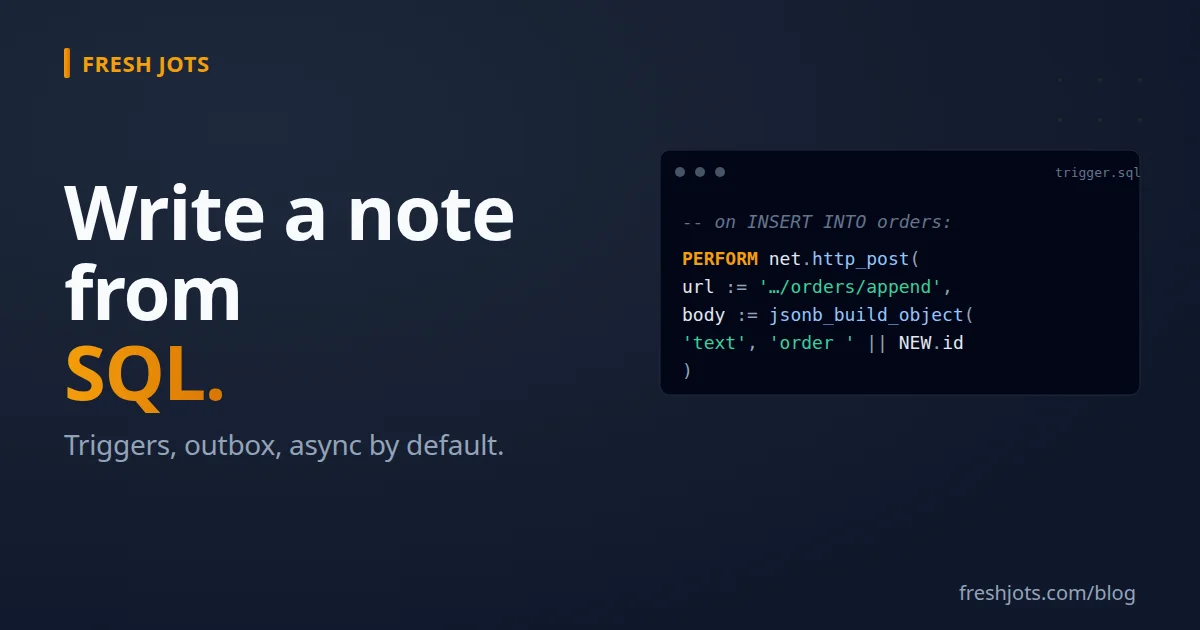
Write to Fresh Jots from SQL — Postgres, MySQL, SQL Server
Write to Fresh Jots from SQL — Postgres, MySQL, SQL Server
A spin-off from Write a note from any project, focused on databases. Four flavors, in order from "drop-in" to "more setup, more durable":
- Postgres + `http` extension — synchronous HTTP from SQL. (as a real bulleted list item, "http" styled as inline code, "Postgres + http extension" bold; no visible "- ", "**" or backticks).
- Postgres + `pg_net` extension — *asynchronous* HTTP from SQL. The right answer for triggers.
- MySQL / SQL Server / anything else — write to an outbox table from the trigger, drain it with an external worker.
- Azure SQL — has `sp_invoke_external_rest_endpoint` natively; no extensions, no outbox.
You'll need a Fresh Jots API token. If you don't have one, see Get & set your Fresh Jots API token.
1. Before you wire HTTP into a transaction — read this
1. Before you wire HTTP into a transaction — read this
Don't make synchronous outbound HTTP calls inside a transaction. It's the same class of bug as sending an email inside a transaction: easy to write, painful in production.
Three failure modes that bite:
1. The HTTP target is slow. Your `INSERT` now holds row locks for 5 seconds. Lock-wait timeouts cascade.
2. The HTTP target is down. Your transaction stalls. Connection pool fills up. Application starts 5xx-ing.
3. The transaction rolls back after the HTTP call succeeds. You've appended a row to your Fresh Jots note that says a thing happened that, as far as the database is concerned, didn't.
Two ways to avoid all three:
- Use `pg_net` if you're on Postgres. It's *async by design* — the call returns immediately, the request goes through a worker, and a transaction rollback is moot because the request was queued, not made.
- Outbox pattern if you're not. Insert into a queue table inside the transaction (atomic with the rest of the work), drain it with an external poller.
Synchronous HTTP from SQL has exactly one legitimate use: ad-hoc admin scripts you run by hand, where you'd notice and care if the HTTP target was unreachable. For triggers, never.
The rest of this post follows that rule.
2. Postgres — the `http` extension (synchronous, for admin scripts)
2. Postgres — the `http` extension (synchronous, for admin scripts)
The `pgsql-http` extension lets you make HTTP calls from SQL. Install it once:
CREATE EXTENSION http;
Then store your token in a database setting so it's not in plain SQL files:
-- Once, as a superuser. The setting persists across sessions.
ALTER DATABASE my_app SET app.freshjots_token = 'mn_yourrealtokenhere';
(On managed Postgres without superuser access, store it in a tiny config table instead — `SELECT value FROM app_settings WHERE key = 'freshjots_token'`.)
> **Naming tip:** Custom settings must use the `namespace.name` form — the
> dot is required. Postgres reserves dot-less names for its own GUCs. The
> `app.` prefix here is just a convention; pick any prefix you like as long
> as it isn't a real Postgres GUC namespace (`pg_`, `default_`, etc.).
> Verify the setting took effect:
>
> ```sql
> SHOW app.freshjots_token;
> ```
> **Self-hosted note:** `CREATE EXTENSION http` requires the OS package first.
> On Debian/Ubuntu, install `postgresql-<MAJOR>-http`:
>
> ```bash
> sudo apt install postgresql-16-http # match your PG major version
> ```
>
> On macOS/Homebrew: `brew install pgsql-http`. On other systems, build from
> [pramsey/pgsql-http](https://github.com/pramsey/pgsql-http). Managed Postgres
> services (Supabase, Neon, RDS) don't expose this extension — use the
> `pg_net` approach below instead.
> **Naming tip:** Custom settings must use the `namespace.name` form — the
> dot is required. Postgres reserves dot-less names for its own GUCs. The
> `app.` prefix here is just a convention; pick any prefix you like as long
> as it isn't a real Postgres GUC namespace (`pg_`, `default_`, etc.).
> Verify the setting took effect:
>
> ```sql
> SHOW app.freshjots_token;
> ```
> **Self-hosted note:** `CREATE EXTENSION http` requires the OS package first.
> On Debian/Ubuntu, install `postgresql-<MAJOR>-http`:
>
> ```bash
> sudo apt install postgresql-16-http # match your PG major version
> ```
>
> On macOS/Homebrew: `brew install pgsql-http`. On other systems, build from
> [pramsey/pgsql-http](https://github.com/pramsey/pgsql-http). Managed Postgres
> services (Supabase, Neon, RDS) don't expose this extension — use the
> `pg_net` approach below instead.
Append a line from a `psql` session, a migration script, or a manual one-off:
SELECT status, content::text
  FROM http(('POST',
    'https://freshjots.com/api/v1/notes/by-filename/db-events/append',
    ARRAY[http_header('Authorization',
                    'Bearer ' || current_setting('app.freshjots_token'))],
  'application/json',
  jsonb_build_object('text', 'manual backup verified at ' || now())::text
)::http_request);
`status` will be `200` on success and the body is the updated-note envelope.
(http_request field order is method, uri, headers, content_type, content.)
(http_request field order is method, uri, headers, content_type, content.)
Useful when you want to script a one-off ("write a snapshot of `SELECT count(*) FROM users` to a note every Monday from a `psql` cron job"). **Not** what you want inside a trigger.
3. Postgres — `pg_net` (asynchronous, for triggers)
3. Postgres — `pg_net` (asynchronous, for triggers)
The `pg_net` extension (Supabase's, BSD-licensed) makes HTTP calls *outside* the transaction via a background worker. The trigger inserts a job and returns immediately; the worker performs the actual HTTP call seconds later.
> **Self-hosted note:** On self-hosted Postgres, `pg_net` needs to be loaded as
> a background worker before the extension will work. Edit `postgresql.conf`:
>
> ```
> shared_preload_libraries = 'pg_net'
> ```
>
> Restart the cluster:
>
> ```bash
> sudo systemctl restart postgresql
> ```
>
> After the restart, `CREATE EXTENSION pg_net` succeeds and the worker is
> running. On Supabase the extension is preinstalled and the worker is
> already up — no config required.
> **Self-hosted note:** On self-hosted Postgres, `pg_net` needs to be loaded as
> a background worker before the extension will work. Edit `postgresql.conf`:
>
> ```
> shared_preload_libraries = 'pg_net'
> ```
>
> Restart the cluster:
>
> ```bash
> sudo systemctl restart postgresql
> ```
>
> After the restart, `CREATE EXTENSION pg_net` succeeds and the worker is
> running. On Supabase the extension is preinstalled and the worker is
> already up — no config required.
Install:
CREATE EXTENSION pg_net;
-- pg_net's worker process needs to be running — on Supabase it's
-- managed automatically; on self-hosted Postgres see the pg_net README.
Same `app.freshjots_token` setting trick from above applies.
A trigger that logs every new order to a Fresh Jots note:
CREATE OR REPLACE FUNCTION freshjots_log_order()
RETURNS TRIGGER AS $$
BEGIN
  PERFORM net.http_post(
    url     := 'https://freshjots.com/api/v1/notes/by-filename/orders/append',
    body    := jsonb_build_object(
                 'text', format('order %s — %s @ %s',
                                NEW.id, NEW.customer_email, NEW.created_at)
               ),
    headers := jsonb_build_object(
                 'Authorization', 'Bearer ' || current_setting('app.freshjots_token'),
                 'Content-Type',  'application/json'
               )
  );
  RETURN NEW;
END;
$$ LANGUAGE plpgsql;

CREATE TRIGGER freshjots_log_order_trg
AFTER INSERT ON orders
FOR EACH ROW EXECUTE FUNCTION freshjots_log_order();
What this gives you:
- The `INSERT INTO orders ...` returns in the usual ~1 ms. The HTTP call happens in the background.
- A network blip or a Fresh Jots outage doesn't roll back the order — it produces a failed pg_net job you can retry.
- The `orders` Fresh Jots note becomes a real-time stream of every new order. Searchable, exportable, pageable.
4. Inspecting and retrying failed jobs
4. Inspecting and retrying failed jobs
-- Recent requests
SELECT id, status_code, error_msg, created
FROM net._http_response
ORDER BY created DESC
LIMIT 20;
For everything-or-nothing semantics ("the note write *must* succeed or the order doesn't count"), use the outbox pattern below — pg_net is fire-and-forget; if you need delivery guarantees, you need a queue with explicit retry.
-- Prune old responses (keep last 7 days). Plain DELETE — no need to call
-- net.http_collect_response, which exists to retrieve a single response by
-- id and remove it as a side-effect (useful when you want to read the
-- result), not as a bulk-cleanup primitive.
DELETE FROM net._http_response WHERE created < now() - interval '7 days';
Schedule this with `pg_cron` so the table doesn't grow unbounded:
SELECT cron.schedule('pg_net-prune', '17 3 * * *', $$ DELETE FROM net._http_response WHERE created < now() - interval '7 days'; $$);
5. MySQL / SQL Server / generic — the outbox pattern
5. MySQL / SQL Server / generic — the outbox pattern
MySQL has no native HTTP. SQL Server's `xp_cmdshell + curl` is usually disabled in production, and its CLR HTTP route is complex. The portable answer is the outbox pattern: write to a queue table inside the transaction, drain it with a tiny external worker.
6. The outbox table
6. The outbox table
-- MySQL syntax. PG/MSSQL: change types as appropriate.
CREATE TABLE freshjots_outbox (
  id          BIGINT UNSIGNED NOT NULL AUTO_INCREMENT PRIMARY KEY,
  filename    VARCHAR(255)    NOT NULL,
  body_text   TEXT            NOT NULL,
  created_at  TIMESTAMP       NOT NULL DEFAULT CURRENT_TIMESTAMP,
  sent_at     TIMESTAMP       NULL,
  attempts    INT             NOT NULL DEFAULT 0,
  last_error  TEXT            NULL,
  INDEX (sent_at, id)
);
7. The trigger (MySQL example — applies cleanly to others)
7. The trigger (MySQL example — applies cleanly to others)
DELIMITER $$
CREATE TRIGGER log_orders_to_freshjots
AFTER INSERT ON orders
FOR EACH ROW
BEGIN
  INSERT INTO freshjots_outbox (filename, body_text)
  VALUES (
    'orders',
    CONCAT('order ', NEW.id, ' — ', NEW.customer_email, ' @ ', NEW.created_at)  );
END$$
DELIMITER ;
The trigger is now only writing to a local table. Same transaction, atomic with the order — if the order rolls back, the outbox row goes with it.
8. The drainer (Python, ~30 lines)
8. The drainer (Python, ~30 lines)
# freshjots_outbox_drainer.py
import os
import time
import freshjots  # pip install freshjots
import pymysql    # or psycopg / pyodbc / etc.

DB = pymysql.connect(host="db", user="…", password="…", database="my_app")
client = freshjots.Client()  # reads FRESHJOTS_TOKEN

def drain_once():
    with DB.cursor() as cur:
        cur.execute(
            "SELECT id, filename, body_text "
            "FROM freshjots_outbox WHERE sent_at IS NULL AND attempts < 20 "
            "ORDER BY id LIMIT 100 FOR UPDATE SKIP LOCKED"
        )
        rows = cur.fetchall()
        for row_id, filename, text in rows:
            try:
                client.append(filename, text)
                cur.execute("UPDATE freshjots_outbox SET sent_at = NOW() WHERE id = %s", (row_id,))
            except freshjots.ApiError as e:
                cur.execute(
                    "UPDATE freshjots_outbox "
                    "SET attempts = attempts + 1, last_error = %s WHERE id = %s",
                    (f"{e.status} {e.code}: {e}", row_id),
                )
            DB.commit()  # release this row's lock before the next HTTP call

while True:
    drain_once()
    time.sleep(2)
Delete the sentence entirely. The paragraph after the code block should begin directly with "FOR UPDATE SKIP LOCKED means you can run multiple drainer processes...".
`FOR UPDATE SKIP LOCKED` means you can run multiple drainer processes for throughput without them stepping on each other's rows. The drainer's worst-case failure mode is "lag" — rows accumulate, get written when the drainer recovers. The order itself is never lost.
The drainer doesn't need to be in Python. Bash + `curl` + a `WHILE` loop works. Node + a setInterval works. Whatever your sidecar runtime is, the SQL side is identical.
9. SQL Server — `sp_invoke_external_rest_endpoint` (Azure SQL only)
9. SQL Server — `sp_invoke_external_rest_endpoint` (Azure SQL only)
Azure SQL Database (not on-prem SQL Server) ships with a native call you can use directly:
DECLARE @response NVARCHAR(MAX);
DECLARE @body NVARCHAR(MAX) = N'{"text":"backup completed"}';

EXEC sp_invoke_external_rest_endpoint
    @url     = N'https://freshjots.com/api/v1/notes/by-filename/db-events/append',
    @method  = 'POST',
    @headers = N'{"Authorization":"Bearer mn_yourtoken","Content-Type":"application/json"}',
    @payload = @body,
    @response = @response OUTPUT;


SELECT JSON_VALUE(@response, '$.response.status.http.code') AS http_code;
This is synchronous, so the trigger caveats above still apply — use it for admin scripts, not inside triggers. For SQL Server triggers, use the outbox pattern.
Storing the token: the inline mn_yourtoken above is a placeholder for readability — in practice, SQL Server's DATABASE SCOPED CREDENTIAL (keyed to the endpoint URL) is the right place, and sp_invoke_external_rest_endpoint will use it automatically.
For on-prem / SQL Server pre-2022: the [outbox pattern](#mysql--sql-server--generic--the-outbox-pattern) is the only sane answer.
10. Real patterns
10. Real patterns
Every UPDATE on `users.email` writes a line. The Fresh Jots note becomes a tamper-evident audit trail your DBAs can't quietly edit.
-- Postgres + pg_net
CREATE OR REPLACE FUNCTION freshjots_audit_email_change()
RETURNS TRIGGER AS $$
BEGIN
  IF OLD.email IS DISTINCT FROM NEW.email THEN
    PERFORM net.http_post(
      url     := 'https://freshjots.com/api/v1/notes/by-filename/email-audit/append',
      body    := jsonb_build_object(
                   'text', format('user %s: %s → %s by %s @ %s',
                                  NEW.id, OLD.email, NEW.email,
                                  current_user, now())
                 ),
      headers := jsonb_build_object(
                   'Authorization', 'Bearer ' || current_setting('app.freshjots_token'),
                   'Content-Type',  'application/json'
                 )
    );
  END IF;
  RETURN NEW;
END;
$$ LANGUAGE plpgsql;

CREATE TRIGGER freshjots_audit_email_change_trg

AFTER UPDATE ON users
FOR EACH ROW
EXECUTE FUNCTION freshjots_audit_email_change();
Pair with a [dead-man-switch alert](/blog/everything-you-can-do-here) on the `email-audit` note: if no email change has happened in 30 days, the note goes silent and Fresh Jots emails you. *Useful*. If a long-quiet `email-audit` note suddenly starts seeing five changes a minute, Fresh Jots's normal real-time view in your browser surfaces it; the absence of activity is the dead-man's-switch signal.
11. Daily summary from a scheduled job
11. Daily summary from a scheduled job
A `pg_cron` job that writes a daily snapshot:
SELECT cron.schedule('freshjots-daily', '0 9 * * *', $$
  SELECT http(('POST',
    'https://freshjots.com/api/v1/notes/by-filename/daily-stats/append',
    ARRAY[http_header('Authorization',
                      'Bearer ' || current_setting('app.freshjots_token'))],
    'application/json',
    jsonb_build_object(
      'text', format(
        'date=%s users=%s orders=%s revenue=%s',
        current_date - 1,
        (SELECT count(*) FROM users  WHERE created_at::date = current_date - 1),
        (SELECT count(*) FROM orders WHERE created_at::date = current_date - 1),
        (SELECT COALESCE(sum(amount), 0) FROM orders WHERE created_at::date = current_date - 1)
      )
    )::text
  )::http_request);
Synchronous `http()` is fine here because `pg_cron` jobs run outside user transactions. The note becomes a daily log you can search and export at month-end.
Delete the sentence entirely. The paragraph should end at "...you can search and export at month-end."
Delete the sentence entirely. The paragraph should end at "...you can search and export at month-end."
12. Migration journal
12. Migration journal
`db/migrate/*` scripts append "ran 2026_05_14_add_orders_index" to a `migration-runs` note. Searchable history of every schema change across every environment. Beats reading `schema_migrations` joined with deployment logs.
13. Going further
13. Going further
- Other languages — same pattern, different HTTP client. See the hub: Write a note from any project.
- The CLI — useful for one-off SQL→shell→note workflows. See Notes from your terminal.
- Dead-man alerts on audit notes — pair an `INSERT`-driven note with `append_deadline_hours` and Fresh Jots emails you when the writes go silent. See Everything you can do here.
- `pg_net` source / docs: github.com/supabase/pg_net.
- `pgsql-http` source / docs: github.com/pramsey/pgsql-http.
One trigger, one outbox table, one cron job, your whole database surface logged into searchable notes. Without setting up Kafka, without paying for Datadog, without bolting an APM agent onto a Postgres role.