·
25 min read
One Prompt to Auto-archive each AI session to Fresh Jots
One Prompt to Auto-archive each AI session to Fresh Jots
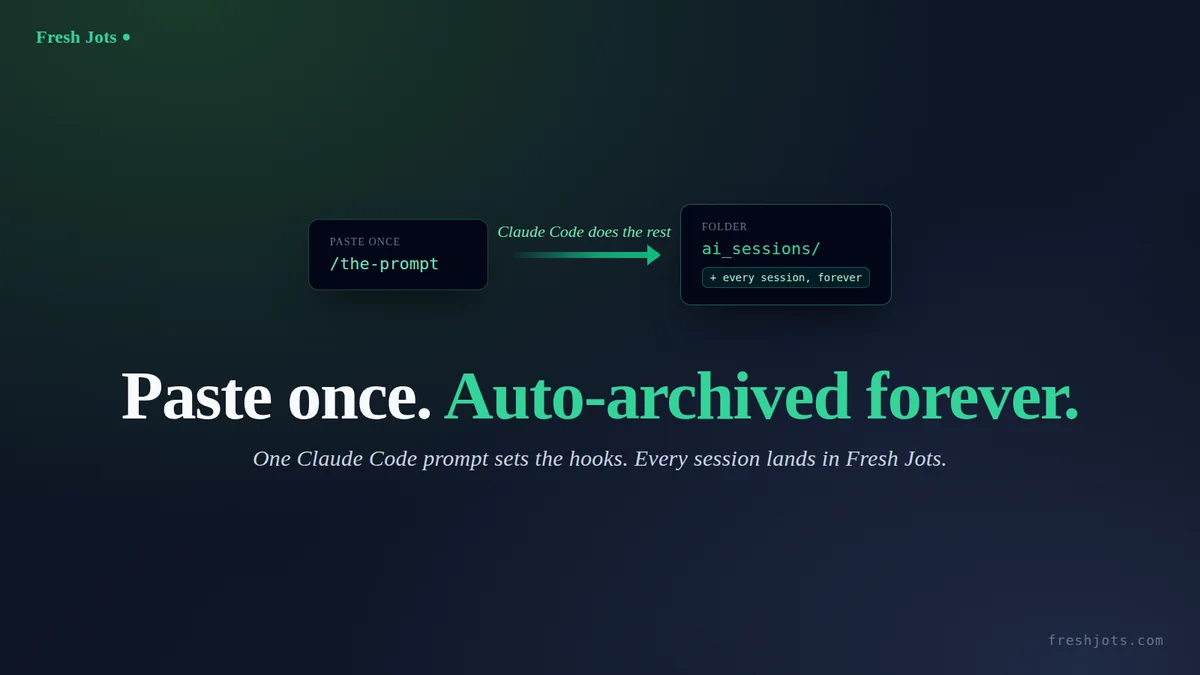
The companion post Auto-archive every Claude Code session into a `ai_sessions` folder walks through the manual setup — bash script, `~/.claude/settings.json`, folder bootstrap, the lot. This post is the other extreme: one paste-ready prompt you drop into Claude Code, and Claude Code does the work itself. Sign up, paste the prompt, confirm once, restart. End state: every `/clear`, every `/compact`, every window close auto-archives to an `ai_sessions` folder at https://freshjots.com, with a 500-file rolling local stash as backup.
Under five minutes. One copy-paste. No prior setup needed beyond Claude Code itself.
1. What you need
1. What you need
- Claude Code installed and working.
- A few minutes.
- That's it.
- Not on Claude Code? This prompt is Claude-specific — it wires Claude's hooks and reads its .jsonl transcripts — but the archive itself is just Fresh Jots API calls, so any agent can do the same. If your assistant speaks MCP, skip the file entirely: see Connect Fresh Jots to any AI assistant over MCP.
You don't need `jq` or `curl` already installed — Claude Code will check and, if anything's missing, tell you the one package-manager command to run and wait for your "go."
You don't need a Fresh Jots account yet — the prompt will walk you through signing up and creating an API token. Pick "Plain notes" mode at onboarding and a 14-day Dev trial token lands in your inbox automatically. It unlocks the REST API, dead-man alerts, and outbound webhooks, and lifts the account to 100 notes, 3 MB per note, and 300 MB of storage for the two weeks — well above Free's 10 notes / 1 MB / 50 MB, though short of the full Dev allotment. When the trial expires the account reverts to Free: existing notes stay readable and exportable, but writes above the Free caps are blocked until you subscribe. The trial is issued only the first time you onboard in that mode. After two weeks, decide whether the auto-archive habit has earned the $149/yr Dev tier (10,000 plain notes, 3 active tokens, REST API, dead-man alerts, webhooks, along with Everything else you can do here).
Why Claude Code? This automation uses Claude Code's own hooks (SessionEnd, PreCompact) and reads the .jsonl transcripts it writes to ~/.claude/projects/, so the prompt on this page is Claude Code–only. Fresh Jots itself isn't — on any other assistant you get the same "every session saved as a note" result over MCP (nothing to install) or with a couple of REST API calls. Want a manual, any-agent version instead? See /save-to-freshjots.
Why Claude Code? This automation uses Claude Code's own hooks (SessionEnd, PreCompact) and reads the .jsonl transcripts it writes to ~/.claude/projects/, so the prompt on this page is Claude Code–only. Fresh Jots itself isn't — on any other assistant you get the same "every session saved as a note" result over MCP (nothing to install) or with a couple of REST API calls. Want a manual, any-agent version instead? See /save-to-freshjots.
2. About your token
2. About your token
Recommended — zero token exposure: Set FRESHJOTS_TOKEN in your shell profile first —
one line — `export FRESHJOTS_TOKEN="mn_…"` in `~/.bashrc` or `~/.zshrc`, reload the shell, then paste the prompt. The prompt detects the already-exported value and skips the paste step entirely — the token's value never enters the chat.
one line — `export FRESHJOTS_TOKEN="mn_…"` in `~/.bashrc` or `~/.zshrc`, reload the shell, then paste the prompt. The prompt detects the already-exported value and skips the paste step entirely — the token's value never enters the chat.
Otherwise, the prompt will ask you to paste your `mn_…` token into the chat once. That paste briefly lives in this session's transcript, which the freshly-installed hook then auto-archives as your first note in `ai_sessions`. The note is private to your Fresh Jots account, but if you'd rather your token not sit in your own archive, delete that one note after setup — every session after it is token-free.
3. The prompt
3. The prompt
Open Claude Code in any project (or run it from `~`, doesn't matter). Paste the block below verbatim, hit enter, then answer the questions it asks you. The prompt is the only thing you have to do by hand.
The cleanest path is to download it as a txt file and paste that into your session — same content, no rendering pipeline in between. Otherwise, copy the block below from its first character through `Begin.`, then paste and send.
The cleanest path is to download it as a txt file and paste that into your session — same content, no rendering pipeline in between. Otherwise, copy the block below from its first character through `Begin.`, then paste and send.
````text
I want you to set up Fresh Jots auto-archiving for my Claude Code sessions, end to end. Walk me through it conversationally; ask me only what you genuinely can't figure out yourself. Be safe: show diffs before writing any file in my home directory, and never write my API token to any file in the current project or echo it back to me after I paste it.
End state we're aiming for:
- Two hooks (PreCompact, SessionEnd) wired in ~/.claude/settings.json, both invoking ~/.claude/hooks/freshjots-claude-sessions.sh.
- That script (full content in step 3 below) reads each session's transcript, stashes it locally at ~/.claude/freshjots-stash/claude-code-YYYY-MM-DD-session-HH-MM-SS.txt, trusted-timestamps the exact bytes with an RFC 3161 authority (best-effort, via openssl), then POSTs it to Fresh Jots as a new note inside an "ai_sessions" folder (a transcript over ~2.8 MB is split into ordered "part i of n" notes so it always posts in full, never dropped on a size limit). Each note starts with a two-line header (`Claude Code session: <id>` + `Date:`) so it self-identifies which session it was. It rotates the stash to the 500 most-recent files.
- My shell profile (~/.zshrc if my $SHELL ends in zsh, otherwise ~/.bashrc) exports FRESHJOTS_TOKEN.
Idempotent by design: if I re-run this prompt later, every step should detect existing state (env var set, script unchanged, hook entries already present, folder already created) and no-op. Tell me which steps you skipped and why.
Step 1 — Confirm intent. Tell me in one sentence what you're about to do. Ask me to type "yes" before you touch any file. After I've confirmed once, you can proceed through the remaining steps without asking again unless you hit a destructive edit you can't reverse.
Step 2 — Token bootstrap.
- Check presence without printing the value: `[ -n "${FRESHJOTS_TOKEN:-}" ] && echo set || echo unset`. Use that output, never `printenv FRESHJOTS_TOKEN` or `echo $FRESHJOTS_TOKEN` (those would dump the value into the transcript).
- **If "set"** (the token was already exported when Claude Code launched): verify with `curl -sS -o /dev/null -w '%{http_code}' --max-time 15 -H "Authorization: Bearer $FRESHJOTS_TOKEN" https://freshjots.com/api/v1/folders`. The literal `$FRESHJOTS_TOKEN` stays in the command as written; the shell expands it at runtime, so the actual value never appears in stdout, stderr, or the transcript. Expect 200. On 401, tell me my token is set but rejected, and ask me to generate a fresh one. On success, jump to step 3 — do NOT touch my shell profile, the token is already wired in.
- **If "unset"**, tell me: "Go to https://freshjots.com, sign up (free, no card). At onboarding, pick the 'Plain notes' mode (its card mentions a 14-day free API trial) — that gets you a 14-day Dev trial token automatically. If you already have a Dev account, Settings → API tokens → Create token. Either way, you'll end up with an `mn_...` string. Paste it here when you have it."
- Once I paste a token, verify it with one curl call, substituting the literal `mn_...` value into the Authorization header (this single command is the only place the value appears outside my shell profile — unavoidable for the paste-in-chat flow): `curl -sS -o /dev/null -w '%{http_code}' --max-time 15 -H "Authorization: Bearer mn_THE_VALUE_I_PASTED" https://freshjots.com/api/v1/folders`. Expect 200. On 401, tell me politely "that token didn't work — paste another?" and retry up to 3 times.
- After verification, append `export FRESHJOTS_TOKEN="mn_..."` to my shell profile (~/.zshrc if my $SHELL ends in zsh, otherwise ~/.bashrc). Show me the diff before writing. If `grep -l FRESHJOTS_TOKEN ~/.bashrc ~/.zshrc ~/.profile 2>/dev/null` finds it elsewhere already, skip this step and tell me where it lives.
- Never write the raw token to any file in the current repo, and never echo it back into the chat after that one verify call. From this step on, refer to it only as `$FRESHJOTS_TOKEN` in any bash command — let the shell expand it.
Step 3 — Hook script. Write the script below to ~/.claude/hooks/freshjots-claude-sessions.sh (create the directory if missing), then `chmod +x` it. If the file already exists with identical content, skip. If it exists with different content, show me the diff and ask before overwriting.
Script content (write this verbatim, no edits, no improvements):
#!/usr/bin/env bash
# Auto-archive each Claude Code session as a new Fresh Jots note inside
# the ai_sessions folder, with a rolling 500-file local stash as a
# fallback for offline / API-down moments.
# Wired in ~/.claude/settings.json for PreCompact + SessionEnd events.
# Always exits 0 — failures log, never block the user.
set -uo pipefail
STASH_DIR="$HOME/.claude/freshjots-stash"
LOG_FILE="$STASH_DIR/.log"
FOLDER_ID_FILE="$STASH_DIR/.folder-id"
FOLDER_NAME="ai_sessions"
KEEP=500
# RFC 3161 trusted-timestamp authority. The hook stamps each note's exact bytes
# here client-side (the TSA sees only a SHA-256, never the content) so the note
# carries an immediate, independent "existed as-is at time T" proof beside the
# server's daily Bitcoin anchor. Overridable; DigiCert's public TSA needs no
# signup and chains to a widely-trusted CA.
TSA_URL="${FRESHJOTS_TSA_URL:-http://timestamp.digicert.com}"
mkdir -p "$STASH_DIR"
log() { printf '[%s] %s\n' "$(date -Iseconds)" "$*" >> "$LOG_FILE"; }
INPUT=$(cat)
SESSION_ID=$(printf '%s' "$INPUT" | jq -r '.session_id // empty')
EVENT=$(printf '%s' "$INPUT" | jq -r '.hook_event_name // empty')
log "FIRED event='$EVENT' session='$SESSION_ID'"
[ -z "$SESSION_ID" ] && { log "ABORT: no session_id"; exit 0; }
[ -z "${FRESHJOTS_TOKEN:-}" ] && { log "ABORT: FRESHJOTS_TOKEN not set"; exit 0; }
# Locate the JSONL Claude Code is writing for this session.
TRANSCRIPT_JSONL=$(find "$HOME/.claude/projects" -maxdepth 2 \
-name "${SESSION_ID}.jsonl" -type f 2>/dev/null | head -1)
if [ -z "$TRANSCRIPT_JSONL" ] || [ ! -s "$TRANSCRIPT_JSONL" ]; then
log "ABORT: could not locate JSONL for session_id=$SESSION_ID"
exit 0
fi
# Title: date + HH-MM-SS — sortable per day and collision-free. (A per-day
# count would stick once the 500-file rotation caps the file count, so
# every later session that day would reuse the same number and overwrite;
# a wall-clock timestamp avoids that failure mode.)
TITLE="claude-code-$(date +%Y-%m-%d)-session-$(date +%H-%M-%S)"
STASH_PATH="$STASH_DIR/${TITLE}.txt"
# Flatten JSONL → role-prefixed plain text. The block() helper normalises
# content items: Claude Code sometimes emits a bare string (not a typed
# object) inside a content array, an assistant message's content can
# itself be a string, and .text/.name/.input can be null. The // fallbacks
# and string/object type checks keep any stray shape from crashing the
# render (a crash here would silently fall back to dumping raw JSONL).
# Trimmings applied here, ranked by byte impact:
# * clean — strips harness-injected <system-reminder> blocks
# (global CLAUDE.md, MEMORY.md, skill/tool lists) that
# are re-injected almost every turn: the #1 bloat source.
# * images — base64 image blobs in tool_result become a placeholder
# (a single screenshot is 1-3 MB of base64).
# * cap() — tool results capped at 4000 chars, generic tool inputs
# at 1500: archive is a narrative, not a data store.
# * short_input— Write/Edit/MultiEdit inputs drop the file body (it
# lives in git); Read/Grep/Glob keep just the params.
# User/assistant prose is NEVER truncated — that is the story we keep.
# Thinking blocks are already excluded (no branch -> else empty).
# Each rendered line is prefixed with its JSONL .timestamp (ISO-8601 UTC,
# e.g. [2026-08-13T07:08:18.099Z]) — per-turn timing for a work record.
# The stamp is taken once per JSONL line (one event), not per content
# item, and lines that render to nothing get no dangling stamp.
jq -r '
def clean: gsub("<system-reminder>[\\s\\S]*?</system-reminder>"; "");
def cap($n): if (.|length) > $n then (.[0:$n]) + "\n…[truncated " + (((.|length) - $n)|tostring) + " chars]" else . end;
def short_input($name):
(.input // {}) as $in
| if $name == "Write" then "file_path=" + ($in.file_path // "?") + " [content omitted, " + (($in.content // "")|length|tostring) + " chars]"
elif $name == "Edit" then "file_path=" + ($in.file_path // "?") + " [edit omitted]"
elif $name == "MultiEdit" then "file_path=" + ($in.file_path // "?") + " [" + (($in.edits // [])|length|tostring) + " edits omitted]"
elif $name == "NotebookEdit" then "notebook=" + ($in.notebook_path // "?") + " [cell edit omitted]"
elif $name == "Read" then ($in | {file_path, offset, limit} | tojson)
elif $name == "Grep" then ($in | tojson | cap(400))
elif $name == "Glob" then ($in | tojson | cap(400))
else ($in | tojson | cap(1500)) end;
def block(role):
if type == "string" then role + ":\n" + . + "\n"
elif type == "object" then
if .type == "text" then role + ":\n" + (.text // "") + "\n"
elif .type == "tool_use" then "[Tool: " + (.name // "?") + "] " + short_input(.name // "?") + "\n"
elif .type == "tool_result" then
"TOOL RESULT:\n" + ((.content // "") |
if type == "string" then .
elif type == "array" then
([.[] | if (type == "object" and .type == "text") then (.text // "")
elif (type == "string") then .
elif (type == "object" and .type == "image") then "[image omitted]"
elif (type == "object") then "[" + (.type // "non-text") + " content omitted]"
else "[content omitted]" end] | join("\n"))
else tojson end | cap(4000)) + "\n"
else empty end
else empty end;
( if type != "object" then empty
else
(.timestamp // "") as $ts
| ( if .type == "user" then (.message.content) as $c
| if ($c | type) == "string" then "USER:\n" + $c + "\n"
elif ($c | type) == "array" then ([$c[] | block("USER")] | join("\n"))
else "" end
elif .type == "assistant" then (.message.content) as $c
| if ($c | type) == "string" then "ASSISTANT:\n" + $c + "\n"
elif ($c | type) == "array" then ([$c[] | block("ASSISTANT")] | join("\n"))
else "" end
else "" end ) as $rendered
| if ($rendered | length) == 0 then empty
else (if $ts == "" then "" else "[" + $ts + "] " end) + $rendered end
end
) | clean
' "$TRANSCRIPT_JSONL" > "$STASH_PATH" 2>>"$LOG_FILE"
render_status=$?
# Fall back to raw JSONL only if the structured render actually failed
# (jq parse/runtime error) or produced an empty file — not on a byte
# count. A short but valid session (e.g. a quick one-line exchange)
# renders to very few bytes and is still correct; a size threshold here
# would wrongly discard it and dump raw JSONL in its place.
if [ "$render_status" -ne 0 ] || [ ! -s "$STASH_PATH" ]; then
cp "$TRANSCRIPT_JSONL" "$STASH_PATH"
fi
printf '\n==================== TRANSCRIPT END · %s ====================\n' \
"$(date -Iseconds)" >> "$STASH_PATH"
# Prepend a session header so the archived note self-identifies which
# Claude Code session it is — the id traces back to the source transcript
# at ~/.claude/projects/*/<session_id>.jsonl. Done after the footer so it
# survives both the structured render and the raw-JSONL fallback path.
{ printf 'Claude Code session: %s\nDate: %s\n\n' \
"$SESSION_ID" "$(date '+%Y-%m-%d %H:%M:%S')"; cat "$STASH_PATH"; } \
> "${STASH_PATH}.tmp" && mv "${STASH_PATH}.tmp" "$STASH_PATH"
log "STASHED $STASH_PATH ($(wc -c < "$STASH_PATH" | tr -d ' ') bytes)"
# Find-or-create the ai_sessions folder. Cache the id so we don't
# round-trip the lookup on every session. The name match is case-
# insensitive to mirror the server's LOWER(name) uniqueness rule.
folder_id=""
if [ -s "$FOLDER_ID_FILE" ]; then
cached=$(cat "$FOLDER_ID_FILE")
status=$(curl -sS --max-time 15 -o /dev/null -w '%{http_code}' \
-H "Authorization: Bearer $FRESHJOTS_TOKEN" \
"https://freshjots.com/api/v1/folders/$cached")
[ "$status" = "200" ] && folder_id=$cached
fi
if [ -z "$folder_id" ]; then
folder_id=$(curl -sS --max-time 15 \
-H "Authorization: Bearer $FRESHJOTS_TOKEN" \
"https://freshjots.com/api/v1/folders" \
| jq -r --arg n "$FOLDER_NAME" \
'.folders[]? | select((.name // "" | ascii_downcase) == ($n | ascii_downcase)) | .id' | head -1)
fi
if [ -z "$folder_id" ]; then
folder_id=$(curl -sS --max-time 15 \
-H "Authorization: Bearer $FRESHJOTS_TOKEN" \
-H "Content-Type: application/json" \
-X POST -d "{\"folder\":{\"name\":\"$FOLDER_NAME\"}}" \
"https://freshjots.com/api/v1/folders" \
| jq -r '.id // empty')
fi
if [ -n "$folder_id" ]; then
echo "$folder_id" > "$FOLDER_ID_FILE"
else
log "WARN: could not resolve/create folder '$FOLDER_NAME'; posting at root"
fi
# Compute an RFC 3161 trusted-timestamp token (base64, single line) over $1's
# EXACT bytes via openssl + the configured TSA. Best-effort: echoes the token on
# success and nothing on any failure (openssl absent, TSA down, timeout), so the
# archive still posts untokenized. The digest is SHA-256(file) — identical to
# the note's server-side create-leaf content_hash — and the TSA sees only that
# hash, never the transcript.
tsa_token_for() {
local file="$1" dir tsq tsr
command -v openssl >/dev/null 2>&1 || { log "TSA: openssl not found; posting without token"; return 0; }
dir=$(mktemp -d) || return 0
tsq="$dir/req.tsq"; tsr="$dir/resp.tsr"
if ! openssl ts -query -data "$file" -sha256 -cert -out "$tsq" 2>>"$LOG_FILE"; then
log "TSA: ts -query failed for $(basename "$file"); posting without token"; rm -rf "$dir"; return 0
fi
if ! curl -sS --max-time 20 -H 'Content-Type: application/timestamp-query' \
--data-binary "@$tsq" "$TSA_URL" -o "$tsr" 2>>"$LOG_FILE" || [ ! -s "$tsr" ]; then
log "TSA: query to $TSA_URL failed; posting without token"; rm -rf "$dir"; return 0
fi
base64 < "$tsr" | tr -d '\n'
rm -rf "$dir"
}
# Post one body file as a single Fresh Jots note. Best-effort: logs the
# outcome, cleans its own temps, never aborts the hook. The local stash
# at $STASH_PATH survives regardless (rotation keeps the last 500) so a
# failed POST is recoverable.
post_note() {
local title="$1" body_file="$2"
local payload response status tsa_token
payload=$(mktemp); response=$(mktemp)
tsa_token=$(tsa_token_for "$body_file")
# Single jq build: folder_id and the TSA token are each included only when
# present, so an offline TSA (empty token) posts exactly as before.
jq -Rs --arg title "$title" --arg fid "$folder_id" --arg tok "$tsa_token" --arg tsaurl "$TSA_URL" '
{note: (
{title: $title, plain_body: ., format: "plain",append_only: true}
+ (if $fid != "" then {folder_id: ($fid | tonumber)} else {} end)
+ (if $tok != "" then {tsa_token: $tok, tsa_url: $tsaurl} else {} end)
)}' < "$body_file" > "$payload"
status=$(curl -sS -o "$response" -w '%{http_code}' --max-time 30 \
-X POST https://freshjots.com/api/v1/notes \
-H "Authorization: Bearer $FRESHJOTS_TOKEN" \
-H "Content-Type: application/json" \
--data-binary "@$payload" 2>>"$LOG_FILE")
case "$status" in
201) log "SUCCESS: created note #$(jq -r '.id // "?"' < "$response") '$title' folder_id=$folder_id" ;;
*) log "FAILURE: status=$status title='$title' body=$(head -c 256 "$response" 2>/dev/null); LOCAL STASH at $STASH_PATH" ;;
esac
rm -f "$payload" "$response"
}
# Per-chunk byte ceiling. split -C chunks the raw transcript by bytes, so
# a chunk's size IS the decoded plain_body the API checks. Two ceilings
# bound it: (1) the per-note cap on the decoded body — 3 MB / 3,145,728
# for Pro & Team (Note::MAX_BODY_BYTES_PRO == MAX_BODY_BYTES_TEAM); and
# (2) the rack_attack pre-parse blocklist on the raw *request*
# Content-Length — 4 MB / 4,194,304 — which sees the JSON-escaped body
# (\n, \", \\, \uXXXX all inflate it) plus the envelope. 2.8 MB sits
# ~345 KB under (1) and, even at a pessimistic ~45% escaping inflation,
# stays under (2) with the envelope + per-part header on top. When the
# trimmed transcript exceeds this, split -C divides it at line
# boundaries into ordered parts (aa, ab, ... -> sorted glob = correct
# order) and every part is posted as "<title> (part i of n)". The full
# transcript is always written across 1..n notes, never dropped on a 413.
MAX_BYTES=2800000
TOTAL_BYTES=$(wc -c < "$STASH_PATH" | tr -d ' ')
if [ "$TOTAL_BYTES" -le "$MAX_BYTES" ]; then
post_note "$TITLE" "$STASH_PATH"
else
SPLIT_PREFIX="$STASH_DIR/.split-${SESSION_ID}."
rm -f "${SPLIT_PREFIX}"* 2>/dev/null
trap 'rm -f "${SPLIT_PREFIX}"*' EXIT
split -C "$MAX_BYTES" -- "$STASH_PATH" "$SPLIT_PREFIX"
parts=( "${SPLIT_PREFIX}"* )
n=${#parts[@]}
log "SPLIT: $TOTAL_BYTES bytes > $MAX_BYTES -> $n part(s)"
i=1
for part in "${parts[@]}"; do
hdr=$(mktemp)
{ printf '%s — part %d of %d\n\n' "$TITLE" "$i" "$n"; cat "$part"; } > "$hdr"
post_note "$TITLE (part $i of $n)" "$hdr"
rm -f "$hdr"
i=$((i + 1))
done
rm -f "${SPLIT_PREFIX}"*
fi
# Rotate the stash: keep the 500 most-recently-modified .txt files.
( cd "$STASH_DIR" && ls -1t *.txt 2>/dev/null | tail -n +$((KEEP + 1)) | while IFS= read -r f; do rm -f -- "$f"; done )
exit 0
Step 4 — settings.json. Merge two hook entries into ~/.claude/settings.json. If the file doesn't exist, create it with just these hooks (substitute my actual $HOME — JSON doesn't expand ~):
{
"hooks": {
"PreCompact": [
{ "matcher": "", "hooks": [{ "type": "command", "command": "bash <HOME>/.claude/hooks/freshjots-claude-sessions.sh" }] }
],
"SessionEnd": [
{ "matcher": "clear|logout|other|prompt_input_exit", "hooks": [{ "type": "command", "command": "bash <HOME>/.claude/hooks/freshjots-claude-sessions.sh", "timeout": 60 }] }
]
}
}
`"timeout": 60` on the SessionEnd entry is deliberate, not decorative. The current Claude Code default for command hooks is 600 seconds — far more than the script's two ≤30-second `curl` calls need — so dropping the key won't truncate the POST in today's build. We still set it explicitly, for two reasons: it documents the budget the script actually needs at the config level, and it insulates the hook against any future build that special-cases `SessionEnd` to a shorter implicit default (older builds did this; the docs no longer call it out, but defensive hygiene is cheap). PreCompact takes the same 600-second default and needs no override. When merging into an existing settings.json, keep the `timeout` key — don't drop it as a "cleanup."
If the file exists, read it with jq, append our entries to .hooks.PreCompact[] and .hooks.SessionEnd[] (creating those arrays if absent). Do NOT duplicate: if an entry whose command already matches `bash <HOME>/.claude/hooks/freshjots-claude-sessions.sh` is already in either array, leave it alone. Show me the diff before writing. Validate the result with `jq . ~/.claude/settings.json > /dev/null`.
Step 5 — Folder bootstrap. Eagerly create the ai_sessions folder so I get a visible confirmation it worked before the first session ends:
- `GET https://freshjots.com/api/v1/folders` with the bearer token; look for a folder named "ai_sessions".
- If absent: `POST https://freshjots.com/api/v1/folders` with body `{"folder":{"name":"ai_sessions"}}`.
- Persist the returned id (or the existing one) to ~/.claude/freshjots-stash/.folder-id. `mkdir -p ~/.claude/freshjots-stash` first.
Step 6 — Tell me what to do next. Print a single clear three-line block:
1. Quit Claude Code completely (close every window / Ctrl-D out of every session).
2. Reload your shell (`source ~/.zshrc` or `source ~/.bashrc`, depending on which I just edited). Skip if FRESHJOTS_TOKEN was already exported before this run.
3. Relaunch Claude Code, ask anything trivial, then type `/clear`. Your first auto-archived note will appear at freshjots.com in the ai_sessions folder.
Step 7 — Verification helpers. Tell me I can:
- `tail -f ~/.claude/freshjots-stash/.log` in another terminal to watch hooks fire in real time.
- `ls -1t ~/.claude/freshjots-stash/` to see the rotating local stash.
- `grep -lr "some-keyword" ~/.claude/freshjots-stash/` to search recent sessions even when offline.
Constraints:
- Use absolute paths everywhere ($HOME expands; ~ inside JSON does not).
- Prefer jq over hand-rolled JSON manipulation.
- Treat every file edit as needing diff + my "yes" the first time, then proceed.
- If any API call returns non-200/201, stop and explain what happened — don't paper over it.
- If `jq` or `curl` is missing, tell me which package manager to use to install it (apt/dnf/brew/pacman based on what's on $PATH) and ask before installing.
Begin.
````
That's the whole thing.
4. What the prompt does
4. What the prompt does
First, Claude Code asks for a one-word confirmation. Then it checks whether `FRESHJOTS_TOKEN` is already exported. If it is, the token is verified against the API and the shell-profile step is skipped entirely — the value never enters the chat. If it isn't, you're walked through sign-up at freshjots.com (the "Plain notes" onboarding gets you the trial token) and asked to paste the `mn_…` token; Claude Code verifies it with one API call, then appends an `export` line to the right shell profile after showing you a diff. From there: the hook script is written to `~/.claude/hooks/freshjots-claude-sessions.sh`, two hook entries are merged into `~/.claude/settings.json` (or the file is created if absent), and the `ai_sessions` folder is created eagerly via the API so you can see it in the Fresh Jots UI right away. The whole thing finishes with a three-line "restart Claude Code, then `/clear`" instruction and pointers to the log file and stash directory.
5. When something goes wrong
5. When something goes wrong
Claude Code asks for permissions you weren't expecting. The script writes to your home directory (`~/.claude/hooks/`, `~/.claude/settings.json`, your shell profile). That's normal for a hook setup — without home-directory write access the hooks can't be registered. Approve the prompts; Claude Code shows the diffs first so nothing happens silently.
The token verification loop won't accept your token. Three likely causes: you copied the `mn_…` string with leading/trailing whitespace (paste it cleanly), the token is on the Free tier (the API requires Dev or the trial — re-check that you picked "Plain notes" at onboarding), or you've already revoked it from the Fresh Jots UI (generate a fresh one).
You restart Claude Code, run a session, `/clear`, and the log stays empty. Hooks only register at session start. If you didn't fully quit every Claude Code window before relaunching — even a backgrounded one — the new hooks aren't loaded. Quit everything, including any tab in another terminal, then relaunch. Also worth checking: `jq . ~/.claude/settings.json` should return clean. A trailing comma or unmatched brace from a hand-merge breaks the whole hooks system silently.
6. After it's done
6. After it's done
Every future `/clear`, `/compact`, and window close auto-saves to your `ai_sessions` folder. The friction of "I should save this conversation" is gone. The local stash at `~/.claude/freshjots-stash/` keeps the 500 most-recent sessions on disk as a backup — useful when you're offline, on a plane, or just want to `grep` the recent past without opening Fresh Jots.
And the copy in Fresh Jots isn't just stored — it's notarized. Every session note is automatically stamped with an RFC 3161 trusted timestamp (plus a Bitcoin anchor) the moment it's created, so you can later prove a given transcript existed exactly as archived at that time and hasn't been edited since. And the record isn't just tamper-evident — it's tamper-proof: each session note is uploaded append-only, so from the moment it lands, its contents can't be edited or overwritten, only appended to. The RFC 3161 timestamp proves when the transcript existed; append-only means there's nothing to quietly rewrite after. You don't do anything to turn this on; it's applied to every plain note.
And the copy in Fresh Jots isn't just stored — it's notarized. Every session note is automatically stamped with an RFC 3161 trusted timestamp (plus a Bitcoin anchor) the moment it's created, so you can later prove a given transcript existed exactly as archived at that time and hasn't been edited since. And the record isn't just tamper-evident — it's tamper-proof: each session note is uploaded append-only, so from the moment it lands, its contents can't be edited or overwritten, only appended to. The RFC 3161 timestamp proves when the transcript existed; append-only means there's nothing to quietly rewrite after. You don't do anything to turn this on; it's applied to every plain note.
One housekeeping note (only if you pasted your token into chat, rather than pre-exporting it). Your very first auto-archived note — the one written on the first `/clear` after setup — contains the token you pasted, since that paste lived in the session's transcript. The note is private to your Fresh Jots account, but if you'd rather not have a token sitting in your own archive, open the `ai_sessions` folder at freshjots.com and delete that first note. Every session after it is token-free.
A related read:
- Everything you can do here — set `append_deadline_hours` on a `claude-code-heartbeat` note and Fresh Jots emails you if you stop using Claude Code. Proof-of-life for the integration itself.
- Dead-man alerts. — set `append_deadline_hours` on a `claude-code-heartbeat` note and Fresh Jots emails you if you stop using Claude Code. Proof-of-life for the integration itself.
You can Connect any AI coding agent to Fresh Jots.
- Dead-man alerts. — set `append_deadline_hours` on a `claude-code-heartbeat` note and Fresh Jots emails you if you stop using Claude Code. Proof-of-life for the integration itself.
You can Connect any AI coding agent to Fresh Jots.
One prompt, one folder, fifty rotating local backups — and from now on, every Claude Code session you run is already saved by the time you notice.