·
8 min read
Tell your AI coding agent to write to a Fresh Jots folder
Tell your AI coding agent to write to a Fresh Jots folder
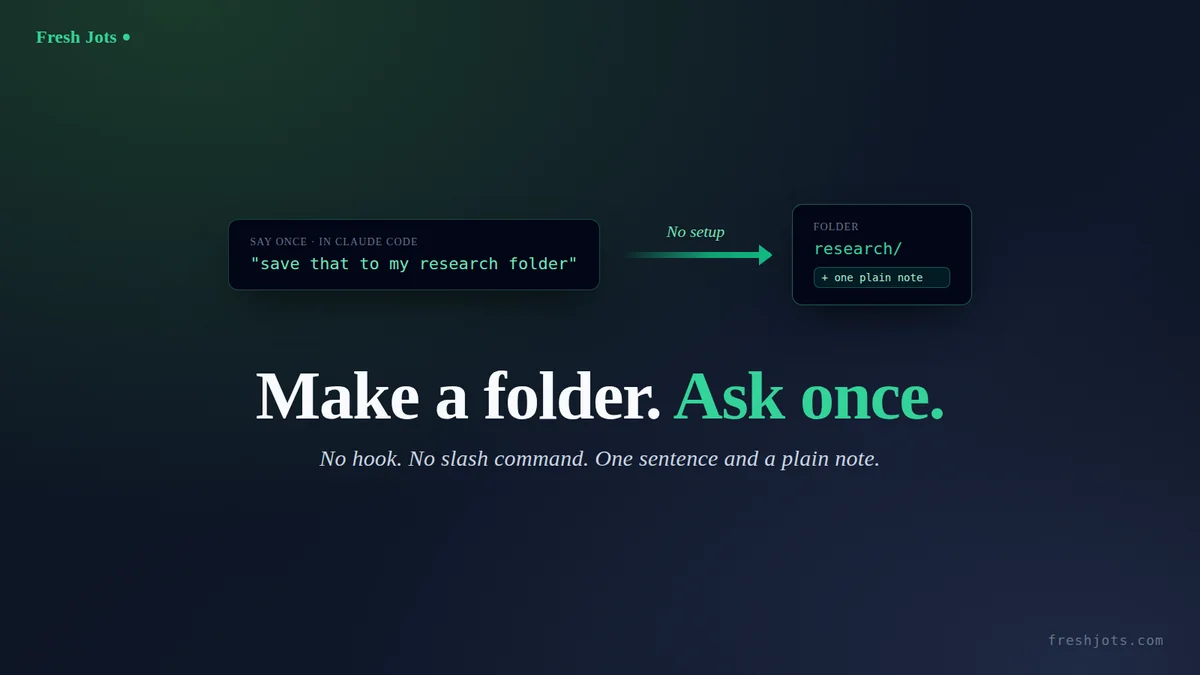
The whole Fresh Jots + AI series so far has been about *automation* — hooks that fire on every session end, a slash command you install once, a one-prompt installer. This post is the opposite end of the spectrum, and the right place to start if you've never wired anything: no install at all. You make one folder in the Fresh Jots web UI, and then — in any local Claude Code session — you just *ask* the AI to write a note into it.
That's the entire workflow. Two steps, one of them is a sentence you type. No script saved to `~/.claude`, no `settings.json` edit, no hook registration, nothing to restart. The AI already has a shell; Fresh Jots is already an HTTP API; the only thing missing is a folder to aim at and a token in the environment.
This blog is the manual cousin, more verbose, deeper to implement, of One prompt: paste this into Claude Code and your sessions auto-archive to Fresh Jots. Use "One prompt" blog if don't want a more technical implementation.
You can Connect any AI coding agent to Fresh Jots, too.
You can Connect any AI coding agent to Fresh Jots, too.
1. Create a folder
1. Create a folder
Go to freshjots.com, sign in, and create a folder. Give it a name you'll remember and can say out loud to the AI later — `ai_scratch`, `claude_notes`, `research`, whatever fits. That's the only UI step in this entire post.
Make a fresh folder for this — don't reuse one of the folders seeded at signup. Folders carry no "note-type" setting; plain-vs-rich is a property of each *note*, not of the folder, so the seeded folders (`Diary`, `ai_sessions`, `Rename_me`) would technically accept anything the AI POSTs. The reason to give the AI its own folder is organizational, not technical: keep AI output separate from notes you wrote by hand, so you can grep, bulk-export, or delete the AI archive without touching anything else.
The notes the AI writes are plain notes, not rich text ones. Fresh Jots counts the two separately on your Dev plan (10,000 plain vs 1,000 rich), and for anything an AI generates, plain is the right choice:
- It round-trips cleanly. AI output is already plain text or Markdown. A plain note stores exactly the bytes the AI sent — no Trix rich-text editor in the middle re-flowing whitespace, eating code fences, or smart-quoting your shell snippets.
- It's grep-able and diff-able. A folder of plain notes is just a folder of text. You can pull them down and `grep`, `diff`, or feed them back into another model without stripping markup first.
- It maps 1:1 to the API. A plain note is exactly what the `plain_body` + `format: "plain"` fields of the create-note endpoint produce. What the AI POSTs is what you see in the UI.
You don't strictly *have* to pre-create the folder — the AI can create it via the API on first write (shown below). But making it yourself first means you can see it in the UI immediately and you've picked the exact name, so there's no ambiguity when you ask.
If you don't have an API token yet, get one first: Get your Fresh Jots API token, then set it once walks the sign-up → "Plain notes" onboarding → `mn_…` trial token → `export FRESHJOTS_TOKEN` loop. The rest of this post assumes `FRESHJOTS_TOKEN` is exported in the shell Claude Code inherits.
2. Tell the AI to write into it
2. Tell the AI to write into it
Now, in any AI session — any project, or just `claude` from `~` — type a sentence like:
> Write a note to my Fresh Jots `research` folder titled `kafka-vs-nats-2026-05-15` with a plain-text summary of the trade-offs we just discussed.
That's it! You can add "Use the `$FRESHJOTS_TOKEN` env var for auth — don't print it" to your prompt if you wish; but, you should have already set it up in your bash, so it should not be needed.
That's it! You can add "Use the `$FRESHJOTS_TOKEN` env var for auth — don't print it" to your prompt if you wish; but, you should have already set it up in your bash, so it should not be needed.
That's it. No file gets created on your machine. The AI composes the body from the conversation, resolves the folder, and POSTs one plain note. Under the hood it runs exactly this:
```bash
set -uo pipefail
[ -n "${FRESHJOTS_TOKEN:-}" ] || { echo "FRESHJOTS_TOKEN not set"; exit 1; }
FOLDER_NAME="research"
TITLE="kafka-vs-nats-2026-05-15"
# Resolve the folder id (case-insensitive); create the folder if it's absent.
folder_id=$(curl -sS --max-time 15 -H "Authorization: Bearer $FRESHJOTS_TOKEN" \
https://freshjots.com/api/v1/folders \
| jq -r --arg n "$FOLDER_NAME" \
'.folders[]? | select((.name // "" | ascii_downcase) == ($n | ascii_downcase)) | .id' | head -1)
if [ -z "$folder_id" ]; then
folder_id=$(curl -sS --max-time 15 -H "Authorization: Bearer $FRESHJOTS_TOKEN" \
-H "Content-Type: application/json" \
-X POST -d "{\"folder\":{\"name\":\"$FOLDER_NAME\"}}" \
https://freshjots.com/api/v1/folders | jq -r '.id // empty')
fi
# POST the plain note. jq -Rs turns the file into a JSON string safely.
jq -Rs --arg t "$TITLE" --argjson f "$folder_id" \
'{note: {title: $t, plain_body: ., format: "plain", folder_id: $f}}' \
< /tmp/ai-note.md \
| curl -sS --max-time 30 -X POST https://freshjots.com/api/v1/notes \
-H "Authorization: Bearer $FRESHJOTS_TOKEN" \
-H "Content-Type: application/json" \
--data-binary @- -w '\nHTTP %{http_code}\n'
```
The AI writes its composed text to a scratch file (`/tmp/ai-note.md` here), then pipes it through `jq -Rs` so any quotes, newlines, or backticks in the body are JSON-escaped correctly — never hand-concatenate model output into a JSON string. A `201` means the note is live in your folder.
You can be terser once you trust it: *"save that to my `research` Fresh Jots folder"* is enough — the AI infers a sensible title and composes the body. The explicit version above is what to paste the first time, so you can see every moving part.
3. The contract
3. The contract
Everything in Step 2 is two endpoints. This is the whole API surface for "put a plain note in a folder":
```
GET https://freshjots.com/api/v1/folders
POST https://freshjots.com/api/v1/folders {"folder": {"name": "<name>"}}
POST https://freshjots.com/api/v1/notes {"note": {"title": "...",
"plain_body": "...",
"format": "plain",
"folder_id": <id>}}
Authorization: Bearer <FRESHJOTS_TOKEN>
Content-Type: application/json
```
`GET /folders` to find the id by name, `POST /folders` to create it if it's missing (idempotent — run it twice, you still have one folder), `POST /notes` with that `folder_id` to drop the note in. The name match is case-insensitive because the server enforces uniqueness on `LOWER(name)` — `Research` and `research` are the same folder.
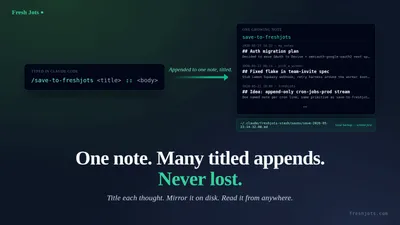
If you'd rather *append* to one running note instead of creating a new note each time, that's a different endpoint — `POST /api/v1/notes/by-filename/<name>/append` with `{"text": "..."}` — covered in [Write a note from any language](/blog/write-a-note-from-any-project). This post is "new note per ask"; that one is "one note, many appends."
4. Token hygiene (the one rule)
4. Token hygiene (the one rule)
The only thing to be careful about is the token. It's a credential — treat it like one:
- Reference it as `$FRESHJOTS_TOKEN`, never paste the literal value. In every command above the shell expands it at runtime, so the `mn_…` string never lands in the session transcript, your scrollback, or the note body.
- Tell the AI not to echo it. "Use the `$FRESHJOTS_TOKEN` env var, don't print it" is worth saying explicitly. A well-behaved agent won't `echo $FRESHJOTS_TOKEN` or `printenv`, but say it anyway.
- It lives in your shell profile, not the repo. `export FRESHJOTS_TOKEN="mn_…"` in `~/.bashrc` / `~/.zshrc`. Never in a project `.env` that could get committed, never pasted into the chat if you can avoid it.
That's the entire threat model for this workflow. No script on disk means nothing to leak a token *from*; the only exposure surface is the chat itself, and the `$FRESHJOTS_TOKEN`-not-the-value habit closes it.
5. When to reach for this
5. When to reach for this
- One-off keepers. "This explanation the AI just gave is good — keep it." You don't want a hook for that; you want one sentence.
- Ad-hoc research dumps. Spiking on a library, comparing options — `save that to my research folder` at the end of the thread, move on.
- Trying Fresh Jots at all. Before you install the hook or the slash command, this is the thirty-second "does this even fit how I work" test. If you find yourself doing it three times a day, *then* graduate to the automation:
- One prompt: paste this into Claude Code and your sessions auto-archive to Fresh Jots — set up by pasting a single prompt.
- `/write-pr-description-to-freshjots <pr-url>` — craft a PR write-up, store it, back it up locally — very handy.
- `/summarize-session-to-freshjots` becomes your on-demand session digest — `/summarize-session-to-freshjots` for curated digests.
- The Fresh Jots CLI, command by command — write up from your terminal.
- The Fresh Jots CLI, command by command — write up from your terminal.
- The dead-man's switch — Fresh Jots watches for the silence so you don't have to — set `append_deadline_hours` and Fresh Jots emails you if a note goes quiet.
One folder, one sentence, one plain note. The lowest-ceremony way to get something out of an AI session and into a place you'll actually find it again.