·
16 min read
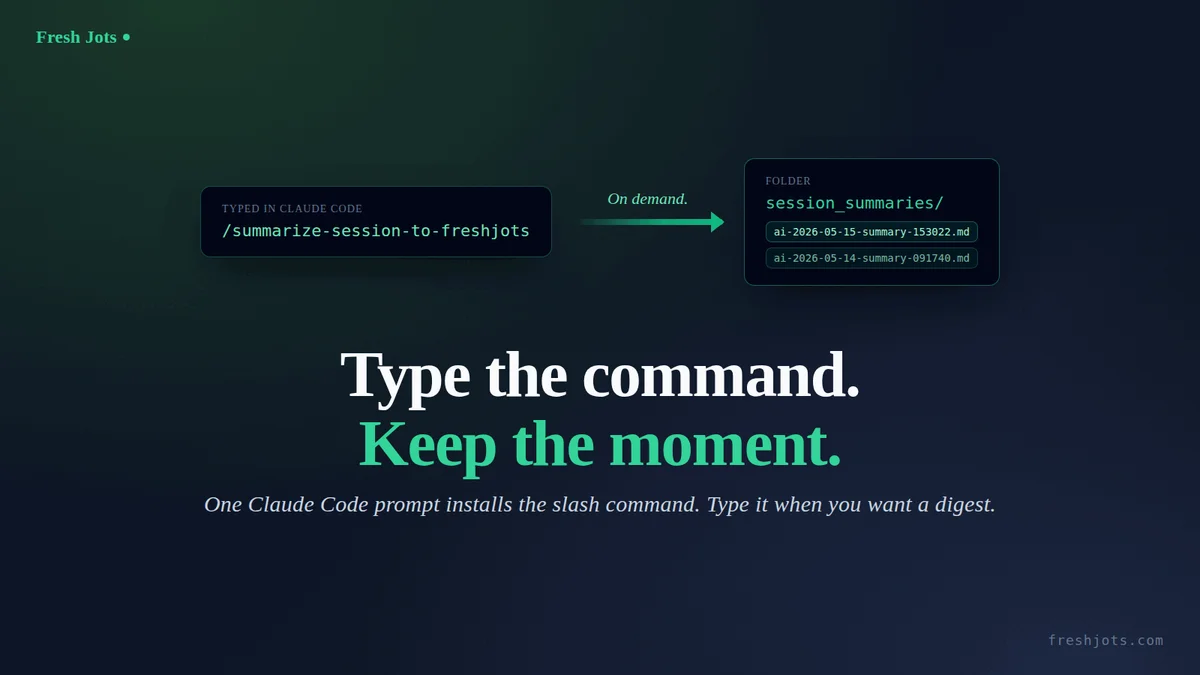
`/summarize-session-to-freshjots` becomes your on-demand session digest
`/summarize-session-to-freshjots` becomes your on-demand session digest
The Paste this into AI coding agent and your sessions auto-archive to Fresh Jots sets up hooks that grab the *verbatim* transcript at the end of every session and upload it to an `ai_sessions` folder.
This post is the on-demand variant: a `/summarize-session-to-freshjots` slash command that you type when you *want* a summary — and that posts a curated, human-readable digest (what was worked on, what changed, what's open, key facts to remember) into a separate `session_summaries` folder at freshjots.com.
This post is the on-demand variant: a `/summarize-session-to-freshjots` slash command that you type when you *want* a summary — and that posts a curated, human-readable digest (what was worked on, what changed, what's open, key facts to remember) into a separate `session_summaries` folder at freshjots.com.
Auto-archive captures everything. This is for the moments you want a kept thought, not a haystack.
Under five minutes. One copy-paste. No prior setup needed beyond Claude Code itself. Works alongside the auto-archive hook (the two write to different folders) or stand-alone if you only care about summaries.
1. What you need
1. What you need
- Claude Code installed and working.
- A few minutes.
- That's it.
You don't need a Fresh Jots account yet — the prompt will walk you through signing up and creating an API token. Pick the "Plain notes" mode at onboarding — its card says *"Includes a 14-day free API trial"* — and a 14-day Dev trial token lands in your inbox automatically, which is what unlocks the API. The trial is issued only the first time you onboard in that mode, so don't pick "Everyday note keeping" first intending to switch later. After two weeks, decide whether the on-demand summary habit has earned the $149/yr Dev tier (10,000 plain notes, 3 active tokens, REST API, dead-man alerts, webhooks, folders); see Everything You Can Do Here.
You don't need `jq` or `curl` already installed — Claude Code will check and, if anything's missing, tell you the one package-manager command to run and wait for your "go."
2. About your token
2. About your token
The prompt will ask you to paste your `mn_…` token into the chat once. That paste briefly lives in this session's transcript. Unlike the auto-archive flow (which uploads the whole transcript and so writes the paste into your first note), this command only uploads a *summary you compose afterwards* — so the token doesn't end up in any note as long as you don't ask Claude to include it.
For zero token exposure: set `FRESHJOTS_TOKEN` in your shell profile first (one line — `export FRESHJOTS_TOKEN="mn_…"` in `~/.bashrc` or `~/.zshrc`), reload the shell, then paste the prompt. The prompt detects the already-exported value and skips the paste step entirely.
If you've already run the One prompt: paste this into Claude Code and your sessions auto-archive to Fresh Jots, `FRESHJOTS_TOKEN` is already in your shell profile and this prompt will sail right past the token step.
3. The prompt
3. The prompt
Open Claude Code in any project (or run it from `~`, doesn't matter). Paste the block below verbatim, hit enter, then answer the questions it asks you. The prompt is the only thing you have to do by hand.
> Prefer to download it and paste a single file? The whole thing is also a plain-text file: download `claude-code-summarize-session-prompt.txt`. It's the *exact* block below — a single self-contained setup prompt that walks Claude Code through token bootstrap, writing the `/summarize-session-to-freshjots` slash command, and creating the `session_summaries` folder. Use the download if your paste misbehaves: rendered blog text can pick up smart quotes (`"` → `"`) or drop a line break, which breaks the JSON and bash inside the prompt. The download has no rendering pipeline in between, so it's byte-for-byte what you need.
````text
I want you to install a `/summarize-session-to-freshjots` slash command for Claude Code, end to end. Walk me through it conversationally; ask me only what you genuinely can't figure out yourself. Be safe: show diffs before writing any file in my home directory, and never write my API token to any file in the current project or echo it back to me after I paste it.
End state we're aiming for:
- A slash command file at ~/.claude/commands/summarize-session-to-freshjots.md (full content in step 3 below).
- A "session_summaries" folder created on freshjots.com, with its id cached locally at ~/.claude/freshjots-stash/.session-summaries-folder-id.
- My shell profile (~/.zshrc if my $SHELL ends in zsh, otherwise ~/.bashrc) exports FRESHJOTS_TOKEN (skipped if it already does).
After setup, typing `/summarize-session-to-freshjots` in any Claude Code session will: (a) compose a structured markdown summary of THAT session from context, (b) write it to /tmp/cc-session-summary.md, (c) POST it to Fresh Jots as a new note inside session_summaries, (d) report the created note id and title.
Idempotent by design: if I re-run this prompt later, every step should detect existing state (env var set, slash command file unchanged, folder already created) and no-op. Tell me which steps you skipped and why.
Step 1 — Confirm intent. Tell me in one sentence what you're about to do. Ask me to type "yes" before you touch any file. After I've confirmed once, you can proceed through the remaining steps without asking again unless you hit a destructive edit you can't reverse.
Step 2 — Token bootstrap.
- Check presence without printing the value: `[ -n "${FRESHJOTS_TOKEN:-}" ] && echo set || echo unset`. Use that output, never `printenv FRESHJOTS_TOKEN` or `echo $FRESHJOTS_TOKEN` (those would dump the value into the transcript).
- **If "set"** (the token was already exported when Claude Code launched): verify with `curl -sS -o /dev/null -w '%{http_code}' --max-time 15 -H "Authorization: Bearer $FRESHJOTS_TOKEN" https://freshjots.com/api/v1/folders`. The literal `$FRESHJOTS_TOKEN` stays in the command as written; the shell expands it at runtime, so the actual value never appears in stdout, stderr, or the transcript. Expect 200. On 401, tell me my token is set but rejected, and ask me to generate a fresh one. On success, jump to step 3 — do NOT touch my shell profile, the token is already wired in.
- **If "unset"**, tell me: "Go to https://freshjots.com, sign up (free, no card). At onboarding, pick the 'Plain notes' mode (its card mentions a 14-day free API trial) — that gets you a 14-day Dev-tier trial token automatically. If you already have a Dev or Team account, Settings → API tokens → Create token. Either way, you'll end up with an `mn_...` string. Paste it here when you have it."
- Once I paste a token, verify it with one curl call, substituting the literal `mn_...` value into the Authorization header (this single command is the only place the value appears outside my shell profile — unavoidable for the paste-in-chat flow): `curl -sS -o /dev/null -w '%{http_code}' --max-time 15 -H "Authorization: Bearer mn_THE_VALUE_I_PASTED" https://freshjots.com/api/v1/folders`. Expect 200. On 401 ("invalid token"), tell me politely "that token didn't work — paste another?" and retry up to 3 times. On 403 ("API access requires the Dev tier"), do NOT ask me to re-paste — the token is valid but my account lacks API access; tell me to re-onboard in "Plain notes for you + your AI" mode for the free 14-day trial, or upgrade to the Dev tier, then try again.
- After verification, append `export FRESHJOTS_TOKEN="mn_..."` to my shell profile (~/.zshrc if my $SHELL ends in zsh, otherwise ~/.bashrc). Show me the diff before writing. If `grep -l FRESHJOTS_TOKEN ~/.bashrc ~/.zshrc ~/.profile 2>/dev/null` finds it elsewhere already, skip this step and tell me where it lives.
- Never write the raw token to any file in the current repo, and never echo it back into the chat after that one verify call. From this step on, refer to it only as `$FRESHJOTS_TOKEN` in any bash command — let the shell expand it.
Step 3 — Slash command file. Write the content below to ~/.claude/commands/summarize-session-to-freshjots.md (create the directory if missing). If the file already exists with identical content, skip. If it exists with different content, show me the diff and ask before overwriting.
Slash command content (write this verbatim, no edits, no improvements — the leading `---` and frontmatter fields are load-bearing):
---
description: Summarize the current Claude Code session and post it to the session_summaries folder at freshjots.com
allowed-tools: Bash, Write
---
Capture a digest of the current Claude Code session and store it in the user's Fresh Jots `session_summaries` folder.
## Step 1 — write the summary
Compose a markdown summary of THIS session (working from your context — what you did, what you decided, what's open). Use this structure exactly:
# Session summary
## What we worked on
1–3 sentences on the goal and the primary thread of work.
## What changed
- One bullet per file edited or created (with a brief reason).
- Commits made (subject + the *why*, not the diff).
- Decisions reached, especially the non-obvious ones.
## What's still open
- Anything explicitly deferred, blocked, or in-progress that the *next* session would want to know.
## Key facts worth carrying forward
- Non-obvious details: magic numbers, file:line references, design rationale, gotchas that aren't easily re-derived from `git log`.
## Notable commands
- Shell commands worth re-running or remembering, with a one-line purpose each.
Once composed, write the summary to `/tmp/cc-session-summary.md` using the Write tool.
## Step 2 — post the summary
Run this bash block via the Bash tool. It resolves the `session_summaries` folder (creating it if missing, caching the id locally), titles the note `ai-YYYY-MM-DD-summary-HHMMSS`, stashes a local copy, then POSTs to Fresh Jots:
set -uo pipefail
[ -n "${FRESHJOTS_TOKEN:-}" ] || { echo "FRESHJOTS_TOKEN not set"; exit 1; }
[ -s /tmp/cc-session-summary.md ] || { echo "summary file missing or empty"; exit 1; }
FOLDER_NAME="session_summaries"
STASH_DIR="$HOME/.claude/freshjots-stash"
CACHE="$STASH_DIR/.session-summaries-folder-id"
mkdir -p "$STASH_DIR"
folder_id=""
if [ -s "$CACHE" ]; then
cached=$(cat "$CACHE")
[ "$(curl -sS -o /dev/null -w '%{http_code}' --max-time 15 \
-H "Authorization: Bearer $FRESHJOTS_TOKEN" \
"https://freshjots.com/api/v1/folders/$cached")" = "200" ] && folder_id=$cached
fi
if [ -z "$folder_id" ]; then
folder_id=$(curl -sS --max-time 15 -H "Authorization: Bearer $FRESHJOTS_TOKEN" \
https://freshjots.com/api/v1/folders \
| jq -r --arg n "$FOLDER_NAME" '.folders[]? | select((.name // "" | ascii_downcase) == ($n | ascii_downcase)) | .id' | head -1)
fi
if [ -z "$folder_id" ]; then
folder_id=$(curl -sS --max-time 15 -H "Authorization: Bearer $FRESHJOTS_TOKEN" \
-H "Content-Type: application/json" \
-X POST -d "{\"folder\":{\"name\":\"$FOLDER_NAME\"}}" \
https://freshjots.com/api/v1/folders \
| jq -r '.id // empty')
fi
[ -n "$folder_id" ] && echo "$folder_id" > "$CACHE"
TITLE="ai-$(date +%Y-%m-%d)-summary-$(date +%H%M%S)"
STASH_PATH="$STASH_DIR/${TITLE}.md"
cp /tmp/cc-session-summary.md "$STASH_PATH"
if [ -n "$folder_id" ]; then
PAYLOAD=$(jq -Rs --arg t "$TITLE" --argjson f "$folder_id" \
'{note: {title: $t, plain_body: ., format: "plain", folder_id: $f}}' \
< /tmp/cc-session-summary.md)
else
PAYLOAD=$(jq -Rs --arg t "$TITLE" \
'{note: {title: $t, plain_body: ., format: "plain"}}' \
< /tmp/cc-session-summary.md)
fi
RESP=$(mktemp); trap 'rm -f "$RESP"' EXIT
STATUS=$(curl -sS -o "$RESP" -w '%{http_code}' --max-time 30 \
-X POST https://freshjots.com/api/v1/notes \
-H "Authorization: Bearer $FRESHJOTS_TOKEN" \
-H "Content-Type: application/json" \
--data "$PAYLOAD")
case "$STATUS" in
201)
ID=$(jq -r '.id // "?"' < "$RESP")
rm -f /tmp/cc-session-summary.md
echo "Created note #${ID}: ${TITLE} (folder_id=${folder_id:-root}); stash at ${STASH_PATH}"
;;
*)
echo "Failed: status=$STATUS body=$(head -c 256 "$RESP")"
echo "Summary kept at /tmp/cc-session-summary.md and ${STASH_PATH} for retry."
exit 2
;;
esac
## Step 3 — report
Tell the user the note id and title (e.g., "Created note #57: ai-2026-05-15-summary-153022"). If the POST failed, surface the status and the first 256 bytes of the response body, and note that the summary is preserved at `/tmp/cc-session-summary.md` and the local stash for a retry.
(End of slash command content — that's everything between `---` and here.)
Step 4 — Folder bootstrap. Eagerly create the session_summaries folder so I see a visible confirmation it worked before the first `/summarize-session-to-freshjots` invocation:
- `GET https://freshjots.com/api/v1/folders` with the bearer token; look for a folder named "session_summaries".
- If absent: `POST https://freshjots.com/api/v1/folders` with body `{"folder":{"name":"session_summaries"}}`.
- Persist the returned id (or the existing one) to ~/.claude/freshjots-stash/.session-summaries-folder-id. `mkdir -p ~/.claude/freshjots-stash` first.
- If the auto-archive setup already created ~/.claude/freshjots-stash/, this just adds a second cache file alongside the existing .folder-id (which points at ai_sessions). The two folders are independent.
Step 5 — Tell me what to do next. Print a single clear three-line block:
1. Quit Claude Code completely (close every window / Ctrl-D out of every session). Slash commands only register at session start.
2. Reload your shell (`source ~/.zshrc` or `source ~/.bashrc`, depending on which I just edited). Skip if FRESHJOTS_TOKEN was already exported before this run.
3. Relaunch Claude Code, ask anything trivial, then type `/summarize-session-to-freshjots`. Within a few seconds the command writes a digest to your session_summaries folder on freshjots.com and tells you the note id.
Step 6 — Verification helpers. Tell me I can:
- `ls -1t ~/.claude/freshjots-stash/ai-*-summary-*.md` to see every summary I've ever generated (kept indefinitely — these are the curated keepers, not the rotating raw stash).
- `cat ~/.claude/freshjots-stash/.session-summaries-folder-id` to confirm the cached folder id resolved.
- Visit https://freshjots.com → the session_summaries folder to see every digest in the UI.
Constraints:
- Use absolute paths everywhere ($HOME expands; ~ inside JSON does not).
- Prefer jq over hand-rolled JSON manipulation.
- Treat every file edit as needing diff + my "yes" the first time, then proceed.
- If any API call returns non-200/201, stop and explain what happened — don't paper over it.
- If `jq` or `curl` is missing, tell me which package manager to use to install it (apt/dnf/brew/pacman based on what's on $PATH) and ask before installing.
Begin.
````
That's the whole thing. Copy from the first character of the prompt through `Begin.`, paste, send.
4. What the prompt does
4. What the prompt does
First, Claude Code asks for a one-word confirmation. Then it checks whether `FRESHJOTS_TOKEN` is already exported. If it is, the token is verified against the API and the shell-profile step is skipped entirely — the value never enters the chat. If it isn't, you're walked through sign-up at freshjots.com (the "Plain notes" onboarding mode gets you the trial token) and asked to paste the `mn_…` token; Claude Code verifies it with one API call, then appends an `export` line to the right shell profile after showing you a diff. From there: the slash command file is written to `~/.claude/commands/summarize-session-to-freshjots.md`, the `session_summaries` folder is created eagerly via the API so you can see it in the Fresh Jots UI right away, and the folder id is cached locally. The whole thing finishes with a three-line "restart Claude Code, then `/summarize-session-to-freshjots`" instruction and pointers to the local stash directory.
The slash command itself, once installed, does the on-demand work in two steps per invocation: Claude composes a structured summary from its working memory (sections: *what we worked on*, *what changed*, *what's still open*, *key facts worth carrying forward*, *notable commands*), writes it to `/tmp/cc-session-summary.md`, and runs the embedded bash block that resolves the folder, stashes a copy under `~/.claude/freshjots-stash/`, and POSTs the note. The title is `ai-YYYY-MM-DD-summary-HHMMSS` — unique per second, no API counter call needed.
5. When something goes wrong
5. When something goes wrong
Claude Code asks for permissions you weren't expecting. The script writes to your home directory (`~/.claude/commands/`, optionally your shell profile). That's normal for a slash command install — without home-directory write access the command file can't be created. Approve the prompts; Claude Code shows the diffs first so nothing happens silently.
The token verification loop won't accept your token. Three likely causes: you copied the `mn_…` string with leading/trailing whitespace (paste it cleanly), the token is on the Free tier (the API requires the Dev tier or the trial — a valid token on a non-Dev account is rejected with a 403 and the message "API access requires the Dev tier"; re-check that you picked "Plain notes" at onboarding), or you've already revoked it from the Fresh Jots UI (generate a fresh one).
You restart Claude Code, type `/summarize-session-to-freshjots`, and Claude Code says "Unknown command." Slash commands only load at session start. If you didn't fully quit every Claude Code window before relaunching — even a backgrounded one — the new command isn't registered. Quit everything, including any tab in another terminal, then relaunch. Also worth checking: `ls -l ~/.claude/commands/summarize-session-to-freshjots.md` should show the file exists and is non-empty.
The first `/summarize-session-to-freshjots` after install fails with `folder not found`. The folder id cache may be stale (e.g., you ran the prompt, then deleted the folder from the UI, then re-ran the command). Just delete `~/.claude/freshjots-stash/.session-summaries-folder-id` — the next invocation will re-resolve / re-create the folder.
The POST returns `content_too_large`. Per-note caps are 1 MB (Free/Personal), 3 MB (Dev/Team) for plain-text bodies. A truly enormous summary is unusual but possible if you ask Claude to dump every file's diff verbatim. Re-run the command and ask for a tighter summary; or upgrade tier.
6. After it's done
6. After it's done
Type `/summarize-session-to-freshjots` whenever you're at a natural punctuation point — end of a feature, end of a debugging session, end of a productive afternoon. Within a few seconds the digest is in your `session_summaries` folder. Two months later you can grep the folder for "deploy" or "auth bug" and re-orient yourself in seconds.
This pairs naturally with the [auto-archive setup](/blog/one-prompt-archive-claude-code-sessions-to-fresh-jots): the auto-archive captures *every* session's verbatim transcript into `ai_sessions/` (haystack-style); the summary command captures *the moments you choose* as curated digests in `session_summaries/`. Two separate folders, two separate intents. You can run both, or just one.
A few related reads:
- The pattern behind all of this enables you to connect any AI coding agent to Fresh Jots — why the engine is a generic REST call and the slash command is just Claude Code's delivery layer; how to point Cursor, Aider, or any agent at the same thing.
- Dead-man alerts. The dead-man's switch — Fresh Jots watches for the silence so you don't have to — set `append_deadline_hours` on a `claude-code-heartbeat` note and Fresh Jots emails you if you stop using Claude Code. Proof-of-life for the integration itself.
One prompt, one slash command, one folder full of the moments you decided were worth keeping.