·
12 min read
Forward every Slack message you care about to a Fresh Jots note — without Zapier
Forward every Slack message you care about to a Fresh Jots note — without Zapier
If you've set up a Fresh Jots webhook inbox already — UptimeRobot dropping downtime events into it, Stripe dropping charges, a form-builder dropping submissions — you've probably tried to add Slack to that note and bumped into a wall. Slack doesn't have a "POST every message to this URL" box. Its outbound surface is the Events API, which insists on a one-time handshake and signed requests; a plain Fresh Jots inbox URL can speak neither dialect.
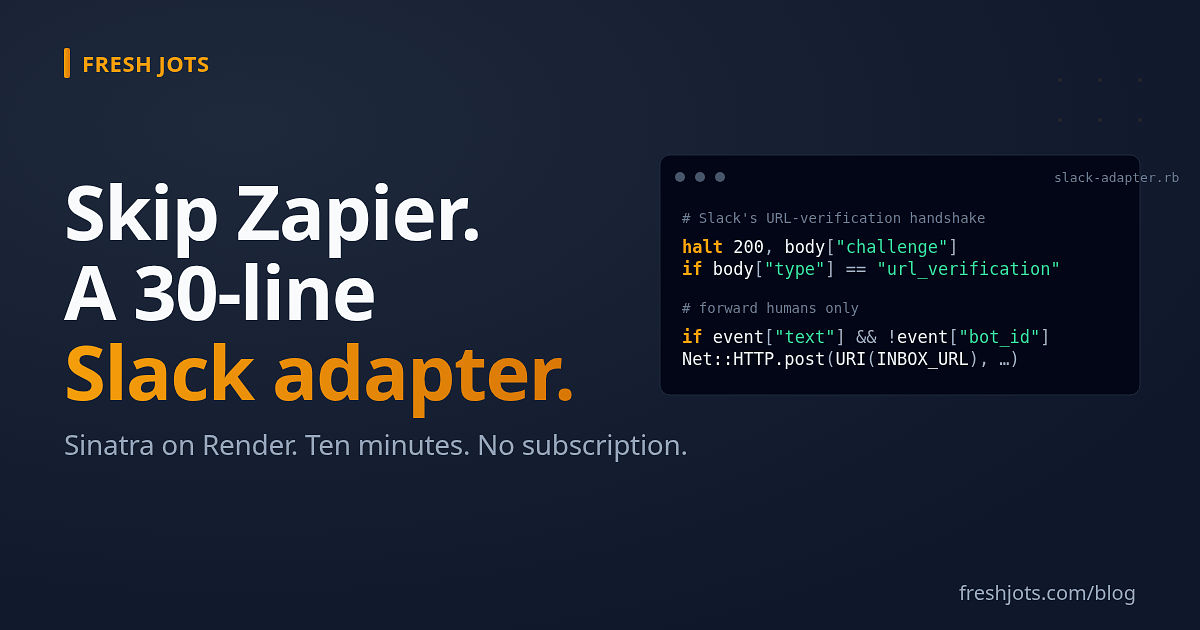
There are two ways past that wall. One is to put Zapier (or Make, or n8n) in the middle: a trigger on **Slack — New Message Posted to Channel**, an action **Webhooks by Zapier — POST**, your inbox URL as the destination. That works, scales fine, and stops being free quickly on a busy channel. The other — the one this post is about — is a tiny self-hosted adapter that does Slack's handshake itself and forwards each real message on. **About thirty lines of Ruby, one free Render service, ten minutes to wire up once.** No subscription, no third party between you and your Slack workspace, no message contents flowing through someone else's queue.
This is the developer-side cousin of The webhook inbox. If you haven't enabled an inbox on a note yet, read that first — this post assumes you have one and a `/h/<token>` URL on your clipboard.
The webhook inbox is a **Pro or Team** feature — or a free **14-day trial** that behaves exactly like Pro: Two easy steps to set up everything, and get you going takes five minutes; come back here.
1. What you're building, in one sentence
1. What you're building, in one sentence
A Sinatra app reachable at `https://your-adapter.<host>/slack` that (a) verifies each Slack POST is really Slack via HMAC + a five-minute replay window, (b) handles Slack's one-time URL-verification handshake during setup, (c) drops bot posts, message edits, joins, and leaves, and (d) forwards every remaining human message to your Fresh Jots inbox URL as JSON. Slack only ever talks to the adapter; the inbox URL stays in an environment variable nobody else sees.
2. Why a small adapter beats Zapier here
2. Why a small adapter beats Zapier here
- **Cost.** Zapier and Make both have free tiers measured in tasks/operations per month. A modestly active Slack channel exhausts them; the paid jump is straight to ~$20/month and up. Render's free-tier web service is one always-on process — plenty for a relay this small. The pricing crosses over fast.
- **Control.** Your filter — *"forward humans only, drop bot posts, drop edits"* — lives in seven characters of Ruby (`nil && nil`), not in a config UI you'll re-find in eight months when you need to change it.
- **Data path.** With Zapier, the message body crosses two extra hops (Slack → Zapier → your inbox URL) and lives in a queue you don't see. With the adapter, it's one hop (Slack → adapter → inbox URL), and the adapter runs on your account.
The honest counterweight: Zapier and Make are *"set it once, forget the platform."* Render and Fly are *"set it once, but occasionally run `bundle update` to keep the gems current."* Neither is much work; it's the difference between paying a subscription and paying ten minutes of attention every few months.
3. Prereqs
3. Prereqs
- A Pro / Team Fresh Jots account (a 14-day trial counts) with the webhook inbox enabled on a plain-text, append-only note.
- Ruby 2.6+ on the deploy host. Render auto-detects from your `Gemfile`; on a VPS, install via `rbenv` / `asdf` / your package manager.
- A Slack workspace where you can create and install a workspace app.
- A Git host Render (or your deploy target) reads from — GitHub and GitLab are both fine.
4. Save the adapter and a Gemfile
4. Save the adapter and a Gemfile
Save the following as `slack-adapter.rb`:
```ruby
require "sinatra"
require "json"
require "openssl"
require "net/http"
SLACK_SIGNING_SECRET = ENV.fetch("SLACK_SIGNING_SECRET") # from your Slack app
INBOX_URL = ENV.fetch("FRESHJOTS_INBOX_URL") # the /h/<token> link
post "/slack" do
raw = request.body.read
ts = request.env["HTTP_X_SLACK_REQUEST_TIMESTAMP"].to_s
sig = request.env["HTTP_X_SLACK_SIGNATURE"].to_s
# Reject replays: a valid-looking request whose timestamp is more than
# five minutes off our clock is either stale or someone's trying to
# resend a captured one. Slack's signing protocol requires this check
# in addition to the HMAC below.
halt 401 if (Time.now.to_i - ts.to_i).abs > 60 * 5
# Prove it's really Slack: HMAC-SHA256 of "v0:timestamp:body".
expected = "v0=" + OpenSSL::HMAC.hexdigest("SHA256", SLACK_SIGNING_SECRET, "v0:#{ts}:#{raw}")
halt 401 unless Rack::Utils.secure_compare(expected, sig)
body = JSON.parse(raw)
# Slack's one-time setup handshake — echo the challenge straight back.
halt 200, body["challenge"].to_s if body["type"] == "url_verification"
# Forward human-authored messages only. Drop bot posts (including this
# adapter's own, if you ever wire one up) and edits/joins/leaves — they
# arrive as the same `type: "message"` event but with a `bot_id` or a
# `subtype` set, and forwarding them is almost never what you want.
event = body["event"] || {}
if event["type"] == "message" && event["text"] && event["bot_id"].nil? && event["subtype"].nil?
Net::HTTP.post(
URI(INBOX_URL),
{ channel: event["channel"],
user: event["user"],
text: event["text"] }.to_json,
"Content-Type" => "application/json"
)
end
status 200
"ok"
end
```
Next to it, a three-line `Gemfile`:
```ruby
source "https://rubygems.org"
gem "sinatra"
gem "puma"
```
Run `bundle install` once locally so a `Gemfile.lock` is generated, then commit all three files to a Git repository. A private GitHub repo is fine — nothing in this code is a credential; the signing secret and inbox URL come from environment variables at deploy time.
5. Create the Slack app
5. Create the Slack app
1. Visit **https://api.slack.com/apps** and click **Create New App → From scratch**.
2. Name the app (e.g. *Fresh Jots adapter*), pick the workspace whose messages you want, and click **Create App**.
3. On the **Basic Information** page that opens, scroll to **App Credentials** and copy the **Signing Secret** — not the bot token, not the client ID, the *Signing Secret*. That's the value the adapter's HMAC check verifies against on every request. Keep it on the clipboard for step 3.
6. Deploy the adapter on Render
6. Deploy the adapter on Render
Render is the friendliest path if you've never deployed a Ruby web service before. Fly.io, a small VPS, or any always-on Ruby host works just as well — the moves below map one-for-one.
1. **render.com → New → Web Service → Build and deploy from a Git repository.** Connect the repo you pushed in step 1.
2. **Build Command:** `bundle install`
3. **Start Command:** `bundle exec ruby slack-adapter.rb -p $PORT -o 0.0.0.0`
4. Under **Environment**, add two variables:
- `SLACK_SIGNING_SECRET` — the value you copied in step 2.
- `FRESHJOTS_INBOX_URL` — your `/h/<token>` link from the main inbox post. **Slack never sees this; only the adapter does** — that's the whole point of relaying through your own process.
5. **Create Web Service.** Render assigns a public URL like `https://fresh-jots-adapter.onrender.com`. Once the deploy turns green, the URL Slack will talk to is that domain with `/slack` on the end.
A quick note about Render's free tier: web services there sleep after fifteen minutes of inactivity. The first request after a long quiet stretch waits ~30 seconds while the service wakes — which is longer than the three-second timeout Slack's URL-verification handshake (step 4) gives you. If the first verification attempt fails for that reason, click **Retry** once the deploy is awake; subsequent traffic stays warm for the next fifteen minutes.
7. Wire Slack to the adapter
7. Wire Slack to the adapter
Back on the Slack app page at **api.slack.com/apps**:
1. **Sidebar → Event Subscriptions → Enable Events** (toggle on).
2. In **Request URL**, paste your adapter URL ending in `/slack` (e.g. `https://fresh-jots-adapter.onrender.com/slack`). Slack immediately fires its one-time handshake; if the adapter is up and the signing secret matches, a green **Verified** appears next to the field within a couple of seconds. Red instead is almost always one of two things: a typo in the `SLACK_SIGNING_SECRET` env var on Render, or a cold-start on Render's free tier outrunning Slack's three-second timeout. Fix the env var if it's wrong, wait for the deploy to be awake, click **Retry**.
3. Scroll to **Subscribe to bot events** and add the message events you want — usually `message.channels` for public channels, plus `message.groups`, `message.im`, `message.mpim` if you want private channels and DMs too. Slack will surface any OAuth scopes those events need (`channels:history` and friends) and offer to add them in one click. Accept.
4. **Save Changes** at the bottom of the page.
5. **Sidebar → OAuth & Permissions → Install to Workspace** and approve. Slack will refuse to deliver events to an uninstalled app, no matter how cleanly the subscription saved.
6. For each public channel you want messages from, run `/invite @<your-app-name>` once from inside that channel — Slack's rule, not a Fresh Jots one. The bot has to be a member of the channel before it can read messages from it.
8. Send a test message
8. Send a test message
Post any line in a channel you invited the app to. Within a second or two, an entry like this should appear at the bottom of your note:
```text
── 2026-05-20 09:15 UTC ──
{
"channel": "C0123ABCD",
"user": "U0456FGHI",
"text": "first message through the adapter"
}
```
`channel` and `user` are Slack's internal IDs (`C…` and `U…`). They're stable across renames but not legible. If you want `#general` instead of `C0123ABCD`, that's a separate `conversations.info` Slack API call the adapter doesn't make — every extra round-trip adds latency on the forward, and the IDs are searchable as-is. Most setups leave them.
9. Operational notes
9. Operational notes
A few things worth knowing once it's running:
- **Slack retries on its own when the adapter is unreachable.** A bad deploy, a Render outage, an expired TLS certificate, a Ruby crash mid-request — Slack keeps trying to deliver each event for up to ~3 hours. You won't lose messages from a transient blip; you might briefly see them arrive in bursts after a recovery.
- **Rotating the Slack signing secret.** Slack has a **Rotate** button under **Basic Information → App Credentials**. The old secret remains valid for 24 hours after rotation, which is plenty of time to update `SLACK_SIGNING_SECRET` on Render and wait for the redeploy without dropping any deliveries.
- **Rotating the Fresh Jots inbox URL.** From the note's Settings page in Fresh Jots, click **Rotate URL** — the old URL stops working immediately. Update `FRESHJOTS_INBOX_URL` on Render and redeploy. Any in-flight Slack delivery to the old URL 404s, and Slack retries against whatever the adapter forwards to next.
- **Scope changes later.** If you want to capture reactions, file uploads, channel-rename events, or anything else, add them under **Subscribe to bot events**, accept Slack's OAuth-scope prompt, then **reinstall** the app from **OAuth & Permissions**. Slack refuses event delivery on new scopes until you reinstall — a silent failure that catches people. The adapter's filter (`event["type"] == "message" && ...`) only forwards messages today; widen that conditional to match whatever else you've subscribed to.
- **Memory and CPU.** This adapter does nothing but parse small JSON bodies and forward them. On Render's free tier (~512 MB RAM, shared CPU), it's never been observed under load. Don't over-think the host.
10. Why this isn't built into Fresh Jots
10. Why this isn't built into Fresh Jots
Two reasons.
First, Slack's auth model is fundamentally different from the *"the URL is the credential"* model the webhook inbox uses. Building Slack in would either mean every Pro/Team user pasting their Slack signing secret into Fresh Jots — a credential-centralization risk we'd rather not take on for one source — or running a per-account relay on our infrastructure, which is the Zapier shape. Your messages would flow through our queue. Neither lands where we want.
Second, the long tail of "send a webhook" sources in production usage skews heavily toward Stripe, form builders, uptime monitors, and CI systems — services with a "POST to this URL" field and no handshake. Slack is the conspicuous exception, not the rule. A thirty-line adapter you control is a more honest answer than a built-in feature that would have to compromise either on privacy or on scope.
The reverse direction (Fresh Jots → Slack) doesn't have this problem at all — and it's already built in. Every append-only note has an outbound `webhook_url` field with first-class Slack support: paste your Slack Incoming Webhook (`hooks.slack.com/services/…`) into the field on the note's Settings page, pick **Slack** as the format, and from then on every append POSTs `{"text": "<the new chunk>"}` straight into the channel. No code, no adapter, no host of your own — that direction is plumbed end to end. The asymmetry is the whole reason this post exists: outbound is one config field, inbound is the thirty lines above.
11. Try it free for 14 days. No card.
11. Try it free for 14 days. No card.
Sign up, pick **"Plain notes"** at onboarding, and a 14-day trial token lands in your email — identical to paid Pro, webhook inbox included. Enable an inbox on one note, deploy the adapter above, wire Slack to it, and watch the first message land. After 14 days, Pro is **$149/yr**.
Thirty lines of Ruby and one Render service is the whole story. The broader webhook-inbox concept — every other source, none of which need code — lives at The webhook inbox.
While you are here, take a look at everything you can do.
While you are here, take a look at everything you can do.