·
9 min read
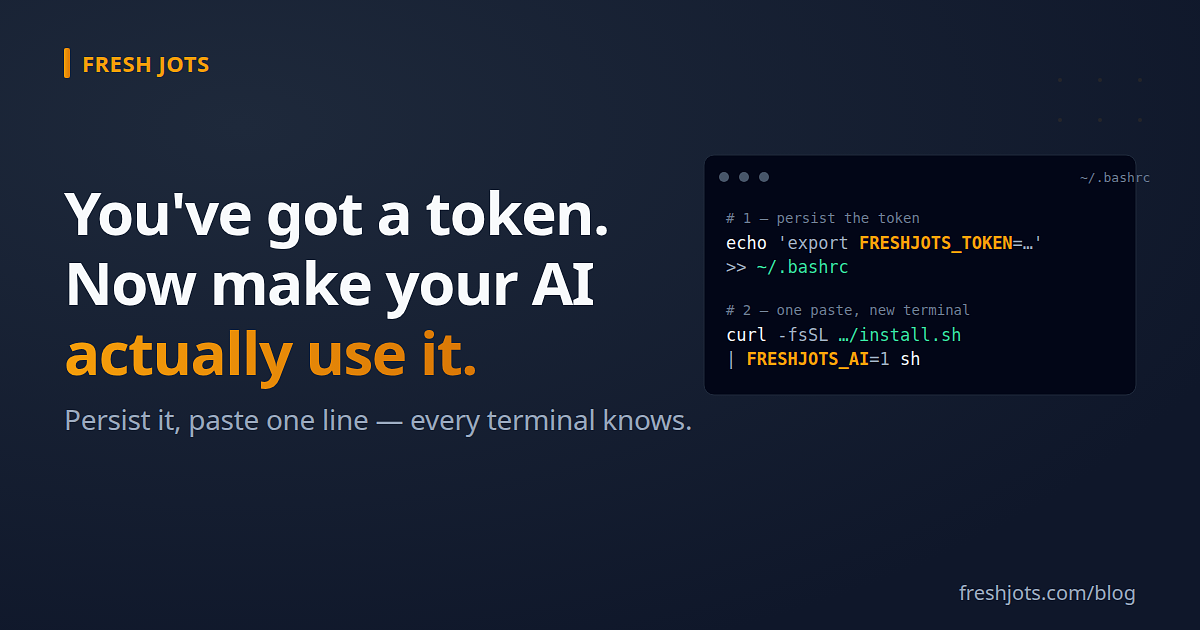
Two easy steps to set up everything, and get you going
Two easy steps to set up everything, and get you going
A Pro or Team subscription gives access to an API token. A Free, and Personal tier users get access to a 14-day free trial API token the first time they select "Plain notes" mode.
By itself that token does nothing: your AI coding agent doesn't know the Fresh Jots API exists, and if you just ask it to "save this to my notes" it will cheerfully *invent* an endpoint and fail — or worse, look like it worked.
The fix is two steps you do once. After that, in any new terminal, you tell your agent "write this to my Fresh Jots" and it does — using a real local client, never a guessed URL.
By itself that token does nothing: your AI coding agent doesn't know the Fresh Jots API exists, and if you just ask it to "save this to my notes" it will cheerfully *invent* an endpoint and fail — or worse, look like it worked.
The fix is two steps you do once. After that, in any new terminal, you tell your agent "write this to my Fresh Jots" and it does — using a real local client, never a guessed URL.
1. First step — the part many get wrong: make the token outlive the terminal
1. First step — the part many get wrong: make the token outlive the terminal
`export FRESHJOTS_TOKEN=…` in your current shell dies when you close that window, and — crucially — your AI agent's shell only inherits the token if it was set **before the agent launched**. So persist it in your shell profile and start a fresh terminal:
```sh
echo "export FRESHJOTS_TOKEN='mn_yourtokenhere'" >> ~/.bashrc # or ~/.zshrc
```
Then open a new terminal and confirm it's there without printing it:
```sh
[ -n "${FRESHJOTS_TOKEN:-}" ] && echo "token is set"
```
If you skip this, every later step appears to work but each API call comes back `401` — because the agent's shell never saw the token. This single thing is the most common failure, full stop.
2. Second step — one paste
2. Second step — one paste
In that fresh terminal, run in a plain shell, outside any AI session:
```sh
curl -fsSL https://freshjots.com/install.sh | FRESHJOTS_AI=1 sh
```
The FRESHJOTS_AI=1 environment variable tells the installer script to do extra setup for AI agents:
- Writes an API reference file to ~/.freshjots/api-reference.md
- Injects a marker-delimited instruction block into ~/.claude/CLAUDE.md so Claude agents know to use the Fresh Jots CLI.
For Linux, and for Mac OS: homebrew-freshjots.
For Windows and JS: freshjots-js.
Ruby gem: gem "freshjots".
3. From then on, you just ask
3. From then on, you just ask
New terminal, start your agent, and say it in plain language:
> "Write a note to my Fresh Jots titled Groceries with this list."
The agent reads the pointer that loads every session, runs `freshjots …`, checks the result, and tells you the note id. No setup to repeat, no per-project wiring, no invented URLs. It works the same in any directory because the knowledge lives on your machine, not in one repo or one chat.
4. The one mental model that saves you confusion
4. The one mental model that saves you confusion
There are two ways to make a note, and they are not interchangeable:
- **`freshjots append <filename> "text"`** — a log stream addressed by an exact name you choose. First call creates it, every later call appends a line. These are append-only by design (perfect for cron output, deploy logs, an AI's running scratchpad). This is the one to use when you want to address a note by a stable filename later.
- **`freshjots create "<title>" "body"`** — a normal editable note. The API derives the filename *from the title* (you don't get to pick it here); the command prints the resulting name. Use this for documents you'll edit, not for filename-addressed streams.
If you remember nothing else: *pick the filename → `append`; pick the title → `create`.* Asking `create` for an exact filename is the single most common API misunderstanding, and it's why the CLI and reference spell this out.
5. When something doesn't work
5. When something doesn't work
- **Every call is `401`.** The token isn't in the shell the agent runs in — you `export`ed it in a different/older terminal, or after the agent started. Put it in your profile (first step), open a new terminal, relaunch the agent.
- **Calls return `403`.** The token resolved, but the account has no API access — it's not on Pro/Team and has no active 14-day trial (or the trial expired). Subscribe at freshjots.com/pricing; the CLI is already installed, so there's nothing to re-run — just relaunch your agent once the plan is active.
- **The agent says it can't find the Fresh Jots API and stops.** That's correct behavior, not a failure — the guardrail tells it to refuse rather than hallucinate. It usually means `~/.freshjots/api-reference.md` is missing (re-run the second step) or you're offline. Point it at the reference and it continues.
- **`brew` users:** `brew update && brew upgrade freshjots` (the formula tracks the same CLI).
6. Why this is reliable, not magic
6. Why this is reliable, not magic
Models don't remember things between sessions, and they will confidently make up an API they don't have. This setup removes both problems without relying on the model's memory: a durable reference file on disk, an instruction your agent loads at the start of every session pointing at it, a real CLI that encodes the exact calls, and an explicit *don't-guess-stop-instead* rule. Undo it any time with `curl -fsSL https://freshjots.com/install.sh | FRESHJOTS_AI_UNINSTALL=1 sh` — it removes the reference and the CLAUDE.md block and leaves your shell profile and token untouched.
Two steps, once. Then every terminal you open already knows how to write to your Fresh Jots.
Take a look at Everything You Can Do Here.
Now, you can create notes from your terminal.
Get a good understanding of Claude Code basics: Hook, slash command, skill, agent: who actually runs your AI?.
7. Is it safe to pipe this into `sh`? Yes — and you can prove it in a minute
7. Is it safe to pipe this into `sh`? Yes — and you can prove it in a minute
A. Installing the Fresh Jots CLI (safely)
You should never pipe a stranger's script straight into a shell on trust — and with this one you don't have to. It's a short, plain, commented POSIX `sh` file written to be audited. The path we actually recommend is: fetch it, look at it, then run the exact file you just read. The `FRESHJOTS_AI=1` flag in the third step opts into the agent-integration files (a local API reference and a small block in your Claude config); without it, only the CLI itself is installed.
```sh
curl -fsSL https://freshjots.com/install.sh > install.sh
less install.sh
FRESHJOTS_AI=1 sh install.sh
```
That does three things: installs the `freshjots` CLI (the full API surface — notes, append, folders, and so on); writes `~/.freshjots/api-reference.md`, generated from the CLI itself so it can never drift from the real API; and adds a small, marker-delimited block to `~/.claude/CLAUDE.md` that points your agent at the CLI and the reference, with one hard rule:
> This is the source of truth — verify with a read-only call before writing, and if you can't reach it, stop and say so. Never guess an endpoint.
API access is a Pro/Team feature, so on a Free account the calls return `403` and the installer warns you but still finishes. The exception is a Free account with an active 14-day trial token: in that case the calls succeed for the life of the trial and there's nothing to warn about.
B. What the installer does
The installer is around 240 lines of plain, commented shell, and the `freshjots` CLI it downloads is itself a readable shell script — no compiled binary lands on your machine, nothing is minified or obfuscated, and both files openly state at the top that they're the source of truth and how to audit them. Everything that touches your system is something you can open in a pager and read end to end.
Here is exactly what it does:
- **It installs one file:** the `freshjots` CLI, by default to `/usr/local/bin/freshjots`. Don't want anything near a system directory? Run `PREFIX="$HOME/.local" sh install.sh` and it installs to `~/.local/bin` and never goes near root.
- **It never silently escalates.** It only reaches for `sudo` if the target bin directory isn't writable, and when it does it prints `is not writable; using sudo` first — you see the escalation before it happens, or you avoid it entirely with the `PREFIX` option above.
- **With `FRESHJOTS_AI=1` it writes exactly two more things:** `~/.freshjots/api-reference.md` (generated locally from the CLI you just installed, so it can't be a payload from the network) and one marker-delimited block in `~/.claude/CLAUDE.md`. It strips any previous Fresh Jots block before writing, so re-running is idempotent — it never piles up duplicates or edits anything outside its own markers.
C. What it never does
- **It never writes, prints, or stores your API token.** It doesn't even touch your shell profile. Once you've copied your token from the Fresh Jots dashboard and exported `FRESHJOTS_TOKEN` yourself in your own rc file, the installer reads it from your environment and nothing more — the block it adds to `CLAUDE.md` contains the literal text `$FRESHJOTS_TOKEN`, never its value.
- **It sends your token nowhere except Fresh Jots itself, and only to check your plan.** If (and only if) the token is already in your environment, it makes a single read-only request to Fresh Jots' own API so it can warn you early if your account has no API tier. The only thing that comes back is an HTTP status code.
- **It fails safe.** It fetches over HTTPS with `curl -f`, so a server error or hijacked redirect returns a failure instead of an error page getting piped into your shell, and it runs under `set -eu`, so any unexpected condition aborts the script instead of letting it blunder onward.
- **It is fully reversible.** `curl -fsSL https://freshjots.com/install.sh | FRESHJOTS_AI_UNINSTALL=1 sh` removes the reference file and the `CLAUDE.md` block and tells you, in its own output, that your shell rc and token were left untouched.
D. Is it safe to pipe this into `sh`?
Want to verify all of that yourself rather than take my word for it? It takes under a minute, and the commands at the top of this post are already the safe path: fetch the file, read it in a pager, then run the file you read. If you want to go further before opening it, run the `install.sh` you just fetched through `grep` to surface every privileged, network, file-removal, and token-touching line in one pass:
```sh
grep -nE 'sudo|rm |curl|TOKEN|sh install' install.sh
```
There aren't many such lines, and none of them do anything the bullets above don't describe. You can read the CLI before it ever runs, too:
```sh
curl -fsSL https://freshjots.com/cli/freshjots | less
```
Then run the file you just read — `FRESHJOTS_AI=1 sh install.sh`, not the pipe. That's the entire safety story, and it's the same discipline worth applying to any `curl | sh` you encounter: don't trust it, read it — and this one is written so that reading it is quick.