·
23 min read
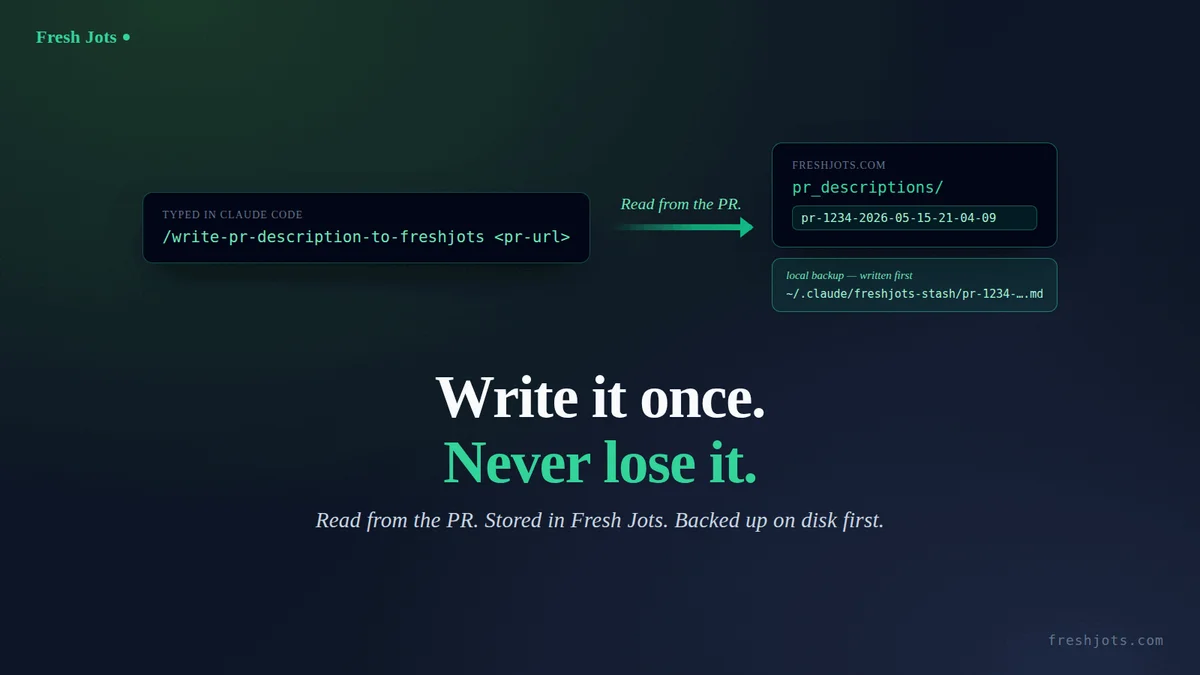
`/write-pr-description-to-freshjots <pr-url>` — craft a PR write-up, store it, back it up locally
`/write-pr-description-to-freshjots <pr-url>` — craft a PR write-up, store it, back it up locally
A good pull-request description is one of the highest-effort, most-thrown-away artifacts in your week. You open the PR, GitHub drops in a thin auto-generated body (or you dash off two lines to unblock yourself), and the real write-up — the one that explains *why* — never gets written, or gets written once and is then buried in a PR you'll never re-read.
This is the on-demand fix: a `/write-pr-description-to-freshjots <pr-url>` slash command. You give it the URL of a PR you just opened. It reads the PR through the GitHub CLI — title, base, commits, the actual git diff — composes a structured description (summary, changes, why, test plan, risk, reviewer notes), and stores it two places at once: a searchable note in a `pr_descriptions` folder at freshjots.com (you need to set it up, or give it an other name, too), and a local backup file written before the upload and never deleted. Then it hands you a one-liner to push the polished body onto the live PR. This is full production level info about the PR that you can paste as a comment to your project's discussion thread, or kanban card, too.
That local backup of the description survives an API outage, a closed laptop, a force-deleted branch, a revoked token. Even with Fresh Jots unreachable the file is right there — `cat` it, or `gh pr edit <url> --body-file` straight from it.
Under five minutes. One copy-paste. No prior setup needed beyond Claude Code and an authenticated GitHub CLI. Works alongside :
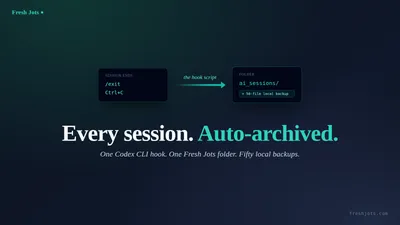
- Paste this into AI coding tool and your sessions auto-archive to Fresh Jots which transcribes everything in your current session after you do '/clear', '/compact', exit, at session end;
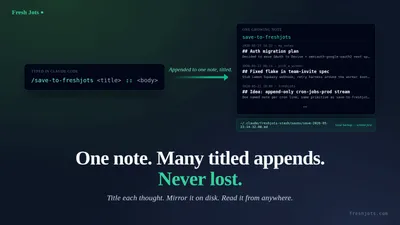
- `/summarize-session-to-freshjots` becomes your on-demand session digest which makes a short summary of everything important for the session's work.
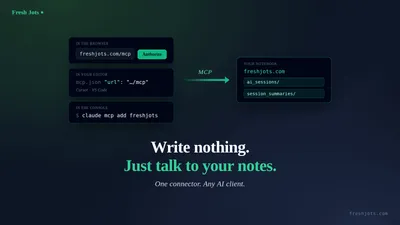
You can Connect any AI coding agent to Fresh Jots.
- Paste this into AI coding tool and your sessions auto-archive to Fresh Jots which transcribes everything in your current session after you do '/clear', '/compact', exit, at session end;
- `/summarize-session-to-freshjots` becomes your on-demand session digest which makes a short summary of everything important for the session's work.
You can Connect any AI coding agent to Fresh Jots.
1. What you need
1. What you need
- Claude Code installed and working.
- GitHub CLI (`gh`) installed and authenticated (`gh auth status` should be green). The command reads the PR through it, so it works from anywhere — you don't need the repo checked out or the branch local.
- The URL of a PR you want a description for.
- A few minutes.
You don't need a Fresh Jots account yet — the prompt will walk you through signing up and creating an API token. Pick the "Plain notes" mode at onboarding — its card says *"Includes a 14-day free API trial"* — and a 14-day API trial token lands in your inbox automatically. It unlocks the full Dev API surface on trial-sized allowances — 100 notes total across the whole account, 3 MB per note, 300 MB storage — deliberately more than the Free tier (25 notes, 1 MB, 50 MB) so the eval doesn't fill up after ten appends, but short of a full Dev subscription; it is a 14-day trial, not a paid Dev account. The trial is issued only the first time you onboard in that mode, so don't pick "Everyday note keeping" first intending to switch later. After two weeks, decide whether the habit has earned the $149/yr Dev tier (10,000 plain notes, 3 active tokens, REST API, dead-man alerts, webhooks, folders).
You don't need `jq` or `curl` already installed — Claude Code will check and, if anything's missing (including `gh`), tell you the one package-manager command to run and wait for your "go."
2. About your token
2. About your token
The prompt will ask you to paste your `mn_…` token into the chat once. That paste briefly lives in this session's transcript. This command only uploads the *PR description it composes* — so the token does not end up in any note as long as you don't ask Claude to include it. (Contrast with the Paste this into Claude Code and your sessions auto-archive to Fresh Jots, which uploads the whole transcript and so writes the paste into your first note.)
For zero token exposure, we recommend you take a look at Get your Fresh Jots API token, then set it once. For now: set `FRESHJOTS_TOKEN` in your shell profile first (one line — `export FRESHJOTS_TOKEN="mn_…"` in `~/.bashrc` or `~/.zshrc`), reload the shell, then paste the prompt. The prompt detects the already-exported value and skips the paste step entirely. If you've already run the auto-archive or summarize setup, `FRESHJOTS_TOKEN` is already in your profile and this prompt sails right past the token step.
3. The prompt
3. The prompt
Open Claude Code anywhere. Paste the block below verbatim, hit enter, then answer the questions it asks you. The prompt is the only thing you have to do by hand.
> Prefer to download it and just feed it to your AI command tool? The whole thing is also a plain-text file: download. It's the *exact* block below — a single self-contained setup prompt that walks Claude Code through token bootstrap, writing the `/write-pr-description-to-freshjots` slash command, and creating the `pr_descriptions` folder. Use the download if your paste misbehaves: rendered blog text can pick up smart quotes (`"` → `"`) or drop a line break, which breaks the JSON and bash inside the prompt. The download has no rendering pipeline in between, so it's byte-for-byte what you need.
````text
I want you to install a `/write-pr-description-to-freshjots` slash command for Claude Code, end to end. Walk me through it conversationally; ask me only what you genuinely can't figure out yourself. Be safe: show diffs before writing any file in my home directory, and never write my API token to any file in the current project or echo it back to me after I paste it.
End state we're aiming for:
- A slash command file at ~/.claude/commands/write-pr-description-to-freshjots.md (full content in step 3 below).
- A "pr_descriptions" folder created on freshjots.com, with its id cached locally at ~/.claude/freshjots-stash/.pr-descriptions-folder-id.
- My shell profile (~/.zshrc if my $SHELL ends in zsh, otherwise ~/.bashrc) exports FRESHJOTS_TOKEN (skipped if it already does).
After setup, typing `/write-pr-description-to-freshjots <pr-url>` in any Claude Code session will: (a) read that PR through the GitHub CLI, (b) compose a structured PR description, (c) write a local backup to ~/.claude/freshjots-stash/ that is kept indefinitely, (d) POST the description to Fresh Jots as a new note inside pr_descriptions, (e) report the note id, the backup path, and a ready-to-run `gh pr edit` command.
Idempotent by design: if I re-run this prompt later, every step should detect existing state (env var set, slash command file unchanged, folder already created) and no-op. Tell me which steps you skipped and why.
Step 1 — Confirm intent. Tell me in one sentence what you're about to do. Ask me to type "yes" before you touch any file. After I've confirmed once, you can proceed through the remaining steps without asking again unless you hit a destructive edit you can't reverse.
Step 2 — Token bootstrap.
- Check presence without printing the value: `[ -n "${FRESHJOTS_TOKEN:-}" ] && echo set || echo unset`. Use that output, never `printenv FRESHJOTS_TOKEN` or `echo $FRESHJOTS_TOKEN` (those would dump the value into the transcript).
- **If "set"** (the token was already exported when Claude Code launched): verify with `curl -sS -o /dev/null -w '%{http_code}' --max-time 15 -H "Authorization: Bearer $FRESHJOTS_TOKEN" https://freshjots.com/api/v1/folders`. The literal `$FRESHJOTS_TOKEN` stays in the command as written; the shell expands it at runtime, so the actual value never appears in stdout, stderr, or the transcript. Expect 200. On 401, tell me my token is set but rejected, and ask me to generate a fresh one. On success, jump to step 2b (you must still run the GitHub CLI check — the slash command depends on `gh`) — and do NOT touch my shell profile, the token is already wired in.
- **If "unset"**, tell me: "Go to https://freshjots.com, sign up (free, no card). At onboarding, pick 'Plain notes' mode — that gets you a 14-day API trial token automatically. If you already have a Dev account, Settings → API tokens → Create token. Either way, you'll end up with an `mn_...` string. Paste it here when you have it."
- Once I paste a token, verify it with one curl call, substituting the literal `mn_...` value into the Authorization header (this single command is the only place the value appears outside my shell profile — unavoidable for the paste-in-chat flow): `curl -sS -o /dev/null -w '%{http_code}' --max-time 15 -H "Authorization: Bearer mn_THE_VALUE_I_PASTED" https://freshjots.com/api/v1/folders`. Expect 200. On 401, tell me politely "that token didn't work — paste another?" and retry up to 3 times.
- After verification, append `export FRESHJOTS_TOKEN="mn_..."` to my shell profile (~/.zshrc if my $SHELL ends in zsh, otherwise ~/.bashrc). Show me the diff before writing. If `grep -l FRESHJOTS_TOKEN ~/.bashrc ~/.zshrc ~/.profile 2>/dev/null` finds it elsewhere already, skip this step and tell me where it lives.
- Never write the raw token to any file in the current repo, and never echo it back into the chat after that one verify call. From this step on, refer to it only as `$FRESHJOTS_TOKEN` in any bash command — let the shell expand it.
Step 2b — GitHub CLI check. Confirm `gh` is installed (`command -v gh`) and authenticated (`gh auth status`). If `gh` is missing, tell me the one install command for my platform (apt/dnf/brew/pacman based on what's on $PATH) and wait for my "go." If it's installed but not authenticated, tell me to run `gh auth login` and wait. Do not proceed to step 3 until both are green.
Step 3 — Slash command file. Write the content below to ~/.claude/commands/write-pr-description-to-freshjots.md (create the directory if missing). If the file already exists with identical content, skip. If it exists with different content, show me the diff and ask before overwriting.
Slash command content (write this verbatim, no edits, no improvements — the leading `---` and frontmatter fields are load-bearing):
---
description: Craft a PR description for a given PR URL and store it in the pr_descriptions folder at freshjots.com, with a local backup
argument-hint: <url of PR>
allowed-tools: Bash, Write
---
Craft a pull-request description for the PR I pass as the command argument, keep a local backup, and store it in the user's Fresh Jots `pr_descriptions` folder.
The PR URL is: $ARGUMENTS
If that is empty, ask me for the PR URL and stop until I give it. Otherwise treat it as PR_URL for every step below.
## Step 1 — read the PR, then compose
Run these via the Bash tool to ground the description in the real PR (set PR_URL to the URL I passed; do not invent the content from memory):
PR_URL="<the PR URL from the command argument>"
gh pr view "$PR_URL" --json number,title,url,headRefName,baseRefName,additions,deletions,changedFiles,body,commits
gh pr diff "$PR_URL" | head -c 60000
If `gh pr view` fails, stop and tell me what gh reported (auth, wrong URL, or no access to a private repo) — do not guess the contents.
Then compose a markdown PR description from that output plus your working context. Use this structure exactly:
# PR #<number>: <concise, imperative title — what this change does>
## Summary
1–3 sentences: what this PR does and the outcome, in plain language.
## Changes
- One bullet per coherent change (group related files); state *what* and *why*, not the raw diff.
- Call out new dependencies, migrations, config, or env vars explicitly.
## Why
The motivating problem or goal. Fold in anything useful from the existing PR body and any linked issue.
## Test plan
- Concrete steps or commands to verify this — enough that a reviewer can re-run them.
## Risk & rollout
- Migrations / data changes, backward compatibility, feature flags, and how to revert.
## Notes for reviewers
- Non-obvious decisions, trade-offs, and follow-ups deliberately left out of scope.
Once composed, write it to `/tmp/cc-pr-description.md` using the Write tool.
## Step 2 — back it up locally, then post
Run this bash block via the Bash tool. Set PR_URL to the same URL. It resolves the PR number, titles the note `pr-<number>-YYYY-MM-DD-hh-mm-ss`, resolves the `pr_descriptions` folder (creating it if missing, caching the id locally), writes the local backup FIRST and keeps it forever, then POSTs to Fresh Jots:
set -uo pipefail
PR_URL="<the PR URL from the command argument>"
[ -n "${FRESHJOTS_TOKEN:-}" ] || { echo "FRESHJOTS_TOKEN not set"; exit 1; }
[ -s /tmp/cc-pr-description.md ] || { echo "description file missing or empty"; exit 1; }
PR_NUM=$(gh pr view "$PR_URL" --json number -q .number 2>/dev/null)
[ -z "$PR_NUM" ] && PR_NUM=$(printf '%s' "$PR_URL" | sed -nE 's#.*/pull/([0-9]+).*#\1#p')
case "$PR_NUM" in ''|*[!0-9]*) echo "Could not determine a PR number from: $PR_URL"; exit 1;; esac
FOLDER_NAME="pr_descriptions"
STASH_DIR="$HOME/.claude/freshjots-stash"
CACHE="$STASH_DIR/.pr-descriptions-folder-id"
mkdir -p "$STASH_DIR"
TITLE="pr-${PR_NUM}-$(date +%Y-%m-%d-%H-%M-%S)"
# Local backup FIRST — this file is the durable copy and is never deleted,
# so the description survives an API outage, a revoked token, or a deleted branch.
STASH_PATH="$STASH_DIR/${TITLE}.md"
cp /tmp/cc-pr-description.md "$STASH_PATH"
echo "Local backup: $STASH_PATH"
folder_id=""
if [ -s "$CACHE" ]; then
cached=$(cat "$CACHE")
[ "$(curl -sS -o /dev/null -w '%{http_code}' --max-time 15 \
-H "Authorization: Bearer $FRESHJOTS_TOKEN" \
"https://freshjots.com/api/v1/folders/$cached")" = "200" ] && folder_id=$cached
fi
if [ -z "$folder_id" ]; then
folder_id=$(curl -sS --max-time 15 -H "Authorization: Bearer $FRESHJOTS_TOKEN" \
https://freshjots.com/api/v1/folders \
| jq -r --arg n "$FOLDER_NAME" '.folders[]? | select((.name // "" | ascii_downcase) == ($n | ascii_downcase)) | .id' | head -1)
fi
if [ -z "$folder_id" ]; then
folder_id=$(curl -sS --max-time 15 -H "Authorization: Bearer $FRESHJOTS_TOKEN" \
-H "Content-Type: application/json" \
-X POST -d "{\"folder\":{\"name\":\"$FOLDER_NAME\"}}" \
https://freshjots.com/api/v1/folders \
| jq -r '.id // empty')
fi
[ -n "$folder_id" ] && echo "$folder_id" > "$CACHE"
if [ -n "$folder_id" ]; then
PAYLOAD=$(jq -Rs --arg t "$TITLE" --arg f "$folder_id" \
'{note: {title: $t, plain_body: ., format: "plain", folder_id: ($f|tonumber? // $f)}}' \
< /tmp/cc-pr-description.md)
else
PAYLOAD=$(jq -Rs --arg t "$TITLE" \
'{note: {title: $t, plain_body: ., format: "plain"}}' \
< /tmp/cc-pr-description.md)
fi
RESP=$(mktemp); trap 'rm -f "$RESP"' EXIT
STATUS=$(curl -sS -o "$RESP" -w '%{http_code}' --max-time 30 \
-X POST https://freshjots.com/api/v1/notes \
-H "Authorization: Bearer $FRESHJOTS_TOKEN" \
-H "Content-Type: application/json" \
--data "$PAYLOAD")
case "$STATUS" in
201)
ID=$(jq -r '.id // "?"' < "$RESP")
rm -f /tmp/cc-pr-description.md
echo "Created note #${ID}: ${TITLE} (folder_id=${folder_id:-root})"
echo "Backup kept at: ${STASH_PATH}"
echo "Push it onto the PR: gh pr edit \"${PR_URL}\" --body-file \"${STASH_PATH}\""
;;
*)
echo "Upload failed: status=$STATUS body=$(head -c 256 "$RESP")"
echo "Your description is SAFE — local backup at ${STASH_PATH} (and /tmp/cc-pr-description.md)."
echo "Use it now anyway: gh pr edit \"${PR_URL}\" --body-file \"${STASH_PATH}\" (or cat it and paste into GitHub)."
exit 2
;;
esac
## Step 3 — report
Tell the user the note id and title, the local backup path, and the ready-to-run `gh pr edit "<pr-url>" --body-file <path>` command. If the upload failed, lead with the reassurance that the description is preserved locally, give the backup path, and the `gh pr edit` command so they can update the PR regardless of Fresh Jots being reachable. Do not run `gh pr edit` yourself — print it and let the user decide; it changes their live PR.
(End of slash command content — that's everything between `---` and here.)
Step 4 — Folder bootstrap. Eagerly create the pr_descriptions folder so I see a visible confirmation it worked before the first `/write-pr-description-to-freshjots` invocation:
- `GET https://freshjots.com/api/v1/folders` with the bearer token; look for a folder named "pr_descriptions".
- If absent: `POST https://freshjots.com/api/v1/folders` with body `{"folder":{"name":"pr_descriptions"}}`.
- Persist the returned id (or the existing one) to ~/.claude/freshjots-stash/.pr-descriptions-folder-id. `mkdir -p ~/.claude/freshjots-stash` first.
- If the auto-archive or summarize setup already created ~/.claude/freshjots-stash/, this just adds another cache file alongside the existing ones. The folders are independent.
Step 5 — Tell me what to do next. Print a single clear three-line block:
1. Quit Claude Code completely (close every window / Ctrl-D out of every session). Slash commands only register at session start.
2. Reload your shell (`source ~/.zshrc` or `source ~/.bashrc`, depending on which I just edited). Skip if FRESHJOTS_TOKEN was already exported before this run.
3. Relaunch Claude Code anywhere, ask anything trivial, then type `/write-pr-description-to-freshjots https://github.com/owner/repo/pull/123`. Within a few seconds you get a PR description in your pr_descriptions folder, a local backup path, and a `gh pr edit` command.
Step 6 — Verification helpers. Tell me I can:
- `ls -1t ~/.claude/freshjots-stash/pr-*.md` to see every PR description I've ever generated (kept indefinitely — these are durable backups, not a rotating stash).
- `cat ~/.claude/freshjots-stash/.pr-descriptions-folder-id` to confirm the cached folder id resolved.
- Visit https://freshjots.com → the pr_descriptions folder to see every description in the UI.
Constraints:
- Use absolute paths everywhere ($HOME expands; ~ inside JSON does not).
- Prefer jq over hand-rolled JSON manipulation.
- Treat every file edit as needing diff + my "yes" the first time, then proceed.
- The local backup must be written BEFORE the upload and must never be deleted on success — it is the whole point.
- Never run `gh pr edit` (or any command that mutates the PR) automatically — only print it for me to run.
- If any API call returns non-200/201, stop and explain, and make clear the local backup is intact — don't paper over it.
- If `jq`, `curl`, or `gh` is missing, tell me which package manager to use to install it (apt/dnf/brew/pacman based on what's on $PATH) and ask before installing.
Begin.
````
That's the whole thing. Copy from the first character of the prompt through `Begin.`, paste, send.
4. What the prompt does
4. What the prompt does
First, Claude Code asks for a one-word confirmation. Then it checks whether `FRESHJOTS_TOKEN` is already exported. If it is, the token is verified against the API and the shell-profile step is skipped entirely — the value never enters the chat. If it isn't, you're walked through sign-up at freshjots.com and asked to paste the `mn_…` token; Claude Code verifies it with one API call, then appends an `export` line to the right shell profile after showing you a diff. It also confirms the GitHub CLI is installed and authenticated. From there: the slash command file is written to `~/.claude/commands/write-pr-description-to-freshjots.md`, the `pr_descriptions` folder is created eagerly via the API so you can see it in the Fresh Jots UI right away, and the folder id is cached locally.
The slash command itself, once installed, does the on-demand work in three steps per invocation. You pass the PR URL as the argument (`$ARGUMENTS`); the command reads the PR through `gh` — `gh pr view` for metadata, commits and the existing body, `gh pr diff` for what actually changed — so the description is grounded in the real PR, not reconstructed from memory, and it works from any directory without the repo checked out. It composes a fixed-structure description (*summary, changes, why, test plan, risk & rollout, reviewer notes*) and writes it to `/tmp/cc-pr-description.md`. Then the embedded bash block writes the durable local backup first — `~/.claude/freshjots-stash/pr-<number>-YYYY-MM-DD-hh-mm-ss.md`, keyed by PR number and timestamped, kept indefinitely — and only then resolves the folder and POSTs the note. On success it removes just the `/tmp` scratch file and prints a ready-to-run `gh pr edit "<url>" --body-file` command so you can push the polished body onto the live PR yourself.
5. When something goes wrong
5. When something goes wrong
Claude Code asks for permissions you weren't expecting. The script writes to your home directory (`~/.claude/commands/`, optionally your shell profile). That's normal for a slash-command install — without home-directory write access the command file can't be created. Approve the prompts; Claude Code shows the diffs first so nothing happens silently.
The token verification loop won't accept your token. Three likely causes: you copied the `mn_…` string with leading/trailing whitespace (paste it cleanly), the token is on a tier without API access (only the **Dev** plan and the 14-day **trial** can call the API — the **Free** and **Personal $24/yr** tiers both have zero active tokens; re-check that you picked "Plain notes" at onboarding and didn't merely upgrade to Personal), or you've already revoked it from the Fresh Jots UI (generate a fresh one).
`gh` can't read the PR. The command grounds everything on `gh pr view`/`gh pr diff`. If those fail it stops rather than guess. Run `gh auth status` — if you're not logged in, `gh auth login`; if the PR is in a private repo, make sure the authenticated account has access; and double-check the URL is a real `…/pull/<number>` link, not a commit or compare URL.
You restart Claude Code, type `/write-pr-description-to-freshjots …`, and it says "Unknown command." Slash commands only load at session start. If you didn't fully quit every Claude Code window before relaunching — even a backgrounded one — the new command isn't registered. Quit everything, then relaunch. Also worth checking: `ls -l ~/.claude/commands/write-pr-description-to-freshjots.md` should show the file exists and is non-empty.
Fresh Jots is unreachable, or the POST fails. This is the case the local backup exists for. The description was written to `~/.claude/freshjots-stash/pr-<number>-…-….md` *before* the upload was attempted and is not deleted on failure. The command prints the path and a `gh pr edit "<url>" --body-file "<path>"` line — you can update the PR immediately regardless, and re-run the command later to sync the note when the API is back.
The POST returns `content_too_large`. Per-note caps are 1 MB (Free/Personal), 3 MB (Dev/Team — and the 14-day trial) for plain-text bodies. A PR description never approaches this unless you asked Claude to paste entire file diffs verbatim — re-run and ask for a tighter description. The local backup is unaffected either way.
The POST fails after about a hundred descriptions on the trial (ten on the raw Free tier). TDuring the 14-day trial the note-count cap is **100 active notes total across the whole account** (not ten, and not per-folder); it is only the raw Free tier — no trial, or after the trial lapses — that caps at ten. The create past the cap returns HTTP 413 with code `cap_exceeded` ("note-count cap reached for this tier") — a different limit from `content_too_large` above, and the one you'll hit first. Nothing is lost: every description was written to `~/.claude/freshjots-stash/` before the upload and stays there, so the on-disk archive keeps growing regardless. Deleting notes frees slots (the cap counts active notes), but the real fix is the $149/yr Dev tier — 10,000 plain notes — if you want Fresh Jots to mirror more than the trial's hundred.
You deleted the `pr_descriptions` folder from the Fresh Jots UI. Nothing breaks and nothing is lost. On the next run the command notices its cached folder id now 404s, finds no folder by that name, and recreates `pr_descriptions` (re-caching the new id) — so the new description lands in a fresh folder of the same name, *not* at the root. The descriptions that were in the deleted folder aren't destroyed either: removing a folder nullifies its notes' folder rather than deleting them, so they survive loose at the account root, ungrouped — they're simply not pulled into the recreated folder. The only way a new description lands at the root is if the recreate call itself fails during an API outage; even then the permanent local backup has it. To regroup the orphaned ones, drag them back into `pr_descriptions` in the UI, or re-run the command per PR to regenerate them from the local backups.
6. After it's done
6. After it's done
Type `/write-pr-description-to-freshjots <pr-url>` whenever you've opened a PR. Within a few seconds you have three things: a searchable note in your `pr_descriptions` folder, a durable local file you can `cat` or `gh pr edit --body-file` from, and the `gh pr edit` command printed for you to push the body onto the PR. Two months later you can grep the folder for "migration" or "auth" and re-read exactly how you framed a change — or `grep -rl migration ~/.claude/freshjots-stash/` locally, the copy that's always complete even when the Fresh Jots mirror is capped. Either way it's the part of the PR that GitHub makes hardest to find again.
The local backup is deliberately permanent. Unlike a rotating session stash, PR descriptions are keepers: one file per description, keyed by PR number, never pruned. Your `~/.claude/freshjots-stash/` becomes a flat, greppable archive of every change you've ever shipped — `pr-<number>-…` sorts and searches cleanly — with Fresh Jots as the searchable, cross-device mirror. That mirror is complete on Dev (10,000 plain notes); on the 14-day trial it holds up to a hundred, and on the raw Free tier only the most recent ten — which is the clearest reason to upgrade once the habit sticks. The on-disk archive, by contrast, is never pruned.
A few related reads:
- The pattern behind all of this. [Connect any AI coding agent to Fresh Jots](/blog/connect-any-ai-coding-agent-to-fresh-jots) — why the engine is a generic REST call and the slash command is just Claude Code's delivery layer; how to point Cursor, Aider, or any agent at the same thing.
- On-demand session digests. [One prompt: `/summarize-session-to-freshjots` becomes your on-demand session digest](/blog/one-prompt-summarize-claude-code-session-to-fresh-jots) — the same shape, but the artifact is a session summary instead of a PR description.
- Verbatim auto-archive. [One prompt: paste this into Claude Code and your sessions auto-archive to Fresh Jots](/blog/one-prompt-archive-claude-code-sessions-to-fresh-jots) — the fire-on-every-session-end, full-transcript variant.
- Token setup and safety. [Get your Fresh Jots API token, then set it once](/blog/getting-and-setting-the-api-token) — the manual reference behind the token step above.
- Your quick start here. — Two short steps to a running Fresh Jots vehicle.
- Everything you can do here. The hub for all the resources we've prepared for you, with a hint that you can expand according to your needs.
- Tell your AI to write to a Fresh Jots folder — the hint that you can write a lot of things to your Fresh Jots account.
One prompt, one slash command, one folder of PR descriptions you'll never have to reconstruct — backed up on disk before they ever leave your machine.