·
16 min read
Outbound webhooks — the user manual
Outbound webhooks — the user manual
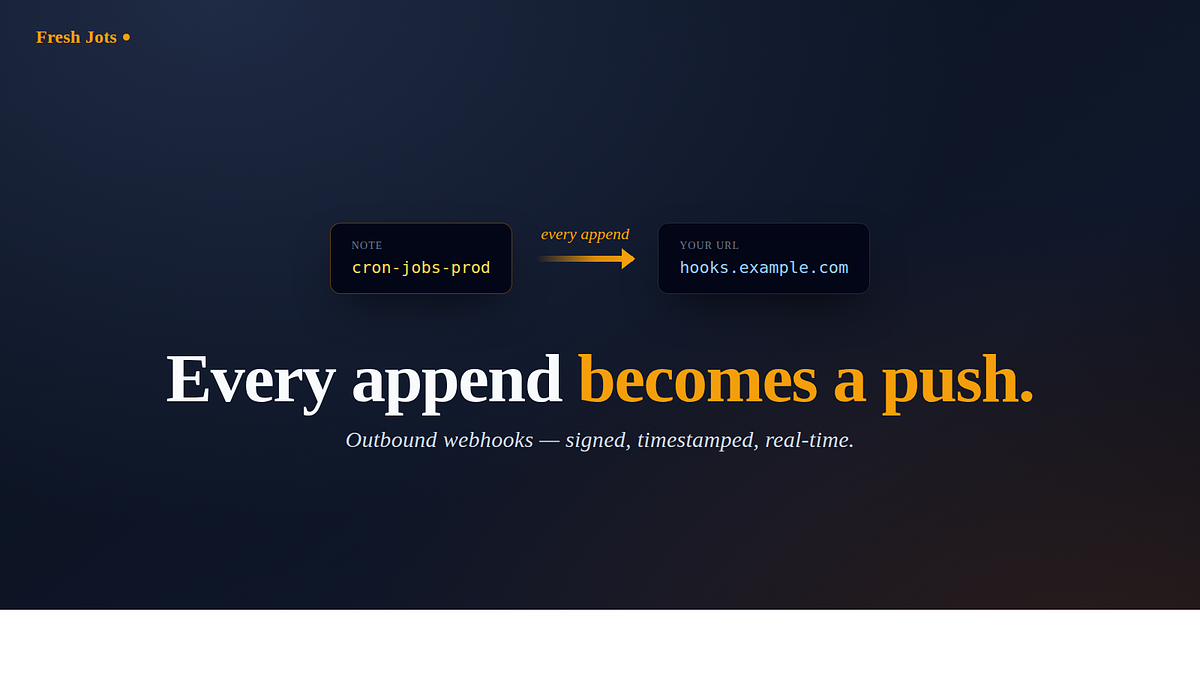
This is the complete reference for the webhook you set on a note. You lock a note to append-only, give it a URL, and from that moment on every append to the note causes Fresh Jots to POST the new chunk to your URL. Nothing polls anything: the moment the note grows, your endpoint hears about it.
The feature comes in three flavours. The default is a signed JSON envelope intended for your own server or for an automation hub. The other two are native chat messages that go directly into Slack or Discord and need no glue code at all. This page covers all three exactly as they behave today.
1. Who this is for
1. Who this is for
Outbound webhooks are a Pro or Team feature, and an active 14-day trial counts toward eligibility — the trial behaves exactly like paid Pro for this feature, with the same payloads and the same limits. Free and Personal accounts cannot configure one; the form rejects the URL field on save.
If your subscription later lapses or your trial ends, deliveries pause but the configuration is preserved rather than wiped. When you re-subscribe, the next append delivers normally and there is nothing to reconfigure.
2. The idea in one sentence
2. The idea in one sentence
A note is a stream, your webhook URL is a subscriber, and every successful append becomes one POST to your URL while the note itself remains the source of truth if a delivery is ever missed.
3. Before you start
Two requirements are enforced at save time and you should know both of them before opening the settings page.
The first requirement is that the owning account is on the Pro plan or the Team plan, or is inside an active 14-day trial: Two easy steps to set up everything, and get you going. The second requirement is that the note itself is append-only, because webhooks fire on the *append* action. Setting a webhook on a freely-editable note is refused, since there would be no append event for it to fire on. You lock the note from the note view first, and only then do the webhook settings become editable.
Webhooks fire only on appends, which means the two API append endpoints — `POST /api/v1/notes/:id/append` for the by-id path and `POST /api/v1/notes/by-filename/:filename/append` for the by-filename path. Editing a note in the browser is not an append and will not produce a delivery.
4. Pick a format
4. Pick a format
On the note's Settings page, under "Outbound webhook," there is a payload-format selector with three choices. The right choice depends entirely on where your URL points.
5. Generic (the default — signed JSON)
5. Generic (the default — signed JSON)
The Generic format is the original `note.appended` envelope. You want it whenever the URL is your own server or an automation hub such as Zapier, Make, or n8n. It is the only format that is signed; "Verifying the signature" below describes exactly how that works.
6. Slack (a chat message, no code)
6. Slack (a chat message, no code)
The Slack format is for incoming-webhook URLs that look like `https://hooks.slack.com/services/...`. You paste that URL directly and you are done — there is no middleware and no adapter to write. Every append posts a formatted message to that channel, and it renders like this:
```
📝 *Prod crons* — append (16 bytes)
` ` `
02:00 backup ok
` ` `
```
The message begins with the note's title (or the filename if the note has no title), followed by a fenced preview of the text that was just appended. Slack itself truncates long messages aggressively in the client, so Fresh Jots clips each message to about 3 500 characters before sending.
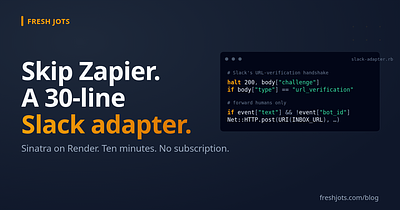
You will need to create a Slack App for this feature. This Slack App will give you the webhook that you need to paste in this append-only note's settings. Find the "Incoming Webhooks" link, then do "Activate Incoming Webhooks", then copy the "Webhook URL" to paste into your note's webhook field.
You will need to create a Slack App for this feature. This Slack App will give you the webhook that you need to paste in this append-only note's settings. Find the "Incoming Webhooks" link, then do "Activate Incoming Webhooks", then copy the "Webhook URL" to paste into your note's webhook field.
7. Discord (a chat message, no code)
7. Discord (a chat message, no code)
The Discord format is the same idea for `https://discord.com/api/webhooks/...` URLs. Discord enforces a hard limit of 2 000 characters on the `content` field and rejects anything over that limit outright, so Fresh Jots keeps each message under 1 900 characters with a final clamp on top to guarantee the platform ceiling is never tripped. Discord uses double-asterisk bold rather than Slack's single asterisk, and the message uses that style so it renders natively.
> Slack and Discord deliveries are intentionally not signed. Neither platform's incoming webhooks can verify a signature on the way in, so signing the body would put bytes on the wire that nothing would ever check. In both cases the unguessable hooks URL is the credential, and you should treat that URL the way you would treat a password. The signing secret described below applies to the Generic format only.
> The format can be configured both from the browser and from the API. The Settings page exposes a drop-down; the API accepts a `webhook_format` field on the same PATCH endpoint that takes `webhook_url` and `webhook_secret`. Values are `generic`, `slack`, and `discord`, and the current value rides back on every read of the note so an API caller can verify which shape is active without scraping the UI.
> Format is independent of the URL — if you pick the Slack format but paste a generic URL, Fresh Jots will still POST `{"text": "…"}` to that URL on every append. The format is a payload-shape switch, not a destination switch, and the platform-specific URLs are only enforced by the receiving platform.
8. Setting it up
8. Setting it up
A. From the browser
The Settings page exposes three fields under "Outbound webhook," and they are saved together.
The first field is the webhook URL itself. It must be an `https://` or `http://` endpoint, must not embed `user:pass@` credentials (those would leak into our outbound logs), and in production must not resolve to an internal or loopback address. The maximum length is 500 characters.
The second field is the payload format, which is the drop-down described above.
The third field is the signing secret, which is only meaningful for the Generic format. It accepts any string up to 64 characters, and it is set-and-forget: after the first save the value is never shown in the form again and never returned by the API or echoed into any payload. Submitting the field blank on a later save means "leave the existing secret alone," and the only way to remove signing entirely is to clear the webhook URL itself.
Once you save, the configuration is live on the next append.
B. From the API
B. From the API
The same fields are reachable over the bearer-token API on the standard note-update endpoints. You can address the note by id with `PATCH /api/v1/notes/:id`, or by filename with `PATCH /api/v1/notes/by-filename/:filename`. The body nests the settings under `note`, exactly the way the existing examples in `/docs` show:
```
curl -X PATCH https://freshjots.com/api/v1/notes/by-filename/cron-jobs-prod \
-H "Authorization: Bearer $FRESHJOTS_TOKEN" \
-H "Content-Type: application/json" \
-d '{"note":{
"webhook_url":"https://hooks.example.com/freshjots",
"webhook_secret":"pick-any-long-random-string",
"webhook_format":"generic"
}}'
```
The `webhook_format` field is optional; leaving it out keeps the existing value, and an unset note defaults to `generic`.
9. What a Generic delivery looks like
9. What a Generic delivery looks like
A delivery is a single POST with `Content-Type: application/json` and four Fresh-Jots-specific headers. The `User-Agent` is `FreshJots-Webhook/1.0` so your access logs make the source obvious. The `X-FreshJots-Event` header carries the event type, which today is always `note.appended`. The `X-FreshJots-Delivery` header carries a UUID that is unique per delivery and is the correct key to dedupe on if you ever process the same body twice. Finally, the `X-FreshJots-Signature` header carries the HMAC of the body as described in the next section.
The headers on the wire look like this:
```
POST /your/path HTTP/1.1
Host: hooks.example.com
Content-Type: application/json
User-Agent: FreshJots-Webhook/1.0
X-FreshJots-Event: note.appended
X-FreshJots-Delivery: 0f8c2c5e-3b4a-4f9b-9c1e-1234567890ab
X-FreshJots-Signature: sha256=4d7b…
```
The body itself is a single JSON object:
```
{
"event": "note.appended",
"delivered_at": "2026-05-20T02:00:00Z",
"delivery_id": "0f8c2c5e-3b4a-4f9b-9c1e-1234567890ab",
"note": {
"id": 221,
"filename": "cron-jobs-prod",
"title": "Prod crons",
"byte_size": 18342,
"last_appended_at": "2026-05-20T02:00:00Z"
},
"appended_text": "02:00 backup ok",
"appended_bytes": 16,
"appended_truncated": false
}
```
The `appended_text` field is just the new chunk, capped at an 8 KB preview. When the real chunk was larger than that, `appended_truncated` is `true` and `appended_bytes` reports the real size on the wire. If you ever need the full content, you read the note back via `GET /api/v1/notes/:id`; the webhook deliberately carries "what just changed" rather than the entire archive. The `byte_size` field is the note's new total size, while `appended_bytes` is the size of this delta alone.
Slack and Discord deliveries do not carry these fields or any of the `X-FreshJots-*` headers. They are a plain chat message, exactly as shown in the earlier example.
10. Verifying the signature (Generic only)
10. Verifying the signature (Generic only)
It is worth being explicit about what the signing secret is actually for, because the answer is the receivers that are not us. When your URL points at your own server, or at a Zapier, Make, or n8n hub, those endpoints have no other way to know that a request really came from Fresh Jots and was not forged by someone who guessed the URL. The HMAC signature gives them that proof, and this is the same pattern that GitHub, Stripe, and Slack use for their own outbound webhooks.
The model has two complementary halves and it is useful to keep them straight. Outbound (Fresh Jots → your URL) authenticates *the sender*: we sign with the shared secret and you verify. Inbound (anything → `/h/<token>`, the webhook inbox) authenticates *the caller*: the caller proves they are allowed by holding the unguessable URL, and the inbox does not verify any signature. The two mechanisms are complementary rather than redundant.
If you ever point an outbound webhook at another Fresh Jots note's inbox to build a Fresh-Jots-to-Fresh-Jots aggregator, you are running both mechanisms in sequence — but the inbox uses only the URL token, so the signature on that hop is unused. In that specific case you should leave the secret blank, because signing it would be dead weight where nothing checks the result.
The rest of this section is the rule for everyone else, which is the external receivers the secret was built for.
The `X-FreshJots-Signature` header is `sha256=` followed by the hex HMAC-SHA256 of the *raw* request body, keyed on your signing secret. Two things tend to go wrong on the receiver side, and both are worth calling out.
The first is that the HMAC must be computed over the exact bytes the receiver got. Parsing and re-serialising the JSON changes the bytes and the signature will no longer match. Verify before parse, every time.
The second is that the comparison must run in constant time, which means `secure_compare` in Ruby, `crypto.timingSafeEqual` in Node, `hmac.compare_digest` in Python, and so on. A naive `==` comparison leaks timing information.
A complete receiver in Sinatra looks like this:
```
require "sinatra"
require "json"
require "openssl"
SECRET = ENV.fetch("FRESHJOTS_WEBHOOK_SECRET")
post "/freshjots" do
raw = request.body.read
sent = request.env["HTTP_X_FRESHJOTS_SIGNATURE"].to_s
good = "sha256=" + OpenSSL::HMAC.hexdigest("SHA256", SECRET, raw)
halt 401 unless Rack::Utils.secure_compare(good, sent)
event = JSON.parse(raw)
# event["note"]["filename"] -> which stream
# event["appended_text"] -> the new chunk (<= 8 KB)
status 200 # any 2xx; see "When deliveries fail"
"ok"
end
```
If you configure no secret, the signature header is still sent but is keyed on the empty string and is effectively unsigned. For anything your endpoint actually acts on, set a secret and verify it.
11. When deliveries fail (all formats)
11. When deliveries fail (all formats)
Fresh Jots does not retry a failed delivery, by design. A failure is counted but not re-sent, because the note still holds the data and any consumer can reconcile by reading it back. Webhooks are a best-effort notification; the note is the durable record. If your endpoint was down when an append happened, you read the note back via the API and pick up where you left off — nothing has been lost on our side.
A simple circuit breaker keeps the queue healthy. Any non-2xx response, any timeout, and any network error increment a consecutive-failure counter on the note. After ten consecutive failures the webhook auto-disables itself and deliveries stop entirely until you re-arm it. Any single 2xx response resets the counter to zero, so one good delivery moves the note back to fully healthy.
The per-attempt budget is short on purpose: five seconds to open the connection, five seconds to read the response, and five seconds to write the body, with up to five HTTP redirects followed before the attempt is abandoned. Anything slower than that counts as a failure and increments the counter. Your endpoint's only real obligation is to return a 2xx response within that window. If the real work behind the webhook is slow, acknowledge the delivery first and process asynchronously on your side.
Re-arming is a deliberate action and the path is the same from both the browser and the API. Once a webhook is auto-disabled, any save on that note clears the failure counter and the disabled timestamp — opening the Settings page, looking at the "auto-disabled N hours ago" banner, and clicking Save *is* the acknowledgement that brings deliveries back. You can change the URL at the same time if the previous endpoint really did move; you can also save with the URL field untouched, which is the path the banner explicitly invites.
The complement matters too. While the webhook is still healthy but has accumulated a few non-2xx responses (say 3 of 10 before auto-disable), an unrelated settings save — editing the alert email, tweaking the deadline — leaves that mid-flight count alone. The count is a flakiness signal worth keeping around so you can see it accumulate; we won't quietly erase it just because you saved the form. It only resets on a deliberate re-arm: a URL change, or a save while the webhook is in the fully auto-disabled state.
The Settings page shows the current health ("auto-disabled N hours ago" or "N consecutive failures; M more before auto-disable") so you always know which state you are in.
12. The security model, briefly
12. The security model, briefly
Fresh Jots enforces several guarantees on outbound webhooks, and all of them apply at save time so a misconfiguration cannot leak its way into production.
Endpoints must be HTTPS or HTTP and are validated when you save. Embedded `user:pass@` credentials in the URL are refused, because they would otherwise end up in our outbound logs. In production, URLs that resolve to internal or loopback addresses are also refused, so a typo or a malicious paste cannot turn the webhook into an SSRF vector.
The Generic signing secret is never disclosed once you have saved it. The form does not echo it back, the API never returns it, and it does not appear in any payload that Fresh Jots sends.
Slack and Discord rely on the unguessable hooks URL as their credential, and the only way to revoke an exposed URL is to delete it on the platform and configure a new one. The same is true of any signing secret that has leaked: rotate the secret, save it on both sides, and the old signature becomes worthless.
The mental model worth keeping is that you authenticate us rather than us authenticating you. The Generic signature proves a given payload came from Fresh Jots; the URL itself is your responsibility to keep private, and every signature you receive is worth verifying.
13. Recipes
13. Recipes
The shortest path to "tell me in chat on every append" is to pick the Slack or Discord format and paste that platform's incoming-webhook URL directly. There is no code on your side and it takes under a minute.
If you only want to be pinged on certain kinds of appends, the native chat formats are not enough on their own, because they post every append unconditionally. The standard pattern in that case is to use the Generic format, point it at a small receiver of your own (around fifteen lines is usually enough), verify the signature, filter on `appended_text`, and forward only the appends that matter onward. The Sinatra example above is the starting point — drop a `next unless event.dig("appended_text").to_s.include?("ERROR")` (or whatever discriminator fits) just after the signature check and you are done.
If you want the data to land in a spreadsheet, a CRM, or a queue, the Generic format paired with Zapier, Make, or n8n's catch-hook is the easiest path. You map the JSON fields once inside the automation hub and you never have to write code.
14. Limits at a glance
14. Limits at a glance
A handful of fixed limits are worth knowing without scrolling through the manual.
- The webhook URL is at most 500 characters, and must use `https` or `http`.
- The signing secret is at most 64 characters, applies to the Generic format only, and is write-only.
- The Generic `appended_text` preview is capped at 8 KB; the full body is always available through the read API.
- The Slack message is clipped to about 3 500 characters, and the Discord message is clipped to 1 900 characters under a hard platform ceiling of 2 000.
- Each delivery attempt has a 5-second open / 5-second read / 5-second write timeout, and follows at most 5 HTTP redirects before giving up.
- Auto-disable kicks in after 10 consecutive non-2xx deliveries.
- There are no automatic retries; the circuit breaker treats the note itself as the source of truth.
- Re-arming an auto-disabled webhook only takes a save on the Settings page (URL change optional); a mid-flight failure count on a still-healthy webhook is preserved across unrelated settings saves so the flakiness signal is not lost.
- Today the only event type is `note.appended`.
- The format is configurable from both the browser and the API, and an unset note defaults to `generic`.
15. Try it free for 14 days. No card.
15. Try it free for 14 days. No card.
You can sign up, pick the "Plain notes" mode at onboarding, and a 14-day trial lands in your inbox. Outbound webhooks are included from the first minute and behave exactly like paid Pro. Lock a note to append-only, set a webhook URL (and, for the Generic format, a signing secret) in its Settings, point a script at the note, and watch the first delivery land: two easy steps to set up everything, and get you going.
After 14 days, Pro is $149 per year. The full field-by-field reference lives at /docs under "Watchdog & webhooks."
After 14 days, Pro is $149 per year. The full field-by-field reference lives at /docs under "Watchdog & webhooks."