·
21 min read
A searchable CI failure log on GitHub Actions — user manual
A searchable CI failure log on GitHub Actions — user manual
Every time a build breaks, GitHub keeps the logs — for 90 days, buried three clicks deep, one run at a time, with no way to ask "how often has *this* test flaked this month?" A log-aggregator subscription fixes the searching and charges you for retention you didn't ask for.
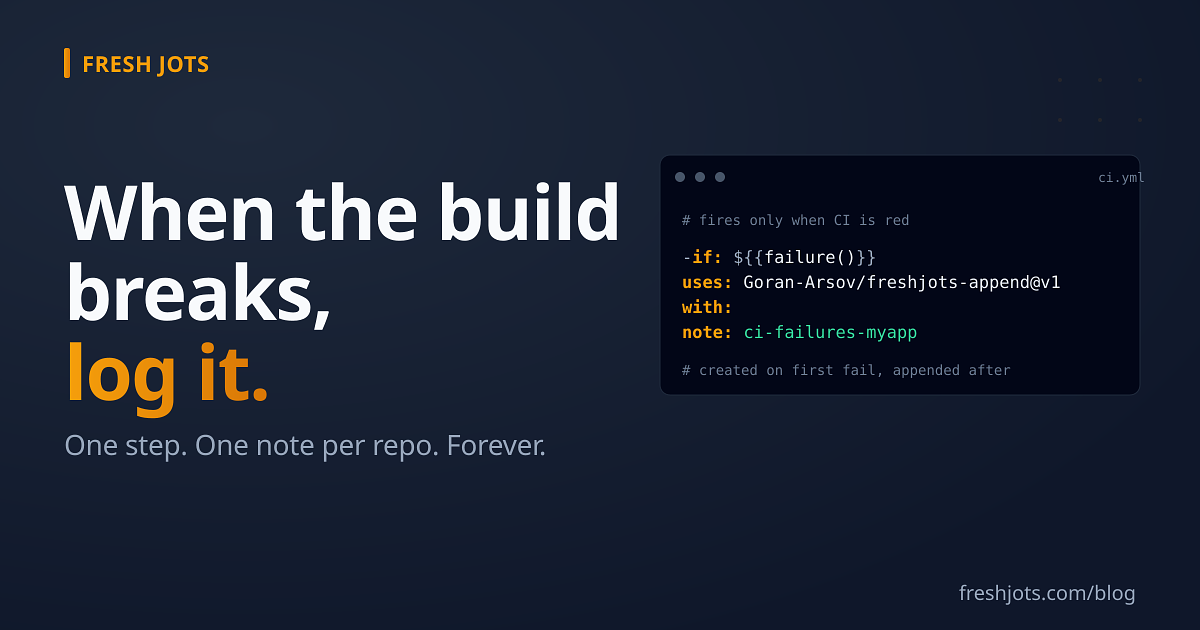
There's a smaller move. A GitHub Actions step that fires **only when the build fails** and `curl`s a one-line summary into a Fresh Jots note named after the repo. The note *is* the failure history: one repo, one append-only stream, every red build a line, addressable forever, searchable from your account, bounded only by storage — not by a 90-day clock or a per-seat bill.
This post assumes you've never added a step to a workflow and have never called the Fresh Jots API. It's the whole thing, click by click. If you already run crons against Fresh Jots, this is the CI-on-failure cousin of Write to Fresh Jots from a cron job.
You'll need a Fresh Jots API token. The API is a **Pro or Team** feature — or a free **14-day trial** that behaves exactly like Pro. Two easy steps to set up everything, and get you going is five minutes; come back here.
1. What you're building, in one sentence
1. What you're building, in one sentence
When a workflow fails, one extra step runs, `POST`s a line like `FAIL tests #214 main a1b2c3d — <link to the run>` to `https://freshjots.com/api/v1/notes/by-filename/ci-failures-<repo>/append`, and Fresh Jots **creates the note on the first failure and appends a line on every failure after**. No note to pre-create, no ID to store, no server of your own.
2. Put the token where Actions can read it
2. Put the token where Actions can read it
A workflow can't see your shell environment or a file on your laptop. It reads secrets you store on the repository. Never paste a token into the workflow file itself — the file is committed to git, and anyone who can read the repo can read the token.
In your repository on github.com:
1. **Settings** (the repo's own Settings tab, not your account's).
2. Left sidebar → **Secrets and variables** → **Actions**.
3. **New repository secret**.
4. **Name:** `FRESHJOTS_TOKEN` (exactly this — the examples below reference it by this name).
5. **Secret:** paste your `mn_…` token. Save.
That's it. GitHub encrypts it, masks it in every log line, and exposes it to workflows only as `${{ secrets.FRESHJOTS_TOKEN }}`.
**Worth knowing — forks can't see it.** If your CI runs on pull requests *from forks* (common in open-source repos), those runs **do not** get repository secrets — GitHub withholds them so a stranger's PR can't exfiltrate your credentials. A fork-PR build that fails therefore logs nothing, and that's correct, not a bug. The step below is written so a missing token is a clean skip, not a second red X.
3. Where the workflow file lives
3. Where the workflow file lives
GitHub Actions workflows are YAML files in `.github/workflows/` at the root of your repo. You either already have one (e.g. `.github/workflows/ci.yml` — that's the thing running your tests) or you don't.
- **You already have one** → you're adding *one step* to it. Skip to "Add the step."
- **You don't, or you want this isolated** → drop in the complete standalone file further down.
A *step* is one item in a job's `steps:` list. The whole trick here is a step with an `if:` condition that makes it run **only when an earlier step failed**.
- **You already have one** → you're adding *one step* to it. Skip to "Add the step."
- **You don't, or you want this isolated** → drop in the complete standalone file further down.
A *step* is one item in a job's `steps:` list. The whole trick here is a step with an `if:` condition that makes it run **only when an earlier step failed**.
4. TL;DR — just apply this
4. TL;DR — just apply this
If you already have an automated deploy and want the full picture wired up in one file — auto-deploy when CI is green, plus a forever-log of every outcome (a successful deploy, a deploy that broke mid-flight, *and* the red-CI runs where deploy was correctly skipped) — save the file below as `.github/workflows/deploy.yml`. The repository secrets it references all go in the same place you put `FRESHJOTS_TOKEN` in Step 1: add `DEPLOY_HOST` and `DEPLOY_SSH_KEY` alongside it (or substitute whatever your deployer needs). Every event then lands as one line in a `deploys-<repo>` Fresh Jots note.
```yaml
name: Deploy
on:
workflow_run:
workflows: ["CI"] # the `name:` of your existing test workflow
types: [completed]
branches: [master] # restrict to CI runs on your default branch
workflow_dispatch: # optional "Run workflow" button in the Actions UI
concurrency:
group: deploy-production
cancel-in-progress: false
jobs:
deploy:
runs-on: ubuntu-latest
steps:
- name: Deploy via SSH
if: ${{ github.event_name == 'workflow_dispatch' || github.event.workflow_run.conclusion == 'success' }}
id: ssh
uses: appleboy/ssh-action@v1
with:
host: ${{ secrets.DEPLOY_HOST }}
username: deploy
key: ${{ secrets.DEPLOY_SSH_KEY }}
script: /var/www/my-app/bin/deploy
- name: Log deploy to Fresh Jots
if: always()
uses: Goran-Arsov/freshjots-append@v1
with:
note: deploys-${{ github.event.repository.name }}
text: >-
${{ github.sha }} —
CI ${{ github.event.workflow_run.conclusion || 'manual' }},
deploy ${{ steps.ssh.outcome }}
env:
FRESHJOTS_TOKEN: ${{ secrets.FRESHJOTS_TOKEN }}
```
The `appleboy/ssh-action` step is the placeholder — swap it for Capistrano, Kamal, `scp-action`, or whatever platform-specific deploy hook you actually use. Three lines stay no matter what you swap in: `id: ssh` so the log step can read its outcome, the `if:` *on the step* (not on the job), and the log step underneath with `if: always()` reading `steps.ssh.outcome`. Putting that `if:` on the *job* instead would skip the log step too, so the red-CI runs you most wanted logged would leave no trace; the long-form explanation of why is in *Gated jobs (deploys): when `always()` doesn't reach*, further down under *Patterns that work*.
Don't have an automated deploy? Skip to *Add the step — the easy way (published Action)* below — that's the minimal within-CI recipe for failure-only logging, without the deploy machinery.
5. Add the step — the easy way (published Action)
5. Add the step — the easy way (published Action)
There's a maintained GitHub Action that does the `curl` for you. Add this as the **last step** of the job that runs your build:
```yaml
- name: Log CI failure to Fresh Jots
if: ${{ failure() }}
uses: Goran-Arsov/freshjots-append@v1
with:
note: ci-failures-${{ github.event.repository.name }}
text: >-
FAIL ${{ github.workflow }} #${{ github.run_number }}
${{ github.ref_name }} ${{ github.sha }} —
${{ github.server_url }}/${{ github.repository }}/actions/runs/${{ github.run_id }}
env:
FRESHJOTS_TOKEN: ${{ secrets.FRESHJOTS_TOKEN }}
```
Five things in there that are doing real work:
- **`if: ${{ failure() }}`** is the whole point. By default a step runs only if every previous step *succeeded*; the moment one fails, GitHub skips the rest. `failure()` inverts that: this step runs **only** when something earlier in the job has already failed. Drop this line and the step runs on green builds too — sometimes what you want (see Patterns), usually not.
- **`note: ci-failures-${{ github.event.repository.name }}`** is the per-repo stream. `github.event.repository.name` is the bare repo name (`my-app`). The note is created on the first failure and reused forever after — the repo name is, in effect, the tag.
- **Use `repository.name`, not `github.repository`.** `github.repository` is `owner/my-app` *with a slash*, and the API rejects slashes in filenames outright — you'll get a `422 validation_failed` ("filename must be 1..200 bytes, contain no slashes") on every red build, so the failure log itself never logs. `github.event.repository.name` is the bare segment (`my-app`) and passes cleanly. This is the one easy mistake; make it once here and never again.
- **`env: FRESHJOTS_TOKEN:`** hands the secret to the Action as an environment variable. The Action deliberately accepts the token *only* this way and never as a `with:` input — a token-shaped `with:` value ends up readable in the workflow file or run metadata. Env-only makes the safe way the only way.
- **The Action fails loudly on a missing token** with a message naming the exact secret to add — except on fork PRs, where there's simply no secret and the step is a no-op. You won't get a mystery 401.
The `note-id` of the note is exposed as a step output (`steps.<id>.outputs.note-id`) if you want to chain on it; most people never need it.
6. Pin it if you care about supply chain
6. Pin it if you care about supply chain
`@v1` follows the v1 major tag. If your security posture requires immutable third-party Actions, pin to the commit SHA instead (`uses: Goran-Arsov/freshjots-append@<full-40-char-sha>`) and bump it deliberately. Same advice you'd apply to any third-party Action.
7. Add the step — the transparent way (raw curl, no Action)
7. Add the step — the transparent way (raw curl, no Action)
Some teams won't add a third-party Action, full stop. The endpoint is plain HTTPS; you don't need one. This step is exactly equivalent:
```yaml
- name: Log CI failure to Fresh Jots
if: ${{ failure() }}
env:
FRESHJOTS_TOKEN: ${{ secrets.FRESHJOTS_TOKEN }}
REPO: ${{ github.event.repository.name }}
SUMMARY: "FAIL ${{ github.workflow }} #${{ github.run_number }} ${{ github.ref_name }} ${{ github.sha }} — ${{ github.server_url }}/${{ github.repository }}/actions/runs/${{ github.run_id }}"
run: |
if [ -z "${FRESHJOTS_TOKEN:-}" ]; then
echo "::warning::FRESHJOTS_TOKEN not set (fork PR?) — skipping failure log"
exit 0
fi
body=$(jq -nc --arg t "$SUMMARY" '{text:$t}')
curl -fsS -X POST \
-H "Authorization: Bearer ${FRESHJOTS_TOKEN}" \
-H "Content-Type: application/json" \
-d "$body" \
"https://freshjots.com/api/v1/notes/by-filename/ci-failures-${REPO}/append"
```
Notes on the choices:
- **`jq -nc --arg t "$SUMMARY"`** builds the JSON body safely. Commit messages and branch names contain quotes, backticks, and `$`; hand-rolled `-d '{"text":"'"$SUMMARY"'"}'` breaks the first time someone names a branch `fix/"weird"`. `jq` is preinstalled on GitHub's `ubuntu-latest` runners.
- **The missing-token guard** mirrors the Action: on a fork PR the secret is empty, so the step prints a warning and exits 0 instead of failing red. A failed build that *also* can't log shouldn't compound into two failures.
- **`curl -fsS`** — `-f` makes curl exit non-zero on an HTTP 4xx/5xx so a real problem (bad token, tier expired) surfaces in the log; `-sS` hides the progress bar but keeps error messages.
8. The complete standalone workflow
8. The complete standalone workflow
If you don't have a workflow yet, or you want the failure log decoupled from your test pipeline, save this as `.github/workflows/ci-failure-log.yml`. It watches your *real* CI workflow and logs when it concludes in failure:
```yaml
name: CI failure log
on:
workflow_run:
workflows: ["CI"] # <-- the `name:` of your existing test workflow
types: [completed]
jobs:
log-failure:
if: ${{ github.event.workflow_run.conclusion == 'failure' }}
runs-on: ubuntu-latest
steps:
- name: Append failure to Fresh Jots
uses: Goran-Arsov/freshjots-append@v1
with:
note: ci-failures-${{ github.event.repository.name }}
text: >-
FAIL ${{ github.event.workflow_run.name }}
run #${{ github.event.workflow_run.run_number }}
${{ github.event.workflow_run.head_branch }}
${{ github.event.workflow_run.head_sha }} —
${{ github.event.workflow_run.html_url }}
env:
FRESHJOTS_TOKEN: ${{ secrets.FRESHJOTS_TOKEN }}
```
Change `workflows: ["CI"]` to match the `name:` line of the workflow you actually want to watch. One real difference worth knowing: a `workflow_run` workflow runs from the **default branch's** copy and always has access to secrets — *including* for fork PRs, because it runs in your repo's trust context, not the fork's. So this standalone form is the one that captures fork-PR failures too. The trade-off is it can't fail the build it's reporting on (it runs after, separately) — which for a failure *log* is exactly right.
9. Confirm it works
9. Confirm it works
Don't wait for a real breakage. Push a branch with one deliberately failing test (or add a `- run: exit 1` step before the logging step), let CI go red once, then check the note:
```bash
curl -fsS https://freshjots.com/api/v1/notes/by-filename/ci-failures-my-app \
-H "Authorization: Bearer $FRESHJOTS_TOKEN"
```
You'll get the note JSON back with your one `FAIL …` line in `plain_body`. Open the note in the Fresh Jots web app and — bonus you didn't ask for — every future failure **streams in live over the open tab**, no refresh. A wall-mounted "what broke today" board, for the price of one curl per red build. Then revert the deliberate failure.
10. Patterns that work
10. Patterns that work
A. Failure-only (the default above)
`if: ${{ failure() }}`. The note contains *only* breakages. Quiet when things are healthy; a dense, greppable record of every red build when they're not. This is what most people want.
B. Every run, pass or fail (a heartbeat)
B. Every run, pass or fail (a heartbeat)
Swap `failure()` for `always()` and put the status in the line. The Action also takes `append-deadline-hours` — set it once on every run and Fresh Jots will email you when the next pulse fails to arrive in time:
```yaml
if: ${{ always() }}
with:
note: ci-runs-${{ github.event.repository.name }}
text: "${{ job.status }} ${{ github.workflow }} #${{ github.run_number }} ${{ github.ref_name }}"
append-deadline-hours: 26 # nightly CI + 2h grace
```
`job.status` is `success`, `failure`, or `cancelled`. Now you can answer "what's our pass rate this week" by skimming one note. The `append-deadline-hours` line wires up the **dead-man's switch**: as long as runs keep heartbeating in, nothing happens; the moment they stop — the build server died, the cron got disabled, the runner pool was drained — the note's deadline passes unsent and you get an email. Idempotent: setting the same value on every run is a no-op server-side, so it's safe to leave in. See [The dead-man's switch](/blog/dead-mans-switch) for the longer treatment.
This is the failure mode no green/red dashboard can show you, because a dashboard that isn't being written to looks the same as one that's fine.
C. Gated jobs (deploys): when `always()` doesn't reach
C. Gated jobs (deploys): when `always()` doesn't reach
Logging a *deploy* is the variant of this pattern people reach for next. A separate workflow runs on `workflow_run` after CI, deploys when CI was green, and appends a line to a `deploys-<repo>` note so there's a permanent record of what shipped when. The obvious shape — and the one that bites every first attempt — looks like this:
```yaml
jobs:
deploy:
runs-on: ubuntu-latest
if: ${{ github.event.workflow_run.conclusion == 'success' }}
steps:
- name: Deploy via SSH
uses: appleboy/ssh-action@v1
with:
host: ${{ secrets.DEPLOY_HOST }}
key: ${{ secrets.DEPLOY_SSH_KEY }}
script: /var/www/my-app/bin/deploy
- name: Log deploy to Fresh Jots
if: always()
uses: Goran-Arsov/freshjots-append@v1
with:
note: deploys-${{ github.event.repository.name }}
text: "${{ github.sha }} (${{ job.status }})"
env:
FRESHJOTS_TOKEN: ${{ secrets.FRESHJOTS_TOKEN }}
```
Run it for a week and the note fills with `(success)` lines. The runs you most wanted captured — the red-CI builds where deploy was skipped because the job's gate failed — leave no trace; the note reads as though those builds never happened. The cause is one rung up the YAML tree. `if: always()` on a *step* overrides a step-level skip; it cannot override a job-level skip. When CI fails and the job's own `if:` evaluates false, GitHub skips the entire job and every step inside it, `always()` included. The "always" in the function name is step-scoped — it never reaches across the job boundary.
Two ways out, depending on what you want the note to read like.
**Move the gate down to the step.** The job always runs; only the deploy step is conditional; the log step records both CI's conclusion and what the deploy step actually did. Save the file below as `.github/workflows/deploy.yml` — it is a complete, paste-ready workflow, not a snippet to splice in:
```yaml
name: Deploy
on:
workflow_run:
workflows: ["CI"] # the `name:` of your existing test workflow
types: [completed]
branches: [master] # restrict to CI runs on your default branch
workflow_dispatch: # optional "Run workflow" button in the Actions UI
concurrency:
group: deploy-production
cancel-in-progress: false
jobs:
deploy:
runs-on: ubuntu-latest
steps:
- name: Deploy via SSH
if: ${{ github.event_name == 'workflow_dispatch'
|| github.event.workflow_run.conclusion == 'success' }}
id: ssh
uses: appleboy/ssh-action@v1
with:
host: ${{ secrets.DEPLOY_HOST }}
username: deploy
key: ${{ secrets.DEPLOY_SSH_KEY }}
script: /var/www/my-app/bin/deploy
- name: Log deploy to Fresh Jots
if: always()
uses: Goran-Arsov/freshjots-append@v1
with:
note: deploys-${{ github.event.repository.name }}
text: >-
${{ github.sha }} —
CI ${{ github.event.workflow_run.conclusion || 'manual' }},
deploy ${{ steps.ssh.outcome }}
env:
FRESHJOTS_TOKEN: ${{ secrets.FRESHJOTS_TOKEN }}
```
The `appleboy/ssh-action` step is a placeholder for however you actually ship — swap it for a Capistrano step, a `kamal-action` step, an `scp-action` step, a `gh` deployment API call, or a one-liner that hits your platform's deploy hook. Leave the three lines around it intact: `id: ssh` so the log step can read its outcome, `if:` *on the step* (not the job), and the log step underneath with `if: always()` referencing `steps.ssh.outcome`. Those three are the pattern; the deploy mechanism is the placeholder. The secrets the workflow expects on the repo are `FRESHJOTS_TOKEN` (set per Step 1 above) plus whatever your deployer needs — `DEPLOY_HOST` and `DEPLOY_SSH_KEY` for the SSH example, added the same way in *Settings → Secrets and variables → Actions*.
Red CI now writes `<sha> — CI failure, deploy skipped`; a clean run writes `<sha> — CI success, deploy success`; a break inside the deploy step writes `<sha> — CI success, deploy failure`. Three states, one note, one record per commit. Read `steps.<id>.outcome` rather than `job.status` in that line — when the deploy step is *skipped*, no step has actually failed, so `job.status` is `success` and you would log `(success)` for a deploy that never ran, which is the bug you started with in slightly different clothes. `outcome` distinguishes `success`, `failure`, and `skipped`; `job.status` collapses skipped-and-clean into one bucket.
**Or split it into two streams.** Keep `deploys-<repo>` strictly about deploys that actually ran, and route red CI to the separate `ci-failures-<repo>` note this post is otherwise about. Same coverage, two notes, no `outcome` plumbing — and the win is conceptual: *what shipped* and *what broke* are questions you reach for at different moments, and one note per question scans faster than a mixed stream.
The shape generalises beyond deploys. Any time `if: always()` lives inside a job that has its own `if:`, you are asking `always()` to do work it cannot — gate the step you actually meant to gate, or put the always-run logic in its own workflow.
D. Matrix builds — don't fan out into noise
A matrix job (`os: [ubuntu, macos, windows]`) runs the logging step once *per leg*, so one bad commit can write three near-identical lines. Either include the leg in the line so they're distinguishable:
```yaml
text: "FAIL ${{ matrix.os }} ${{ github.workflow }} #${{ github.run_number }} ${{ github.sha }}"
```
…or gate the step to a single leg (`if: ${{ failure() && matrix.os == 'ubuntu-latest' }}`) when you only want one entry per failed run.
E. Monorepo — one note per package
E. Monorepo — one note per package
If one repo ships several packages, the repo name is too coarse. Append the package to the note name:
```yaml
note: ci-failures-${{ github.event.repository.name }}-api
```
Now `…-api`, `…-web`, `…-jobs` are independent searchable streams, each its own failure history.
F. Org-wide, defined once
F. Org-wide, defined once
Don't paste this into forty repos. Put it in a [reusable workflow](https://docs.github.com/actions/using-workflows/reusing-workflows) or a composite action in one internal repo, store `FRESHJOTS_TOKEN` as an **organization** secret (Settings → Secrets and variables → Actions, at the org level) scoped to the repos that should report, and `uses:` it everywhere. One definition, one secret, every repo's failures landing in its own `ci-failures-<repo>` note.
11. When it doesn't work — the short list
11. When it doesn't work — the short list
- **Step never runs.** You almost certainly omitted `if: ${{ failure() }}`. Without it the step inherits the default "only on success," and a *failed* build skips it — the exact moment you wanted it. The condition isn't optional decoration; it's the mechanism.
- **`401 unauthenticated` in the step log.** Wrong or expired token, or the secret name doesn't match `FRESHJOTS_TOKEN` character-for-character. Re-mint at [/settings/api_tokens](/settings/api_tokens) and re-save the secret.
- **`403 forbidden`.** The token's plan can't use the API — the trial lapsed, or Pro wasn't renewed. The API is a Pro/Team capability; [see billing](/billing).
- **Nothing logged on a fork PR.** Expected and correct — GitHub withholds secrets from fork-triggered runs. Use the `workflow_run` standalone form above if you need fork failures captured.
- **`422 validation_failed: filename must be 1..200 bytes, contain no slashes`.** You used `github.repository` (which is `owner/repo`, with a slash) instead of `github.event.repository.name`. Swap the expression and the next failed build will log cleanly.
- **`if: always()` step is silently skipping some runs.** The step lives inside a job that has its own `if:` — a deploy job gated on CI success is the canonical case. When the job's condition fails, GitHub skips the whole job and every step inside it; `always()` is step-scoped, not workflow-scoped. Move the gate to the step you actually meant to gate, or split the gated work into its own `workflow_run` listener. The "Gated jobs (deploys)" pattern above is the worked-out version.
- **`if: always()` step is silently skipping some runs.** The step lives inside a job that has its own `if:` — a deploy job gated on CI success is the canonical case. When the job's condition fails, GitHub skips the whole job and every step inside it; `always()` is step-scoped, not workflow-scoped. Move the gate to the step you actually meant to gate, or split the gated work into its own `workflow_run` listener. The "Gated jobs (deploys)" pattern above is the worked-out version.
12. The honest constraints
12. The honest constraints
- **Tier.** The API needs **Pro ($149/yr)** or **Team**, or an active **14-day trial**. CI failure logging alone probably doesn't justify Pro — but it rarely travels alone; it's one of a handful of automation hooks (crons, deploys, dead-man alerts) that together do.
- **Rate limit.** **300 appends per minute** on Pro. CI failures are not a high-frequency event; you will never come near this. (If you somehow do, your problem isn't the rate limit.)
- **Body size.** Keep the line short — a status, the run number, the SHA, a link. The append endpoint rejects oversized bodies, and a wall of build log isn't what makes this useful. The line points *at* the full GitHub log; it doesn't replace it.
- **"Searchable" means across notes and by filename — not full-text within one note, today.** You can pull `ci-failures-my-app` instantly and grep it locally; you can list and filter your notes via the API. In-note full-text search isn't the model this leans on. Plan around streams-as-files, not a log query engine.
13. Try it free for 14 days. No card.
13. Try it free for 14 days. No card.
Sign up at freshjots.com, pick **"Plain notes"** at onboarding, and a 14-day trial token lands in your inbox — identical to paid Pro, API and dead-man alerts included. Add the six-line step to one repo, push a branch that fails on purpose, and watch the line appear in the note in real time. After 14 days, Pro is **$149/yr**. The full endpoint reference is at [/docs](/docs); the GitHub Action source at github.com/Goran-Arsov/freshjots-append is one short `action.yml` and worth a minute's read before you trust it.
One step, one note per repo, one less reason to pay for log retention you'll never query.
Take a look at Everything You Can Do Here.
Take a look at Everything You Can Do Here.